Author: TopAINest Team

  • Best Smart Pet Cameras Under $100 for Dogs Home Alone (2026)

    Best Smart Pet Cameras Under $100 for Dogs Home Alone (2026)

    Disclosure: TopAINest is reader-supported. This post contains affiliate links, and we may earn a small commission if you buy through them — at no extra cost to you. We only recommend products we’d genuinely tell a friend to buy.

    Leaving your dog home alone never quite feels normal. You lock the door, walk to the car, and start wondering: is she pacing by the window again? Did he get into the trash? Is anyone actually barking, or is the whole street about to file a complaint? A good pet camera turns that low-grade guilt into something you can just glance at on your phone — and in 2026, you no longer have to spend $200 to get one that works.

    The sweet spot right now is under $100. At that price you can get sharp 2K video, night vision, two-way audio so you can talk your anxious pup down, and motion or bark alerts that ping you the second something kicks off. Some even pan and tilt to follow your dog around the room instead of staring at one empty corner.

    We narrowed the field to five cameras that genuinely earn a spot on the shelf — no filler, and honest cons on every single one, because none of these is perfect. Here are the best smart pet cameras under $100 for dogs home alone in 2026.

    Our picks at a glance
    PickBest forApprox. price
    Wyze Indoor Cam Pan★ Top pickBest Overall for the Money~$40Check price →
    PETLIBRO Scout Smart CameraBest for Anxious Dogs~$40Check price →
    Ring Indoor Cam (2nd Gen)Best if You Already Own Ring~$60Check price →
    Blink Mini 2Best Tiny Camera on a Tight Budget~$40Check price →
    Petcube Cam 360Best Wide-Angle View~$50Check price →

    1. Wyze Indoor Cam Pan — Best Overall for the Money
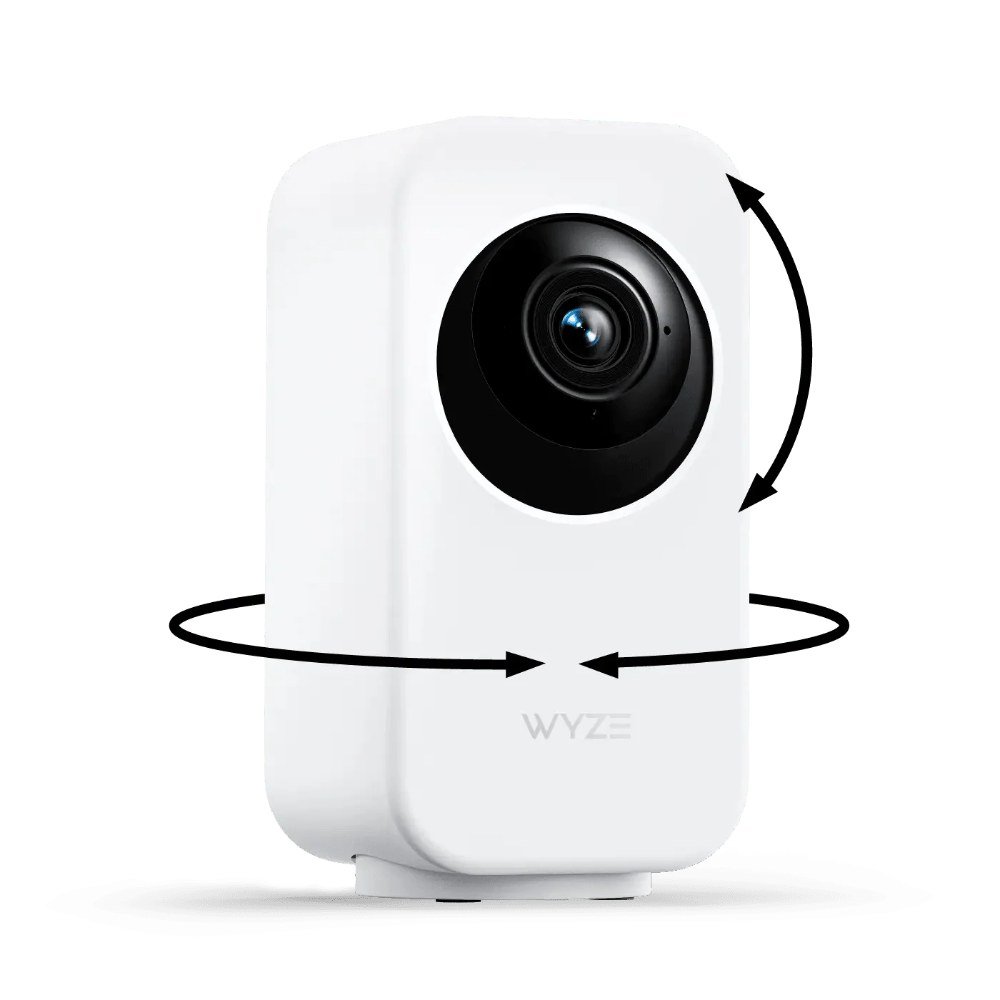
    Wyze Indoor Cam Pan pan-and-tilt pet camera
    Introducing: Wyze Cam Pan v3

    ▶ Video: Introducing: Wyze Cam Pan v3 — Wyze (official). Click to play; opens YouTube’s player.

    The Wyze Indoor Cam Pan is the one we point most people to first. For around $40 it pans a full 360 degrees, tilts up and down, and can automatically track motion — so when your dog wanders from the couch to the door, the camera follows instead of losing him off-frame. You get crisp video, color night vision, and two-way talk, plus the option to set patrol “waypoints” so it sweeps the room on a loop while you’re out.

    The catch is the classic Wyze trade-off: the best features (like person and pet AI detection and longer cloud clips) live behind a Cam Plus subscription. Local microSD recording is free, but you’ll want a card. For the price, though, nothing else moves and sees this well.

    Pros: 360° pan with motion tracking; color night vision; two-way audio; free local microSD recording.
    Cons: AI alerts and extended cloud clips need a paid Cam Plus plan; motor is faintly audible in a quiet room.

    Check price on Amazon → (~$40)

    2. PETLIBRO Scout Smart Camera — Best for Anxious Dogs
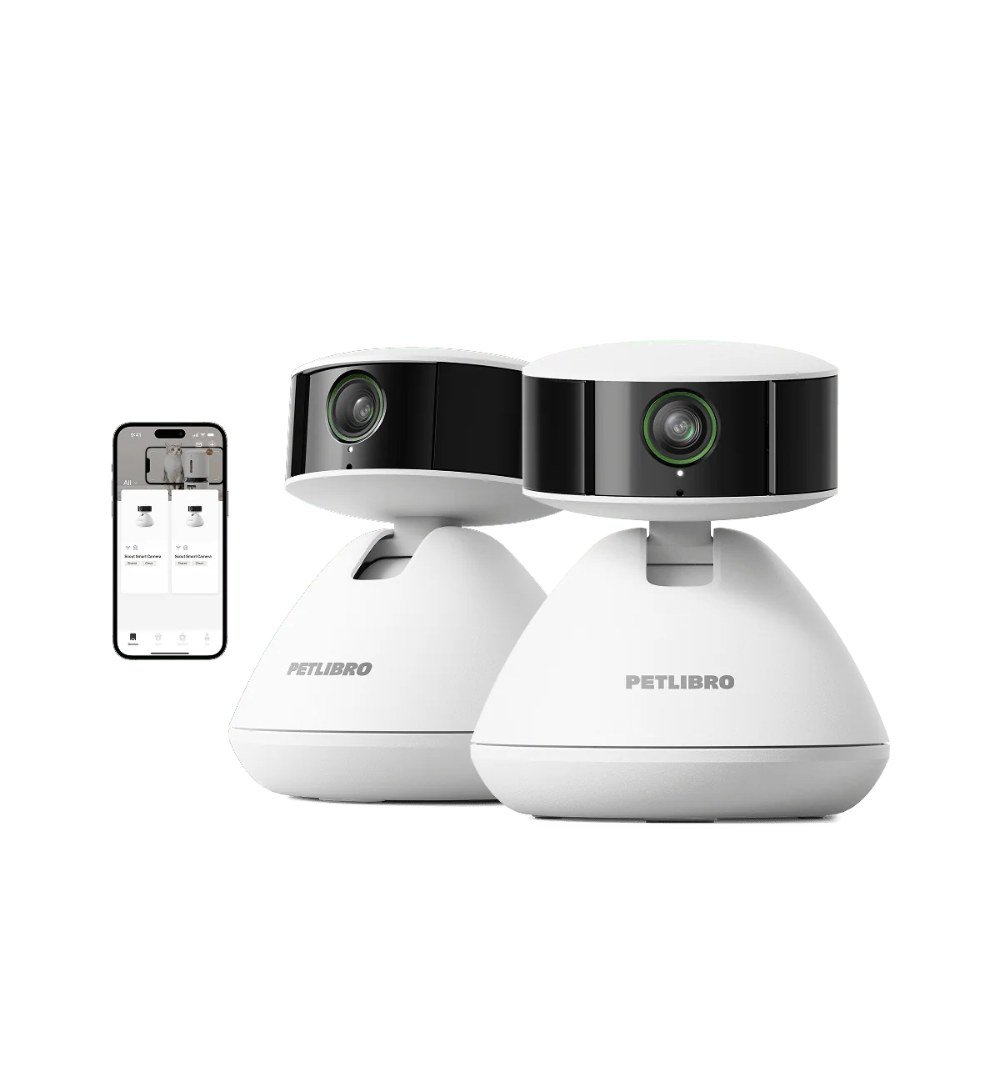
    PETLIBRO Scout Smart Camera pet camera
    Meet Scout AI-powered Smart Camera I AI Recognition for Individual Pets

    ▶ Video: Meet Scout AI-powered Smart Camera I AI Recognition for Individual Pets — Petlibro (official). Click to play; opens YouTube’s player.

    PETLIBRO built its name on smart feeders, and the Scout Smart Camera brings that same pet-first thinking to a standalone cam. It shoots wide 2K footage, has strong low-light performance for evening shifts, and its two-way audio is genuinely clear — which matters more than people think when you’re trying to soothe a dog who whines the moment the door clicks shut. The app is clean and skips the learning curve.

    It’s a fixed-view camera, so it won’t pan to chase your dog across the room; you’ll want to mount it where it covers the main hangout spot. But for a calm, reliable eye on one area — a crate, a bed, the living room — it punches well above its roughly $40 price.

    Pros: Sharp 2K wide-angle view; excellent night vision; clear two-way audio; beginner-friendly app.
    Cons: No pan or tilt — single fixed view; ecosystem is smaller than Wyze or Ring.

    Check price on Amazon → (~$40)

    3. Ring Indoor Cam (2nd Gen) — Best if You Already Own Ring

    Ring Indoor Cam (2nd Gen) – A Focus on Privacy

    ▶ Video: Ring Indoor Cam (2nd Gen) – A Focus on Privacy — Security.org (independent review). Click to play; opens YouTube’s player.

    If your doorbell and outdoor cams are already Ring, the Indoor Cam (2nd Gen) is the obvious, tidy pick at around $60. Everything lives in one app, alerts are fast and reliable, and the manual privacy cover — a physical shutter you can slide over the lens — is a genuinely nice touch for a camera pointed at your living room. Full HD video and two-way talk cover the pet-watching basics comfortably.

    The honest downside is that Ring leans hard on its subscription: without a Ring Home plan you get live view and real-time alerts but no saved video history, so you can’t scroll back to see what your dog did an hour ago. It also doesn’t pan. For Ring households, the convenience still wins.

    Pros: Seamless with existing Ring gear; physical privacy shutter; fast, dependable alerts.
    Cons: Recorded video history requires a paid plan; fixed view, no pan/tilt.

    Check price on Amazon → (~$60)

    Introducing Blink Mini 2

    ▶ Video: Introducing Blink Mini 2 — Blink (official). Click to play; opens YouTube’s player.

    The Blink Mini 2 is the go-anywhere option. It’s tiny, often sits around $40 or less, and now adds proper color night vision plus a wider field of view than the original. Setup takes about five minutes, and the two-way audio and motion alerts do exactly what a first-time pet-cam buyer needs. Drop it on a shelf, point it at the dog bed, done.

    Like Ring (both are Amazon-owned), cloud storage is a subscription — though you can add a Blink Sync Module 2 with a USB drive for local backup instead. It’s a fixed-view camera and the plastic build feels its price, but few cameras this small are this capable.

    Pros: Very compact and affordable; color night vision; quick setup; optional local storage via Sync Module.
    Cons: Cloud clips need a Blink subscription; fixed view; lightweight build.

    Check price on Amazon → (~$40)

    5. Petcube Cam 360 — Best Wide-Angle View

    Welcome Petcube Cam 360 - All-in-one 360° view pet camera

    ▶ Video: Welcome Petcube Cam 360 – All-in-one 360° view pet camera — Petcube (official). Click to play; opens YouTube’s player.

    Petcube designed its cameras specifically for pet parents, and the Cam 360 shows it. Its standout trick is a super-wide, near-360-degree view of the room from a fixed position — so instead of panning, it just sees almost everything at once, which is great for open-plan spaces where your dog roams. You get 2K-class video, night vision, two-way audio, and smart alerts, usually around $50.

    The wide lens does introduce some fisheye distortion at the edges, and Petcube’s best alert features and video history sit behind its Petcube Care plan. But if you want one camera to cover a whole room without buying two, this is the smart way to do it.

    Pros: Extremely wide room coverage; built by a pet-focused brand; solid two-way audio and alerts.
    Cons: Edge distortion from the wide lens; advanced features require Petcube Care subscription.

    Check price on Amazon → (~$50)

    Our Top Pick

    For most people watching a dog home alone, the Wyze Indoor Cam Pan is the one to buy. At roughly $40 it does the single most useful thing a pet camera can do — actually follow your dog around the room — while still nailing the basics of clear video, night vision, and two-way talk. You can start with just free local recording and add Cam Plus later only if you want the AI extras.

    If your dog camps in one spot or you’re nervous about setup, the PETLIBRO Scout Smart Camera is the calmer, fixed-view alternative at a similar price. And if you already live in the Ring world, save yourself the second app and grab the Ring Indoor Cam.

    Frequently Asked Questions

    Do I really need a subscription to use a pet camera?

    No — every camera here works for free live viewing, motion alerts, and two-way audio right out of the box. Subscriptions mostly unlock saved cloud video history and smarter AI detection. If you just want to check in during the day, you can skip the plan entirely, and cameras like the Wyze and Blink let you record locally to a card or drive for free.

    Can my dog hear me through the camera?

    Yes. All five have two-way audio, so you can talk to your dog and hear them back through the app. Some dogs find your disembodied voice reassuring; others get confused or more anxious when they hear you but can’t find you. Try it a few times while you’re just in the next room to see how yours reacts before relying on it.

    Are these cameras secure from hackers?

    Reputable brands like these use encryption and support two-factor authentication — turn 2FA on and use a strong, unique password and you’re in good shape. Indoor camera security is worth taking seriously, and we cover it in more depth in our guide to the top AI-powered home security cameras of 2026.

    The Bottom Line

    You don’t need to spend a fortune to stop worrying about your dog while you’re out. Any of these five smart pet cameras under $100 will let you check in, talk to your pup, and get a heads-up when something happens. Buy the Wyze Indoor Cam Pan if you want it to follow your dog around the room, the PETLIBRO Scout for a simple fixed view, and match a Ring or Blink to whatever ecosystem you already own.

    Whichever you choose, set it up a day or two before you actually need it, do a test run from another room, and you’ll head out the door a lot calmer than you do now.


  • This Week in AI & Tech: Astra Arrives, Nvidia Buys Hugging Face (Sep 5, 2026)

    This Week in AI & Tech: Astra Arrives, Nvidia Buys Hugging Face (Sep 5, 2026)

    Every Saturday we round up the handful of AI and tech stories worth your attention — what happened, why it matters, and what (if anything) to do about it. No hype, no doom.

    This was a “big money, big models” week: OpenAI shipped its most capable model yet while quietly making it harder to see how it thinks, Nvidia wrote a very large cheque for the place most open AI models live, and Berlin’s IFA show reminded everyone that the gadgets you actually buy are getting smarter too. Here’s what stood out, and what it means for a normal person with a laptop and a budget.

    OpenAI launched Astra — its most capable model, and its hardest to audit

    On Thursday OpenAI released Astra, which it calls its strongest model so far, with a particular pitch around software engineering and letting the model drive a computer or browser on your behalf. It went first to a cybersecurity program, with Plus, Pro, Business and Enterprise subscribers and API users getting it over the following week. The catch: Astra uses a reasoning technique OpenAI calls “opaque recurrence,” which means the step-by-step thinking that researchers normally read to check a model’s behaviour is much less visible than before. Safety researchers were not thrilled.

    Why it matters: if you pay for ChatGPT you’re about to get a noticeably better coding and “do this for me” assistant, but this is also the first flagship model that arrives with an open trade-off between capability and transparency — worth knowing before you hand it your browser.

    Source: TechCrunch · TechCrunch (safety concerns)

    Nvidia is buying Hugging Face for $12.93 billion

    Hugging Face is the site where most open AI models, datasets and demo apps are published — more than 3 million models used by roughly 18 million developers. Nvidia confirmed on Wednesday that it is acquiring the company for $12.93 billion, and CEO Jensen Huang promised it will stay an open platform where you can use any model, framework or cloud without needing Nvidia chips. For context, Hugging Face reportedly turned down a $500 million offer from Nvidia a couple of years ago.

    Why it matters: a lot of the free and open AI tools we recommend quietly depend on Hugging Face staying neutral; the promise is that nothing changes, and the whole industry will be watching to see whether that holds.

    Source: TechCrunch

    IFA 2026: the budget-friendly gadgets worth noticing

    Europe’s big consumer-tech show opened in Berlin on Friday, and the “best of show” lists are full of things that will end up in our guides. Beyerdynamic’s Aventho Y wireless headphones claim up to 90 hours of battery for about $150. Eufy showed the Omni E35 robot vacuum with 35,000Pa suction and an asthma-and-allergy certification, a 3K Video Doorbell S4 with a 180-degree view, and a Window Camera E10 that sticks to the inside of your window with hook-and-loop — no drilling, no outdoor wiring. Anker’s AeroClip 2 open earbuds and Philips Hue’s bendable Liane rope light also took awards. Most prices and ship dates are still to come.

    Why it matters: if you’re shopping for a robot vacuum, earbuds or a renter-friendly camera this fall, this is the moment to wait a few weeks — last year’s models usually get discounted right after the new ones are announced.

    Source: Gizmodo

    Google’s new weather model forecasts hour by hour at 5 km

    Google DeepMind released WeatherNext 3 on Wednesday. It works at 5 km resolution instead of the old 15–25 km, updates hourly instead of every six hours, and Google says it is about 60% better at predicting rain than the previous version — partly because it is the first of these models to use raw satellite observations directly. The forecasts are feeding into Google Search, Google Maps and Gemini.

    Why it matters: this is one of those AI upgrades you’ll never see a button for, but the “will it rain at 4pm” answer on your phone just got meaningfully more trustworthy.

    Source: TechCrunch

    Gemini Spark can now tidy your Google Photos library (if you pay)

    Google’s personal agent, Gemini Spark, gained access to Google Photos this week. Once you connect the two and toggle Spark on, it can edit images, build albums, create shared collections on its own and even turn a photographed concert poster into a calendar event. It’s rolling out over several weeks, in English, in the United States only, and only for Gemini AI Pro and Ultra subscribers — free users are not included.

    Why it matters: the useful AI features are increasingly landing behind paid tiers first, so “is the subscription worth it” is becoming a real question rather than a nice-to-have.

    Source: TechCrunch

    Update Chrome today: a sixth zero-day is being exploited

    Google pushed an emergency Chrome update on Thursday for CVE-2026-85046, a bug in the V8 JavaScript engine that attackers are already using in the wild — the sixth actively exploited Chrome zero-day of 2026. The fix is in version 152.0.7977.82 and later. Chrome usually updates itself, but only after a restart, so a browser that has been open for a week is still vulnerable.

    Why it matters: this one is actually being used against people, and the fix takes thirty seconds — open the three-dot menu, go to Help → About Google Chrome, and relaunch.

    Source: Help Net Security

    Three hikers were rescued after letting Gemini plan their trip

    A group of young hikers on Mount Shasta, California used Google Gemini to plan their climb, and according to the county sheriff the chatbot told them to bring far less food and water than they needed. They summited at 7pm — four hours past the safe turnaround time — tried to descend in the dark, and spent the night in a canyon before rangers and volunteers reached them the next morning. The sheriff’s advice: call the local ranger station, and never rely on AI alone for trip planning.

    Why it matters: AI planners are brilliant at the first draft and terrible at knowing what they don’t know; anything with real-world risk deserves a human sanity check.

    Source: TechCrunch

    Two more newspapers sue OpenAI — the same week Washington backed it

    The Seattle Times and Newsday filed copyright suits against OpenAI and Microsoft in New York on Friday, asking a court to order the offending models destroyed. That landed just days after the US government sided with OpenAI’s position that training large models on copyrighted material can be fair use. Expect this tug-of-war to run for years.

    Why it matters: how these cases end will shape what future models are allowed to learn from — and, indirectly, how good and how expensive they get.

    Source: TechCrunch · TechCrunch (government filing)

    Worth reading this week on TopAINest

    One thing to try this weekend

    Restart Chrome. Seriously — that’s the whole tip. Open the three-dot menu, choose Help, then About Google Chrome, let it finish downloading, and click Relaunch. It takes half a minute, closes an exploit that is being used right now, and you’ll get your tabs back exactly as they were. While you’re at it, do the same on your phone’s browser.

    Get this in your inbox every Saturday — subscribe at the bottom of the page.

    Frequently Asked Questions

    What is OpenAI Astra, and is it worth upgrading for?

    Astra is OpenAI’s most capable model as of September 2026, available on ChatGPT Pro. It handles complex reasoning and multi-step tasks better than previous models. That said, OpenAI reduced chain-of-thought transparency with this release, meaning it’s harder to check why it reached an answer. For everyday writing and research, most users will do fine on the free or Plus tier.

    Why did Nvidia buy Hugging Face, and what does it mean for open-source AI?

    Nvidia agreed to acquire Hugging Face for $12.93 billion — the biggest consolidation in open-source AI to date. Hugging Face hosts the majority of publicly shared AI models and datasets. More Nvidia resources could accelerate model releases, but the open-source community is watching whether access policies or licensing terms change after the deal closes.

    Is it safe to use AI tools like Gemini for outdoor trip planning?

    AI can be a great starting point for itinerary research, but it should never be the sole source for safety-critical decisions. The September 2026 rescue of three hikers who relied on Gemini’s trip plan is a reminder to cross-check AI suggestions with local ranger advisories, current trail conditions, and experienced guides — especially in remote areas.

  • Best Smart Home Gadgets for Renters — No Drilling Required (2026)

    Best Smart Home Gadgets for Renters — No Drilling Required (2026)

    Disclosure: TopAINest is reader-supported. This post contains affiliate links, and we may earn a small commission if you buy through them — at no extra cost to you. We only recommend products we’d genuinely tell a friend to buy.

    Renting comes with an unwritten rule: don’t put holes in the walls. That makes building a smart home feel off-limits — most guides assume you can drill a doorbell, swap a light switch, or mount a camera wherever you like. You can’t, and you’d like your deposit back.

    The good news is that in 2026 the best smart-home gear is renter-friendly by design. It plugs in, sticks on with adhesive, or clamps over the hardware that is already there — and comes right back off when you move, no patching required. We rounded up five gadgets that make an apartment genuinely smarter without a single hole.

    Here is the honest list — what each does, where it falls short, and roughly what it costs on Amazon.ca.

    Our test for making the cut was simple: could a renter install it in an afternoon, with no tools and no permanent changes, and remove it just as easily on moving day? Everything here passes. We leaned toward gear that is affordable, works with the assistants you probably already use, and does not lock you into a monthly subscription just to function. Where a device has a genuine catch — a paint-lifting adhesive, a mic that is always on — we say so plainly, because a rental is a small space and those trade-offs matter more when you live on top of them.

    Our picks at a glance
    PickBest forApprox. price
    SwitchBot Smart Lock★ Top pickKeyless Entry, Zero Drilling~$130Check price →
    Wyze Cam v4Big Security on a Small Budget~$50Check price →
    Kasa Smart Plug MiniThe Cheapest Upgrade in the House~$20Check price →
    Govee RGBIC LED Strip LightsMood Lighting That Peels Off~$30Check price →
    Amazon Echo Dot (5th Gen)The Voice That Ties It Together~$65Check price →

    1. SwitchBot Smart Lock — Keyless Entry, Zero Drilling

    SwitchBot Lock & Keypad Touch review

    ▶ Video: SwitchBot Lock & Keypad Touch review — LifeHackster (independent review). Click to play; opens YouTube’s player.

    This is the gadget that makes renters believe smart homes are possible. The SwitchBot Smart Lock mounts over the inside of your existing deadbolt with adhesive — your key, your door, and your landlord’s hardware stay exactly as they are. You get app control, auto-lock, and keypad or phone entry, and when you move out it peels off clean. Setup takes about ten minutes and no tools.

    Pros: Fully reversible, so your deposit is safe; keeps your original key working; auto-lock is worth it on its own.
    Cons: The stick-on mount needs a clean, flat thumb-turn to grip well; the keypad and Wi-Fi hub are separate add-ons that push the real cost up.

    Check price on Amazon (~$130) →

    2. Wyze Cam v4 — Big Security on a Small Budget

    Introducing Wyze Cam v4

    ▶ Video: Introducing Wyze Cam v4 — Wyze (official). Click to play; opens YouTube’s player.

    A good camera keeps an eye on the place without touching a wall. The Wyze Cam v4 sits on any shelf or windowsill, plugs into USB power, and streams crisp color night vision to your phone. It handles person, pet, and package detection, and local microSD recording means you are not forced into a subscription. For the price, nothing else this small does this much.

    Pros: Genuinely cheap; sharp night vision; free local recording if you skip the cloud plan.
    Cons: The best AI alerts sit behind Cam Plus; it needs Wi-Fi and a nearby outlet, so placement is a little less free than a battery cam.

    Check price on Amazon (~$50) →

    3. Kasa Smart Plug Mini — The Cheapest Upgrade in the House

    Kasa Smart Wi-Fi Plug Mini Review (Best Smart Plug?)

    ▶ Video: Kasa Smart Wi-Fi Plug Mini Review (Best Smart Plug?) — Ahmed Dawn (independent review). Click to play; opens YouTube’s player.

    If you only buy one smart-home thing, make it a smart plug. The Kasa Smart Plug Mini turns any lamp, fan, or coffee maker into something you can control by app, voice, or schedule — no wiring, no wall work, just plug it into the outlet you already have. It is the fastest way to automate a rental and it works with Alexa and Google out of the box.

    Pros: Absurdly cheap, especially in a multi-pack; dead simple setup; makes “dumb” lamps feel smart instantly.
    Cons: Only as smart as what you plug into it; the compact body can still crowd the second socket on some outlets.

    Check price on Amazon (~$20) →

    4. Govee RGBIC LED Strip Lights — Mood Lighting That Peels Off

    RGBIC, The Latest Rainbow Smart Light | Govee

    ▶ Video: RGBIC, The Latest Rainbow Smart Light | Govee — GOVEE (official). Click to play; opens YouTube’s player.

    Renters can’t repaint, but they can light. Govee’s RGBIC strips stick to the back of a desk, shelf, or TV with adhesive backing, then shift millions of colors, react to music, and run scenes from the app or a voice assistant. They transform a beige apartment in about fifteen minutes and come off cleanly when you leave — go slow near painted walls and warm the adhesive first.

    Pros: Huge visual payoff for the price; app and voice control with fun music-sync scenes; genuinely removable.
    Cons: Adhesive can lift paint if you yank it off fast; the strips are not easily shortened, so plan your run before sticking.

    Check price on Amazon (~$30) →

    5. Amazon Echo Dot (5th Gen) — The Voice That Ties It Together

    How to set up your Echo Dot 5th Gen | Amazon Echo

    ▶ Video: How to set up your Echo Dot 5th Gen | Amazon Echo — Amazon Alexa (official). Click to play; opens YouTube’s player.

    Once you have plugs, lights, a lock, and a camera, you want one thing to boss them around. The Echo Dot (5th Gen) plugs into any outlet and becomes the voice hub for the whole setup — “lock the door,” “turn on the desk lights,” “show the front camera.” It also handles timers, music, and alarms, and its small footprint fits a crowded rental just fine.

    Pros: Ties every other gadget on this list together; strong sound for its size; frequently on sale.
    Cons: Ties you deeper into Amazon’s ecosystem; the always-listening mic is a privacy trade some renters won’t want in a small space.

    Check price on Amazon (~$65) →

    Setting up a dorm rather than an apartment? Small shared rooms change the math on which Echo is worth it — we compared every current model for exactly that in our guide to the best Alexa devices for a dorm room.

    Our Top Pick

    For renters specifically, the SwitchBot Smart Lock is the standout. It solves the one problem every other guide tells you to drill your way around — keyless, app-controlled entry — while leaving your landlord’s deadbolt untouched and your deposit intact. Pair it with a Kasa plug and an Echo Dot and you have a real smart home for well under the cost of a single hardwired system, with nothing to undo when the lease ends.

    Frequently Asked Questions

    Will any of this damage my apartment or lose my deposit?

    No — that is the whole point of this list. Everything here plugs in, sticks on with removable adhesive, or clamps over existing hardware. The only thing to be careful with is the LED strips near painted walls: warm the adhesive with a hairdryer and peel slowly, and the paint stays put.

    Do I need a separate hub for these to work?

    Mostly no. The plug, camera, and lights connect straight to your Wi-Fi, and the Echo Dot doubles as your voice hub. The SwitchBot Lock works over Bluetooth on its own but needs SwitchBot’s add-on hub for remote, away-from-home control, so budget for that if you want to unlock the door from work.

    What should a renter buy first?

    Start with a smart plug and an Echo Dot — under $100 together and instantly useful. Add the camera for peace of mind, then the lock and lights as you settle in. If security is your main worry, our guide to the best AI-powered home security cameras goes deeper on renter-friendly options.

    The Bottom Line

    Renting no longer means settling for a dumb apartment. With five gadgets that plug in or peel off, you can lock the door from your phone, watch the place while you travel, automate your lamps, and set the mood — then pack it all up and take it to the next place when the lease is done. Start small with a plug and a voice assistant, and build from there. Your walls, and your deposit, stay exactly as you found them.

  • Top 5 AI Tools for Etsy Sellers & Small Online Shops (2026)

    Top 5 AI Tools for Etsy Sellers & Small Online Shops (2026)

    Disclosure: TopAINest is reader-supported. This post contains affiliate links, and we may earn a small commission if you buy through them — at no extra cost to you. We only recommend products we’d genuinely tell a friend to buy.

    Running an Etsy shop in 2026 means fighting for attention against millions of other listings and the same handful of scrolling shoppers. You are the designer, the photographer, the copywriter, the SEO nerd, and the customer-service rep — usually all before breakfast. The good news is that a small stack of AI tools can quietly take over the parts that eat your evenings, so you can spend more time actually making things.

    We tested dozens of apps that promise to “grow your shop,” and most of them are recycled keyword scrapers with a chatbot bolted on. These five earned a permanent spot in our workflow. A couple are Etsy-specific, a couple are general AI tools that happen to be brilliant for shops, and every one has a real free tier or free trial so you can try before you spend a dollar.

    Here is the honest rundown — what each does well, where it falls short, and who it is actually for.

    Our picks at a glance
    PickBest forApprox. price
    Alura★ Top pickThe All-in-One Etsy ToolkitFreeVisit site →
    eRankDeep Keyword & SEO ResearchFreeVisit site →
    ChatGPTYour Listing Copywriter & Assistant~$20/moVisit site →
    Canva Magic StudioMockups, Photos & Social GraphicsFreeVisit site →
    Copy.aiBulk Product Descriptions & Email MarketingFreeVisit site →

    1. Alura — The All-in-One Etsy Toolkit

    Alura Chrome extension walkthrough

    ▶ Video: Alura Chrome extension walkthrough — Alura (official). Click to play; opens YouTube’s player.

    Alura is built specifically for Etsy sellers, and it shows. It bundles keyword research, listing optimization, competitor shop analysis, profit tracking, and even automated Pinterest posting into one dashboard. The free plan is genuinely usable — you can research keywords and audit listings without paying a cent — and the browser extension drops shop insights right onto Etsy pages while you browse. With more than 800,000 sellers on board, there is enough data behind its suggestions to be worth trusting.

    Pros: Etsy-native, so nothing feels bolted on; a free plan that actually does something; the Pinterest auto-posting alone can replace a separate app.
    Cons: The best automation and A/B testing sit behind the paid tier; the dashboard throws a lot at you at once and takes a day to learn.

    Try Alura →

    2. eRank — Deep Keyword & SEO Research

    How to Use eRank's Keyword Tool for Your Etsy Shop SEO

    ▶ Video: How to Use eRank’s Keyword Tool for Your Etsy Shop SEO — eRank (official). Click to play; opens YouTube’s player.

    If Alura is the Swiss Army knife, eRank is the scalpel for Etsy SEO. It surfaces global keyword data, tracks trending and seasonal searches across marketplaces, audits your shop for missing tags and typos, and lets you see how top competitors are ranking. The free plan covers the basics, and paid tiers start at just $5.99/month — cheap enough that most sellers upgrade within a week of getting hooked on the keyword tool.

    Pros: Best-in-class keyword and trend data; the shop-health audit catches easy mistakes that cost you views; genuinely affordable paid tiers.
    Cons: It is a research tool, not a creator — it tells you what to fix, but you still do the writing; the free plan’s daily search limit fills up fast.

    Try eRank →

    3. ChatGPT — Your Listing Copywriter & Assistant

    Introducing GPT-4o

    ▶ Video: Introducing GPT-4o — OpenAI (official). Click to play; opens YouTube’s player.

    Once eRank hands you the keywords, ChatGPT turns them into listings. It writes titles and descriptions, rewrites your rambling first draft into something that sells, drafts polite replies to tricky customer messages, and brainstorms new product ideas when you are stuck. The free version handles most shop tasks; ChatGPT Plus (~$20/month) adds faster responses and image generation for quick mockup concepts. Feed it your brand voice once and it stops sounding like a robot.

    Pros: Endlessly flexible — copy, customer service, ideas, translations; the free tier is plenty for a small shop; saves hours on description writing.
    Cons: It does not know Etsy SEO on its own, so you must feed it your keywords; it will confidently invent details, so fact-check anything specific before you publish.

    Try ChatGPT →

    4. Canva Magic Studio — Mockups, Photos & Social Graphics

    Meet Magic Studio | Let the power of AI supercharge your work

    ▶ Video: Meet Magic Studio | Let the power of AI supercharge your work — Canva (official). Click to play; opens YouTube’s player.

    Great listings live or die on the thumbnail, and Canva’s Magic Studio is the fastest way to make yours look professional. Its AI removes backgrounds, expands product photos to fit Etsy’s aspect ratio, generates lifestyle mockups, and pumps out matching Pinterest pins and Instagram posts in minutes. The free plan covers a huge amount; Canva Pro unlocks the background remover and brand kit. For digital-product shops, it doubles as the design tool for the products themselves.

    Pros: Turns amateur photos into polished listing images; one tool for product design, thumbnails, and social; gentle learning curve.
    Cons: The best AI features (background remover, Magic Expand) need Pro; template-heavy mockups can look generic if you lean on them too hard.

    Try Canva →

    5. Copy.ai — Bulk Product Descriptions & Email Marketing

    Copy.ai Live Demo: The Best Ways To Use Copy.ai

    ▶ Video: Copy.ai Live Demo: The Best Ways To Use Copy.ai — CopyAI (official). Click to play; opens YouTube’s player.

    When you have fifty listings to write or an email list you keep ignoring, Copy.ai earns its keep. It is built for marketing at volume — product descriptions, promotional emails, social captions, and ad copy — with templates that keep the output consistent across your whole catalog. The free plan gives you a monthly word allowance to test it, and its brand-voice feature means your fifty descriptions still sound like one shop, not fifty different bots.

    Pros: Fast bulk output for shops with lots of listings; solid email and social templates; a free plan to trial the workflow.
    Cons: Overkill if you only have a handful of products; like all AI copy, it needs a human edit before it is genuinely good.

    Try Copy.ai →

    Our Top Pick

    If you only add one tool this month, make it Alura. It is the only pick built from the ground up for Etsy, it covers the widest range of shop tasks, and its free plan means you can start today for nothing. Pair it with ChatGPT for writing and you have SEO, listings, and marketing covered with two tools and zero upfront cost. Add eRank once you are serious about keyword research and Canva the moment your photos need help — but Alura is the foundation.

    Frequently Asked Questions

    Are AI tools allowed on Etsy?

    Yes. Using AI to research keywords, write descriptions, or design graphics is completely within Etsy’s rules — these tools help you run your shop, not fake your products. Just remember that Etsy still requires handmade or curated items to be genuinely yours; AI is your assistant, not your maker.

    Do I need to pay for all five tools?

    No. Every tool here has a free plan or free trial, and a brand-new shop can run entirely on the free tiers of Alura, ChatGPT, and Canva. Upgrade only when a specific limit starts slowing you down — usually eRank’s keyword searches or Canva’s background remover are the first things worth paying for.

    What is the fastest win for a brand-new shop?

    Fix your titles and tags first. Run your listings through eRank or Alura, swap in the keywords real shoppers actually search, and let ChatGPT rewrite your descriptions around them. It is free and often bumps your views within days. If you are also juggling AI apps for your studies or side projects, our roundup of the best free AI note-taking tools pairs well with this stack.

    The Bottom Line

    You do not need a dozen subscriptions to compete on Etsy in 2026 — you need the right handful, used well. Start free with Alura and ChatGPT, layer in eRank and Canva as your shop grows, and reach for Copy.ai when your catalog gets big enough to need bulk copy. Then spend the hours you save where they actually matter: making products people love and treating your customers like humans. That is the part no AI can do for you.

  • Best Robot Vacuums Under $300 for Pet Hair (2026)

    Best Robot Vacuums Under $300 for Pet Hair (2026)

    Disclosure: TopAINest is reader-supported. This post contains affiliate links, and we may earn a small commission if you buy through them — at no extra cost to you. We only recommend products we’d genuinely tell a friend to buy.

    If you share your home with a dog or cat, you already know the truth: pet hair is not a cleaning problem, it’s a lifestyle. It collects in corners, weaves itself into rugs, and somehow ends up on shelves your pet has never touched. A robot vacuum won’t stop the shedding, but it will quietly erase the daily layer before it becomes tumbleweed.

    The good news for 2026: you no longer need to spend $800 to get a robot vacuum that actually handles pet hair. The under-$300 bracket now includes models with strong suction, tangle-resistant brushes, and even lidar navigation — things that were flagship features just a few years ago.

    We compared the current budget field on suction, brush design (the make-or-break spec for hair), navigation, noise, and how annoying each one is to maintain. Here are the five worth your money — with the honest downsides included, because every robot vacuum has them.

    Our picks at a glance
    PickBest forApprox. price
    Eufy RoboVac 11S Max★ Top pickBest Overall for Most Pet Homes~$250Check price →
    iRobot Roomba 694Best for Reliability and Ease of Use~$275Check price →
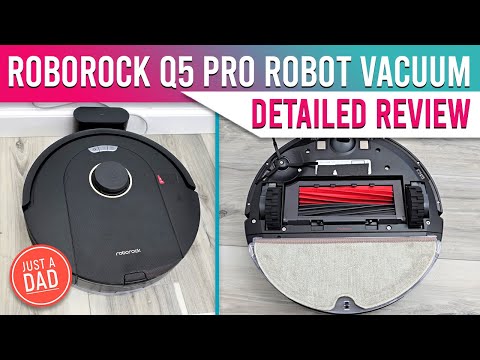
    Roborock Q5 ProBest Navigation Under $300~$300Check price →
    Shark Matrix Robot VacuumBest Deep-Clean Pattern$300,Check price →
    ILIFE V3s ProBest Ultra-Budget Pick~$160Check price →

    1. Eufy RoboVac 11S Max — Best Overall for Most Pet Homes

    Meet the eufy RoboVac 11S

    ▶ Video: Meet the eufy RoboVac 11S — Anker eufy (official). Click to play; opens YouTube’s player.

    The 11S Max has been the quiet workhorse of the budget category for years, and it’s still here for a reason. It’s slim enough to slide under most couches and beds (where pet hair loves to hide), it pulls 2000Pa of suction with a BoostIQ mode that ramps up automatically on carpet, and it’s genuinely quiet — closer to a microwave hum than a vacuum. For hard floors and low-pile carpet covered in fur, it’s hard to beat at this price, and it routinely sells around ~$250 or less.

    Pros: Very quiet; slim 2.85″ body fits under furniture; strong suction for the price; no app account required — remote and scheduling work out of the box.
    Cons: Bounce-style navigation is random, so it cleans in a “drunk Roomba” pattern rather than neat rows; no Wi-Fi or mapping; the brush roll needs a weekly de-hairing with long-haired pets.

    Check price on Amazon →

    2. iRobot Roomba 694 — Best for Reliability and Ease of Use

    Roomba 694 Review: iRobot's Cheapest Robot Vacuum

    ▶ Video: Roomba 694 Review: iRobot’s Cheapest Robot Vacuum — Cordless Vacuum Guide (independent review). Click to play; opens YouTube’s player.

    The Roomba 694 is the robot vacuum equivalent of a Toyota Corolla: not flashy, but it starts every day and just works. Its dual multi-surface rubber brushes are the standout for pet owners — hair slides off rubber far more easily than it winds around bristles. The app is simple, scheduling is dependable, and Dirt Detect makes it re-clean the spots where your pet actually hangs out. Typical price hovers around ~$275.

    Pros: Rubber brushes resist hair tangles better than almost anything at this price; dead-simple app; excellent parts availability and repairability; strong edge cleaning.
    Cons: Small dustbin fills fast in a two-pet home; louder than the Eufy; navigation is semi-random, so bigger homes may get patchy coverage on one charge.

    Check price on Amazon →

    3. Roborock Q5 Pro — Best Navigation Under $300

    Roborock Q5 Pro Review — Vacuum & Mop Detailed Review

    ▶ Video: Roborock Q5 Pro Review — Vacuum & Mop Detailed Review — Just A Dad Approved (independent review). Click to play; opens YouTube’s player.

    The Q5 Pro is what happens when flagship tech trickles down. You get proper lidar navigation — the robot maps your home and cleans in tidy, efficient rows instead of bouncing around — plus a dual rubber brush system and 5500Pa of suction, which is frankly absurd for the price bracket. It regularly dips to ~$300 or below on sale, and when it does, it’s the smartest buy on this list for larger or multi-room homes.

    Pros: Lidar mapping with no-go zones and room-by-room cleaning; huge suction numbers; big 770ml dustbin is a blessing for heavy shedders; dual rubber rollers handle long hair well.
    Cons: At full price it can drift over $300, so watch for sales; taller than the Eufy, so it may not fit under low furniture; the app has more settings than most people will ever touch.

    Check price on Amazon →

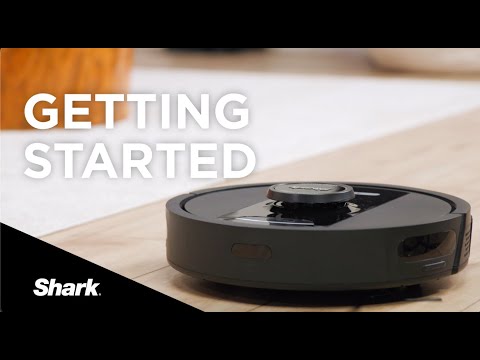
    4. Shark Matrix Robot Vacuum — Best Deep-Clean Pattern

    Getting Started with your Shark Matrix 2-in-1 Robot

    ▶ Video: Getting Started with your Shark Matrix 2-in-1 Robot — Shark Home (official). Click to play; opens YouTube’s player.

    Shark’s Matrix takes a different approach: instead of one pass, it cleans in a precision grid, going over high-traffic zones multiple times. That matrix pattern is surprisingly effective on embedded pet hair in carpet, and Shark’s self-cleaning brush roll is one of the best anti-tangle designs in the industry. It’s frequently discounted under $300, though its regular price sits higher.

    Pros: Multi-pass grid cleaning actually pulls hair out of carpet; self-cleaning brush roll means almost no scissor surgery; solid home mapping with room selection.
    Cons: Usually only under $300 on sale; louder on max power; the dock is bulky for small apartments; battery life is average.

    Check price on Amazon →

    5. ILIFE V3s Pro — Best Ultra-Budget Pick

    ILIFE V3sPro | Introduction & Guidelines

    ▶ Video: ILIFE V3sPro | Introduction & Guidelines — ILIFE (official). Click to play; opens YouTube’s player.

    The V3s Pro takes the opposite approach to everything above: it removes the brush roll entirely and uses a direct suction inlet instead. No brush means literally nothing for pet hair to tangle around — which is why this humble ~$160 robot has a cult following among owners of long-haired dogs and cats. It’s basic, it’s slow, and it doesn’t map anything, but it inhales hair off hard floors day after day.

    Pros: Tangle-proof brushless design is genius for long pet hair; very affordable; quiet; simple remote scheduling.
    Cons: Weak on carpet — this is a hard-floor specialist; random navigation; no app or Wi-Fi; small dustbin. Buy it for tile and hardwood, not a carpeted house.

    Check price on Amazon →

    Our Top Pick

    For most pet households, the Eufy RoboVac 11S Max is the one we’d tell a friend to buy: quiet, slim, strong suction, and reliably under $300 with money to spare. If your home is larger or you want the robot to clean in organized rows and respect no-go zones, stretch to the Roborock Q5 Pro on sale — its lidar navigation is a different league. And if your floors are mostly hardwood or tile and your pet sheds like it’s a competitive sport, the brushless ILIFE V3s Pro is the cheapest peace of mind on this list.

    FAQ: Robot Vacuums for Pet Hair

    Do robot vacuums really work on pet hair?

    Yes — with the right brush design. Rubber rollers (Roomba 694, Roborock Q5 Pro) and brushless suction inlets (ILIFE V3s Pro) handle hair far better than old-style bristle brushes, which turn into hairy burritos. Run the robot daily: frequent short cleans beat one weekly deep clean, because hair never gets the chance to embed.

    Is a $250 robot vacuum good enough, or should I spend more?

    For hair pickup on hard floors and low-pile carpet, budget models now do 90% of what $800 flagships do. What you give up under $300 is self-emptying docks, mopping, and obstacle avoidance (so pre-clean the charging cables and, ahem, any pet accidents). If you’re building out a budget smart home, our guide to the best Alexa devices for a dorm room pairs nicely — most of these vacuums work with Alexa voice commands too.

    How often do I need to clean the robot itself?

    With shedding pets, empty the dustbin after every run and check the brush roll weekly — a minute with the included cutter tool keeps suction strong. Filters should be tapped clean weekly and replaced every 2-3 months. Skip that maintenance and even the best robot slowly turns into an expensive floor ornament.

    The Bottom Line

    Pet hair is relentless, but so is a robot that cleans every single day without complaining. The Eufy RoboVac 11S Max is the best all-rounder under $300, the Roborock Q5 Pro is the tech bargain of the bracket, and the ILIFE V3s Pro proves that sometimes the cheapest tool is the smartest one for the job. Whichever you pick, your floors — and your black jeans — will thank you.

  • Best Alexa Devices for a Dorm Room (2026)

    Best Alexa Devices for a Dorm Room (2026)

    Dorm rooms are a design challenge: one desk, one outlet strip fighting for its life, a roommate with opinions, and about four square feet of free space. That’s exactly the environment Alexa devices were quietly built for — a voice assistant that replaces an alarm clock, a speaker, a white-noise machine and half your light switches without taking up more room than a coffee mug. We compared the current Echo lineup specifically through a student lens — price, size, speaker quality for a small room, and how annoying each one is (or isn’t) for the person sleeping six feet away — and these five earned a spot.

    Disclosure: TopAINest is reader-supported. This post contains affiliate links, and we may earn a small commission if you buy through them — at no extra cost to you. We only recommend products we’d genuinely tell a friend to buy.

    Our picks at a glance
    PickBest forApprox. price
    Echo PopThe best cheap way into Alexa~$55Check price →
    Echo Dot (5th Gen)★ Top pickThe all-round pick~$70Check price →
    Echo Show 5Alarm clock, upgraded~$120Check price →
    Echo SpotThe stylish bedside option~$110Check price →
    Amazon Smart PlugThe $35 quality-of-life upgrade~$35Check price →

    1. Echo Pop — the best cheap way into Alexa

    Introducing Echo Pop | Amazon Alexa

    ▶ Video: Introducing Echo Pop | Amazon Alexa — Amazon Alexa (official). Click to play; opens YouTube’s player.

    The Pop is the semi-sphere that shows up in every dorm for a reason: it’s the cheapest full Alexa device Amazon makes (~$55, and routinely on sale for much less), it’s small enough to live on a windowsill, and the front-facing speaker is honestly decent for a room the size of a walk-in closet. It handles the student essentials — alarms, timers, weather, music, white noise for exam week — without any setup drama. What it doesn’t have: a temperature sensor, a clock display, or sound that fills anything bigger than a dorm room.

    Pros: cheapest way into Alexa; compact and cute; perfectly adequate sound for small rooms.
    Cons: no display or clock; weaker mics than the Dot; audio thins out at high volume.

    Check price on Amazon →

    2. Echo Dot (5th Gen) — the all-round pick

    Echo Dot (5th Gen) review

    ▶ Video: Echo Dot (5th Gen) review — The Breakdown With Luke (independent review). Click to play; opens YouTube’s player.

    Spend a little more (~$70) and the Dot gives you noticeably fuller sound, better microphones that hear you over a fan, a built-in temperature sensor (useful in dorms where the radiator has two settings: off and surface-of-the-sun), and tap gestures to snooze alarms — a dangerous but beloved feature. If you only buy one Alexa device for university, this is the one; it’s the best balance of price, sound and features in the lineup.

    Pros: best sound-per-dollar in the Echo range; temperature sensor; tap-to-snooze; great mics.
    Cons: still no screen; the clock version costs extra; bass won’t impress anyone at a party.

    Check price on Amazon →

    3. Echo Show 5 — alarm clock, upgraded

    All-new Echo Show 5 (3rd Gen, 2023 release) | Amazon Alexa

    ▶ Video: All-new Echo Show 5 (3rd Gen, 2023 release) | Amazon Alexa — Amazon Alexa (official). Click to play; opens YouTube’s player.

    The Show 5 (~$120) is what happens when an alarm clock goes to grad school: a 5.5-inch touchscreen that shows the time, your calendar, the weather and lecture reminders at a glance, plus a tap-to-snooze screen and a sunrise-style wake-up that’s gentler than any phone alarm. The camera has a physical shutter switch — worth knowing in a shared room — and video calls home actually look decent. The trade-off is desk space and the fact that the speaker, while fine, is tuned more for podcasts than parties.

    Pros: glanceable clock/calendar/weather; gentle sunrise alarms; camera shutter for privacy; compact for a smart display.
    Cons: pricier than speaker-only Echos; average sound; a screen near your bed can be a temptation.

    Check price on Amazon →

    4. Echo Spot — the stylish bedside option

    All-new Echo Spot (2024 release) | Amazon Alexa

    ▶ Video: All-new Echo Spot (2024 release) | Amazon Alexa — Amazon Alexa (official). Click to play; opens YouTube’s player.

    The revived Echo Spot (~$110) splits the difference between the Dot and the Show: a half-circle display that shows the time, weather and song titles — but no camera at all, which some roommates will consider its best feature. Its speaker is a step up from the Show 5 for music, and the semi-circle design takes barely more space than the Dot. It’s the pick for people who want a glanceable clock without a full screen (or a camera) pointed at their bed.

    Pros: clean glanceable display; no camera = zero privacy debate; better music than Show 5; small footprint.
    Cons: display is info-only (no video); costs nearly as much as the Show 5; often out of stock around back-to-school.

    Check price on Amazon →

    5. Amazon Smart Plug — the $35 quality-of-life upgrade

    How to Set Up Amazon Smart Plug

    ▶ Video: How to Set Up Amazon Smart Plug — Amazon Alexa (official). Click to play; opens YouTube’s player.

    Pair any Echo with a Smart Plug (~$35) and suddenly “Alexa, goodnight” turns off your string lights, lamp and fan from bed — which sounds lazy until it’s December and your bed is warm. Setup is genuinely 60 seconds, no hub needed. Two honest caveats: check your residence’s rules first, since some dorms restrict certain appliances on any plug, smart or not — and don’t put anything with a heating element on one.

    Pros: cheapest real smart-home upgrade; effortless setup; works with routines (“goodnight”, “I’m leaving”).
    Cons: one outlet per plug adds up; useless without an Echo to command it; check dorm appliance rules.

    Check price on Amazon →

    Our top pick

    For most students: the Echo Dot (5th Gen), and add a Smart Plug when you catch it on sale — together they cover music, alarms, white noise and lights for about $100. If your alarm clock is the whole reason you’re shopping, get the Echo Show 5 (or the Spot if a camera near your bed feels weird). The Pop is the right answer when the budget is “whatever’s left after textbooks.”

    FAQ

    Will an Alexa device bother my roommate?

    Less than you’d think, with three settings changed: turn on whisper mode (Alexa whispers back if you whisper), enable Do Not Disturb overnight, and lower the wake-word volume. Etiquette-wise, agree on it like you would a mini-fridge — and pick the camera-free Spot or a speaker-only Echo if cameras are a concern.

    Do I need a smart home hub in a dorm?

    No — every device here connects straight to Wi-Fi. One note: campus Wi-Fi networks with login portals can be fussy with smart devices. Most universities offer a device-registration page or a separate IoT network; five minutes with your IT help desk page usually solves it.

    What else should I pack for a tech-smart dorm?

    An Echo covers sound and alarms; pair it with the budget picks in our back-to-school tech under $100 guide — a good power strip, desk light and headphones do more for your GPA than any gadget on this list.

    The bottom line

    Alexa devices earn their spot in a dorm by replacing three or four single-purpose gadgets with one thing that costs less than a textbook. Start with the Dot, add pieces as sales come around, and set up whisper mode before your roommate files a complaint. We’ll keep this list updated as the Echo lineup changes.

  • Top 5 AI Note-Taking Tools for University Lectures (Free & Paid)

    Top 5 AI Note-Taking Tools for University Lectures (Free & Paid)

    Here’s the uncomfortable truth about lectures: your professor talks at about 150 words per minute, and you write at about 30. The math has never worked. For decades the answer was “write faster” — now it’s “let AI catch what you miss, so you can actually listen.” After digging through student forums, feature changelogs and our own testing, these are the five AI note-taking tools that genuinely earn a spot on a student’s laptop in 2026 — including what each one is bad at, because every tool on this list has a catch.

    Disclosure: TopAINest is reader-supported. Some links may earn us a small commission at no extra cost to you. We only recommend tools we’d genuinely tell a friend to use.

    Our picks at a glance
    PickBest forApprox. price
    Otter.ai★ Top pickBest for recording and transcribing lecturesFreeVisit site →
    Notion AIBest all-in-one for organizing everythingFreeVisit site →
    Microsoft OneNoteBest free classic, quietly getting smarterFreeVisit site →
    ObsidianBest for building a real knowledge baseFreeVisit site →
    GleanBest purpose-built lecture companionFreeVisit site →

    1. Otter.ai — best for recording and transcribing lectures

    How to use Otter.ai — beginner tutorial

    ▶ Video: How to use Otter.ai — beginner tutorial — Online Media (independent tutorial). Click to play; opens YouTube’s player.

    Otter is still the king of “just record the lecture.” Hit record on your phone or laptop and it produces a live transcript with speaker labels, then an AI summary with key points afterwards. The free plan gives you 300 transcription minutes a month — roughly one lecture a week plus change — and student-friendly paid plans lift that dramatically. Where it stumbles: heavy accents and fast technical jargon still produce the occasional word salad, and 300 free minutes runs out fast in a full course load. One honest reminder from us: always ask your professor before recording — most are fine with it, but it’s their call.

    Pros: best-in-class live transcription; automatic summaries and action points; free plan is genuinely usable.
    Cons: 300 free minutes/month disappears quickly; accuracy dips on jargon; recording requires permission.

    Try Otter.ai →

    2. Notion AI — best all-in-one for organizing everything

    Introducing the new Notion AI

    ▶ Video: Introducing the new Notion AI — Notion (official). Click to play; opens YouTube’s player.

    Notion is where lecture notes go to actually get used. Its AI can summarize a messy page of half-typed notes into clean bullet points, generate flashcard-style Q&As from a chapter, and answer questions across your whole workspace — “what did we cover about mitosis in week 3?” works. Students get Notion’s Plus plan free with a school email, which is one of the best student deals in software. The catch: Notion doesn’t record or transcribe anything, and the AI features sit behind an add-on unless your workspace includes them. It’s the filing cabinet and study assistant, not the stenographer.

    Pros: free Plus plan for students; AI summaries, flashcards and workspace Q&A; one home for every course.
    Cons: no recording or transcription; AI can cost extra; the blank page can be overwhelming to set up.

    Try Notion for students →

    3. Microsoft OneNote — best free classic, quietly getting smarter

    How to use OneNote

    ▶ Video: How to use OneNote — Kevin Stratvert (independent review). Click to play; opens YouTube’s player.

    OneNote is the tool everyone forgets to recommend because it’s not new — but it’s completely free, syncs across every device you own, records audio inside your notes (with the audio linked to what you typed at that moment, which is brilliant for revisiting a confusing section), and handles stylus notes better than anything else here if you have a tablet. Copilot features are steadily arriving for summarizing and organizing, though the best of them require a Microsoft 365 subscription. It’s not flashy. It just works, forever, for free.

    Pros: completely free with no real limits; audio recording synced to your typing; unbeatable stylus/handwriting support.
    Cons: AI features are the weakest here without a 365 subscription; organization gets messy across many notebooks; no transcription on the free tier.

    Get OneNote free →

    4. Obsidian — best for building a real knowledge base

    Hack your brain with Obsidian.md

    ▶ Video: Hack your brain with Obsidian.md — No Boilerplate (independent review). Click to play; opens YouTube’s player.

    Obsidian is for the student who wants their notes to still matter in four years. Everything is a plain text file on your own computer — free, private, and fast — and its linking system turns scattered lecture notes into a connected web of ideas that compounds over a degree. We’ll be straight with you: Obsidian has no built-in AI. The intelligence comes from community plugins that connect it to AI models, which takes some tinkering to set up. If you want something that works perfectly out of the box, pick Notion. If you enjoy building your own system and want to own your notes outright, nothing else comes close.

    Pros: free for personal use; your files stay on your device; linking and graph view are unmatched for connecting concepts.
    Cons: no built-in AI — plugins required; steeper learning curve; syncing across devices costs extra (or takes DIY effort).

    Try Obsidian →

    5. Glean — best purpose-built lecture companion

    Introducing Glean: Work AI for all

    ▶ Video: Introducing Glean: Work AI for all — Glean (official). Click to play; opens YouTube’s player.

    Glean was designed for one job: helping students capture lectures without panicking. It records audio, lets you mark important moments with one tap while you listen, then helps you turn those marked moments into organized study notes afterwards — a workflow built around how learning actually happens, not just transcription. It’s widely used through university accessibility programs, so check whether your school already provides it free before paying. The downside is the price if your school doesn’t cover it, and it’s deliberately narrower than the all-rounders above.

    Pros: built specifically for lectures and study workflows; one-tap moment marking beats frantic typing; often free via university accessibility services.
    Cons: subscription is pricey out of pocket; does one thing, not everything; check your school’s license first.

    Try Glean →

    Our top pick

    For most students, the winning combo is Otter.ai + Notion: Otter catches the lecture, Notion turns it into something you can actually study. Both have free tiers good enough to try this week. If you can only pick one, pick based on your biggest pain: can’t keep up in class → Otter; notes are a mess → Notion; no budget at all → OneNote.

    FAQ

    Is it legal to record my professor’s lectures?

    It depends on your university’s policy and local law — and it’s always good manners to ask first. Many schools allow personal-use recording, some require instructor consent, and accessibility offices can often grant formal permission (which is exactly how tools like Glean are usually deployed). One email to your professor settles it.

    Will AI notes make me a lazier student?

    Only if you treat the transcript as the studying. The research on learning is clear: retrieval and rewriting in your own words is what builds memory. The smart workflow is AI for capture, you for processing — let Otter catch the lecture, then spend your time turning it into flashcards and summaries yourself. If writing itself is the bottleneck, our guide to the best AI writing tools for students pairs well with this list.

    What’s the best completely free setup?

    OneNote for everyday notes and audio, Otter’s free 300 minutes for your hardest lecture each week, and Notion’s free student plan for organizing it all. That stack costs exactly $0 and covers 90% of what paid setups do.

    The bottom line

    You don’t need all five — you need the one that fixes your actual problem, set up before next Monday’s lecture. Start free, upgrade only when you hit a real limit, and remember the tool is only half the equation: the other half is still you, reviewing the notes it caught. We’ll keep this list updated as these tools evolve.

  • Best Wireless Earbuds Under $50 for Online Classes (2026)

    Best Wireless Earbuds Under $50 for Online Classes (2026)

    If your classes happen over Zoom, Teams or Google Meet, your earbuds matter more than your webcam. A muffled mic makes you “the person everyone asks to repeat themselves,” and leaky earbuds mean your whole household hears your 8 AM lecture. The good news: in 2026 you genuinely do not need AirPods money to fix this. We dug through spec sheets, firmware update histories and hundreds of long-term owner reviews to find wireless earbuds under $50 CAD that nail the three things online classes actually demand — a mic that picks up your voice clearly, battery that survives a full day of back-to-back calls, and a connection that doesn’t stutter when your laptop and phone are both fighting for Bluetooth.

    Heads up: some links below are affiliate links to Amazon.ca. If you buy through them, TopAINest may earn a small commission at no extra cost to you. It helps keep our testing honest and ad-free.

    How we picked (and what we skipped)

    Every pick had to stay under $50 CAD at regular price, have a call-focused mic setup (dual mics or better, ideally with noise reduction), offer at least 5 hours per charge with a case that gets you through a full school day, and hold a stable connection to a laptop — not just a phone. We skipped anything with a history of one-earbud-dies syndrome in reviews, and anything from brands that abandon firmware after launch. Active noise cancelling at this price is usually a gimmick, so we treated it as a bonus, not a requirement.

    Our picks at a glance
    PickBest forApprox. price
    Anker Soundcore Life P2 MiniBest mic for the moneySee listingCheck price →
    Anker Soundcore P20iBest battery + app control$40Check price →
    JLab Go Air PopBest for tiny budgets$25Check price →
    QCY T13Best mic array under $40$40Check price →
    TOZO T6Best fit for small ears and long wear$50Check price →

    1. Anker Soundcore Life P2 Mini — best mic for the money

    How to use the Soundcore Life P2 Mini

    ▶ Video: How to use the Soundcore Life P2 Mini — Anker soundcore (official). Click to play; opens YouTube’s player.

    The Life P2 Mini is the earbud we would hand to any student who says “I just need my professor to hear me.” Anker’s dual-mic setup with AI noise reduction consistently gets called out in owner reviews for cutting through keyboard clatter and roommate noise — rare praise at this price. You get about 8 hours per charge and 32 hours total with the case, so a forgotten Sunday charge won’t wreck your Monday. Sound is warm and easy to listen to for long lectures, and the tiny case disappears into a pencil pouch.

    Pros: standout call clarity for the price; 32-hour total battery; small, pocketable case; reliable Anker firmware support.
    Cons: no wireless charging; touch controls are basic; no companion app EQ on this model.

    Check price on Amazon →

    2. Anker Soundcore P20i — best battery + app control

    Soundcore by Anker P20i True Wireless Earbuds Review

    ▶ Video: Soundcore by Anker P20i True Wireless Earbuds Review — Todd’s Garage (independent review). Click to play; opens YouTube’s player.

    The P20i is the newer budget star in Anker’s lineup, and it fixes the P2 Mini’s one real gap: it works with the Soundcore app, so you get a proper EQ, a “find my earbuds” beeper (a lifesaver in a backpack), and customizable controls. Battery is a claimed 10 hours per charge and 30 with the case, and real-world reports back up all-day use. Calls are handled by dual mics with AI clarity processing — a notch below the P2 Mini in loud rooms, but perfectly fine for a quiet desk. For students who live in one spot and want to tune their sound, this is the pick.

    Pros: app with full EQ and earbud-finder; 10-hour single charge; big, easy physical fit; frequently discounted well under $40.
    Cons: case is chunkier than the P2 Mini’s; mic slightly behind its sibling in noisy rooms.

    Check price on Amazon →

    3. JLab Go Air Pop — best for tiny budgets

    JLab Go Air Pop Review | Super Affordable Earbuds

    ▶ Video: JLab Go Air Pop Review | Super Affordable Earbuds — Andy’s Tech Tone (independent review). Click to play; opens YouTube’s player.

    Regularly floating around the $25–30 mark, the Go Air Pop is the “I need earbuds by Thursday and I’m broke” answer — and it’s shockingly decent. You get 8+ hours per bud, a slim case, dual connect (each bud works solo, so you can keep one ear on the lecture and one on the real world), and JLab’s three built-in EQ modes without needing an app. The mic is fine for quiet rooms; it won’t fight a busy kitchen. Where JLab really wins is trust: a two-year warranty at a throwaway price.

    Pros: absurd value; 32+ hours total battery; each bud works independently; two-year warranty.
    Cons: mic is average in noise; micro-USB-free but short cable included; bass-heavy default tuning.

    Check price on Amazon →

    4. QCY T13 — best mic array under $40

    QCY T13 true wireless earbuds with charging case — official product photo
    QCY T13 Unboxing & Review

    ▶ Video: QCY T13 Unboxing & Review — Jonny Zhu (independent review). Click to play; opens YouTube’s player.

    QCY is huge in Asia and criminally underrated in Canada. The T13 packs four microphones — two per ear — with noise suppression that owner reviews consistently rate above its price class for calls. The companion app brings a 10-band EQ, control remapping and a low-latency mode. Battery runs about 7 hours per charge, 30+ with the case. The catch is the brand feel: packaging, translations and app polish are rougher than Anker or JLab, and long-term durability reports are more mixed. But purely on call quality per dollar, the T13 punches way up.

    Pros: 4-mic array is rare under $40; deep app customization; strong total battery; often on sale near $30.
    Cons: less polished app and build; mixed long-term durability reports; unremarkable default sound until you EQ it.

    Check price on Amazon →

    5. TOZO T6 — best fit for small ears and long wear

    TOZO T6 wireless earbuds in black with charging case — official product photo
    Tozo T6 True Wireless Earbuds Review

    ▶ Video: Tozo T6 True Wireless Earbuds Review — Digital David (independent review). Click to play; opens YouTube’s player.

    The T6 has quietly become one of Amazon’s best-selling earbuds for a reason: it’s small, light, IPX8 waterproof (survives an actual dunk, not just sweat), and ships with six ear-tip sizes, which makes it the easiest recommendation for smaller ears that ache after a two-hour seminar. Battery is roughly 6 hours per charge and up to 30 with the case, and the case supports wireless charging — genuinely rare under $50. The single mic per bud is the trade-off: fine for a quiet bedroom class, weakest on this list in a noisy space.

    Pros: most comfortable for long lectures; wireless charging case; IPX8 rating; huge, active user base and support.
    Cons: weakest mic of our five in noise; no companion app on the base model; bass-forward tuning isn’t for everyone.

    Check price on Amazon →

    Which one should you actually buy?

    If calls are the whole point, get the Soundcore Life P2 Mini — its mic is the reason this list exists. If you want app control and the longest single-charge battery, the P20i is a coin-flip better. Down near $25, the JLab Go Air Pop is the safest cheap buy on the internet. Pick the QCY T13 if you’ll actually use the EQ, and the TOZO T6 if comfort and small ears have ruined earbuds for you before.

    Kitting out a dorm desk on a budget? Once the earbuds are sorted, the next thing most students add is a smart speaker — here’s our honest take on the best Alexa devices for a dorm room, including the one we’d skip.

    FAQ

    Are cheap wireless earbuds good enough for Zoom classes?

    Yes — for voice calls, a good $40 earbud with dual mics is closer to a $200 earbud than you’d expect. Video platforms compress audio heavily anyway, so mic placement and noise reduction matter more than expensive drivers. Where budget earbuds fall behind is music detail and active noise cancelling, not speech.

    Can I connect these to my laptop and phone at the same time?

    True multipoint is rare under $50. The practical workaround: pair the earbuds to both devices once, then turn Bluetooth off on the one you’re not using. JLab’s dual-connect and QCY’s app make switching a little smoother, but no pick here does seamless two-device audio like $150+ models do.

    What matters more for online classes — ANC or a good mic?

    The mic, every time. Noise cancelling helps you hear the lecture; the mic decides whether anyone hears you. Budget ANC also tends to hiss and eat battery. If you need quiet for focus, foam ear tips on a well-fitting earbud block nearly as much noise as cheap ANC does.

    We’ll keep this list updated as prices move and new budget earbuds earn their place. If a pick here dies on you or surprises you, tell us — real long-term reports are exactly what makes these rankings better.

  • Best Fitness Trackers Under $100 with Long Battery Life (2026)

    Best Fitness Trackers Under $100 with Long Battery Life (2026)

    Disclosure: TopAINest is reader-supported. This post contains affiliate links, and we may earn a small commission if you buy through them — at no extra cost to you. We only recommend products we’d genuinely tell a friend to buy.

    The dirty secret of fitness trackers isn’t accuracy — it’s the charger. A tracker that dies every second night ends up in a drawer by week six, and a tracker in a drawer records exactly zero steps. Battery life isn’t a spec; it’s the difference between a habit and a purchase you regret.

    So we ranked the best fitness trackers under $100 with one hard rule: at least a week of real-world battery, so charging becomes something you do occasionally, not nightly. Every pick tracks steps, sleep, heart rate and workouts — with honest notes on where each one cuts corners.

    Prices are approximate and move around — always check the listing for today’s number.

    Quick comparison: the best fitness trackers under $100

    TrackerReal-world batteryBest forApprox. price
    Amazfit Band 712–18 daysBest overall value~$65
    Xiaomi Smart Band 9~2–3 weeksLongest battery~$60
    Fitbit Inspire 3~10 daysBest app & ecosystem~$99
    Huawei Band 9~2 weeksBest sleep tracking~$60
    Amazfit Bip 3 Pro~2 weeksWatch-style display + GPS~$90
    Our picks at a glance
    PickBest forApprox. price
    Amazfit Band 7★ Top pickThe best overall value, periodSee listingCheck price →
    Xiaomi Smart Band 9The battery kingSee listingCheck price →
    Fitbit Inspire 3The best app, the gentlest learning curveSee listingCheck price →
    Huawei Band 9The sleep-tracking specialistSee listingCheck price →
    Amazfit Bip 3 ProA watch-sized screen and real GPSSee listingCheck price →

    1. Amazfit Band 7 — the best overall value, period

    Amazfit Band 7 full review

    ▶ Video: Amazfit Band 7 full review — Tech, Gadgets and Other Great Ideas (independent review). Click to play; opens YouTube’s player.

    Our repeat champion. The Band 7 pairs a big, bright display with 24/7 heart rate, SpO2, stress and sleep tracking, and its AI-powered Zepp app turns the data into plain-English insights and a daily readiness score. Real-world battery lands between 12 and 18 days depending on settings — charge it twice a month and forget it exists.

    Pros: Outstanding battery; large display for the price; genuinely useful sleep insights; 120+ sport modes.
    Cons: Notifications are view-only; no built-in GPS (uses your phone’s).

    Best for: Most people, most budgets. Check price on Amazon →

    2. Xiaomi Smart Band 9 — the battery king

    Xiaomi Smart Band 9

    ▶ Video: Xiaomi Smart Band 9 — UX Tech (independent review). Click to play; opens YouTube’s player.

    Xiaomi’s little band routinely stretches past two weeks — closer to three with the always-on display off — and its bright AMOLED screen and 60Hz smoothness feel far more expensive than they are. Tracking accuracy for steps and sleep is solidly midpack or better.

    Pros: Best battery in class; premium-feeling screen; feather-light.
    Cons: The Mi Fitness app is clunkier than Zepp or Fitbit; no GPS.

    Best for: People who hate charging things. Check price on Amazon →

    3. Fitbit Inspire 3 — the best app, the gentlest learning curve

    Move more. Stress less. Fitbit Inspire 3

    ▶ Video: Move more. Stress less. Fitbit Inspire 3 — Fitbit (official). Click to play; opens YouTube’s player.

    Fitbit still has the friendliest fitness app on earth, and the Inspire 3 is its long-battery ambassador: about ten days per charge, excellent automatic workout detection, and sleep tracking presented in a way your parents could understand. The catch is that some deeper insights sit behind Fitbit Premium.

    Pros: Best-in-class app; reliable auto-detection; strong community features.
    Cons: Priciest pick here; several insights need the Premium subscription; small screen.

    Best for: First-time tracker owners who value simplicity. Check price on Amazon →

    4. Huawei Band 9 — the sleep-tracking specialist

    HUAWEI Band 9 - All-Day Comfort for Better Sleep

    ▶ Video: HUAWEI Band 9 – All-Day Comfort for Better Sleep — Huawei Mobile (official). Click to play; opens YouTube’s player.

    Huawei’s TruSleep tracking is quietly among the best at any price — detailed sleep stages, breathing quality, and practical suggestions — wrapped in a slim band with roughly two weeks of battery. The Huawei Health app works on both Android and iPhone.

    Pros: Excellent sleep analysis; comfortable for overnight wear; two-week battery.
    Cons: App setup is a bit more fiddly in North America; no GPS.

    Best for: Anyone whose main question is “why am I tired?” Check price on Amazon →

    5. Amazfit Bip 3 Pro — a watch-sized screen and real GPS

    Amazfit Bip 3 Pro | Think Big, Think Bip

    ▶ Video: Amazfit Bip 3 Pro | Think Big, Think Bip — Amazfit Global (official). Click to play; opens YouTube’s player.

    Want something closer to a smartwatch without smartwatch charging? The Bip 3 Pro brings a big square display and — rare at this price — built-in GPS, so runners and cyclists can leave their phone at home and still get accurate routes. Around two weeks of battery with regular use.

    Pros: Built-in GPS; big readable display; still ~2 weeks of battery.
    Cons: Bulkier than a band; screen is LCD, not AMOLED.

    Best for: Runners on a budget. Check price on Amazon →

    Our top pick

    For most people: the Amazfit Band 7 — the best balance of battery, screen, insights and price on this list. If battery life is genuinely your whole reason for reading, the Xiaomi Smart Band 9 takes the crown. And if this is your very first tracker and you want the gentlest experience, spend the extra on the Fitbit Inspire 3.

    Frequently asked questions

    Which fitness tracker under $100 has the longest battery life?

    The Xiaomi Smart Band 9 — two to three weeks in real-world use. The Amazfit Band 7 and Huawei Band 9 both manage around two weeks as well.

    Are cheap fitness trackers accurate?

    For steps, sleep and resting heart rate — yes, close enough to be genuinely useful. For intense interval workouts or medical-grade readings, no tracker at any price replaces proper equipment. Buy them to build habits, not to diagnose.

    Do these trackers work with both iPhone and Android?

    Yes — all five picks support both. Notification features are slightly richer on Android across the board. For the software side of staying organized, see our back-to-school tech guide.

    The bottom line

    The best fitness tracker is the one still on your wrist in March. Pick the battery life that matches your patience, wear it every day, and let the streak do the motivating. At these prices, the barrier to knowing your own body has never been lower.

  • Best Back-to-School Tech Gadgets Under $100 in 2026 (Tested & Ranked)

    Best Back-to-School Tech Gadgets Under $100 in 2026 (Tested & Ranked)

    Disclosure: TopAINest is reader-supported. This post contains affiliate links, and we may earn a small commission if you buy through them — at no extra cost to you. We only recommend products we’d genuinely tell a friend to buy.

    September has a way of arriving with a shopping list: new courses, new schedule, new reasons your laptop battery dies at the worst moment. The good news? The tech that actually makes a school year easier isn’t the expensive stuff — it’s a handful of smart, under-$100 gadgets that quietly remove daily friction.

    We skipped the gimmicks (no, you don’t need a smart water bottle) and kept the ten things students and parents tell us they actually use every single day — from a dorm-room assistant to the power bank that saves your 8 a.m. lecture.

    Prices are approximate and swing a lot during back-to-school sales — always check the listing for today’s number.

    Quick comparison: back-to-school tech under $100

    GadgetBest forApprox. price
    Anker PowerCore 10K power bankNever dying mid-lecture~$30
    Amazon Echo PopDorm-room assistant~$40
    Soundcore Space A40 earbudsStudying in loud places~$99
    Amazfit Band 7Sleep & routine tracking~$65
    Anker USB-C hub (7-in-1)Laptops with two ports~$45
    Logitech Pebble Mouse 2Silent library clicking~$35
    Rocketbook smart notebookDigitizing handwritten notes~$40
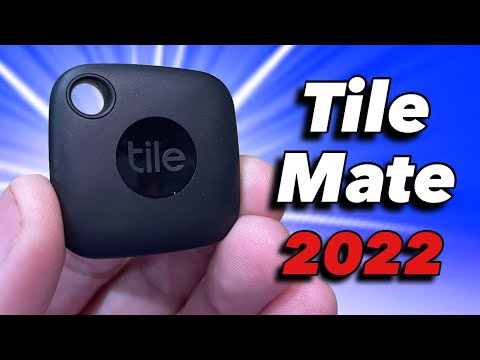
    Tile Mate trackerUn-losable backpack & keys~$35
    JBL Go 4 speakerSmall rooms, big sound~$60
    Govee LED strip lightsMaking a dorm feel like home~$45
    Our picks at a glance
    PickBest forApprox. price
    Anker PowerCore 10K★ Top pickThe gadget every student actually needsFreeCheck price →
    Amazon Echo PopThe $40 dorm-room assistant$40Check price →
    Soundcore Space A40Noise cancelling that survives a dining hall$100Visit site →
    Amazfit Band 7Fix your sleep schedule before it fixes youSee listingCheck price →
    Anker 7-in-1 USB-C hubBecause your laptop has two portsSee listingCheck price →
    Logitech Pebble Mouse 2The library-approved mouseSee listingCheck price →
    RocketbookThe notebook you never run out ofSee listingCheck price →
    Tile MateFor the backpack that "was just right here"$35Check price →
    JBL Go 4Pocket speaker, dorm-party soundSee listingCheck price →
    Govee LED strip lightsThe cheapest dorm glow-up~$45Check price →

    1. Anker PowerCore 10K — the gadget every student actually needs

    Anker PowerCore 10K overview

    ▶ Video: Anker PowerCore 10K overview — Elden Reviews (independent review). Click to play; opens YouTube’s player.

    Boring? Absolutely. Essential? More than anything else on this list. A 10,000mAh power bank charges a phone twice, slips into any bag pocket, and ends the daily hunt for a free outlet in the library. Anker’s build quality is why we name it over the no-name alternatives.

    Pros: Two full phone charges; pocket-sized; reliable for years.
    Cons: Charges slowly unless you pick the USB-C fast-charge model; you will lend it to friends constantly.

    Best for: Everyone. Genuinely everyone. Check price on Amazon →

    2. Amazon Echo Pop — the $40 dorm-room assistant

    Introducing Echo Pop | Amazon Alexa

    ▶ Video: Introducing Echo Pop | Amazon Alexa — Amazon Alexa (official). Click to play; opens YouTube’s player.

    Alarms, timers, music, quick questions, and smart-plug control from a speaker the size of a bagel. The Echo Pop is the cheapest way to get a real AI assistant into a dorm or study room — and it’s regularly discounted below $40 during back-to-school season.

    Pros: Very cheap; surprisingly decent sound; full Alexa smarts.
    Cons: No clock display; speaker won’t fill a large room.

    Best for: Dorm rooms and first apartments. Check price on Amazon →

    3. Soundcore Space A40 — noise cancelling that survives a dining hall

    Anker Soundcore Space A40 Wireless Noise Cancelling Earbuds

    ▶ Video: Anker Soundcore Space A40 Wireless Noise Cancelling Earbuds — GizmoJoe (independent review). Click to play; opens YouTube’s player.

    The best study upgrade money can buy at this price: adaptive noise cancelling that tunes itself to your surroundings, 50 hours of battery with the case, and a comfortable fit for long sessions. We ranked these the best budget earbuds in our AI gadgets under $100 guide too.

    Pros: Class-leading ANC for the money; marathon battery; multipoint pairing for laptop + phone.
    Cons: Mediocre call mics; bass-heavy until you tweak the EQ.

    Best for: Loud roommates, louder libraries. Check price on Amazon →

    4. Amazfit Band 7 — fix your sleep schedule before it fixes you

    Amazfit Band 7 - Full Review, Pros/Cons & Features

    ▶ Video: Amazfit Band 7 – Full Review, Pros/Cons & Features — Tech, Gadgets and Other Great Ideas (independent review). Click to play; opens YouTube’s player.

    New semester, new sleep chaos. The Band 7 tracks sleep, heart rate and stress with plain-English AI insights, runs up to two weeks per charge, and its silent alarm wakes you without waking your roommate.

    Pros: Two-week battery; genuinely useful sleep insights; bright display.
    Cons: View-only notifications; the app pitches its premium tier.

    Best for: Anyone whose schedule collapsed by week three last year. Check price on Amazon →

    5. Anker 7-in-1 USB-C hub — because your laptop has two ports

    Anker | PowerExpand+ 7-in-1 USB-C PD Media Hub | Hub

    ▶ Video: Anker | PowerExpand+ 7-in-1 USB-C PD Media Hub | Hub — Anker Charging (official). Click to play; opens YouTube’s player.

    Modern student laptops are thin, light, and allergic to connectors. One small hub adds HDMI for presentations, SD card slots for projects, and enough USB ports to charge everything at your desk.

    Pros: Solves five problems with one gadget; pass-through charging; no drivers needed.
    Cons: Runs warm under heavy use; cable is short.

    Best for: MacBook and thin-laptop owners. Check price on Amazon →

    6. Logitech Pebble Mouse 2 — the library-approved mouse

    Logitech Pebble Mouse 2 M350s Mouse - Review

    ▶ Video: Logitech Pebble Mouse 2 M350s Mouse – Review — Kova Tech (independent review). Click to play; opens YouTube’s player.

    Cheap, slim, silent. The Pebble’s clicks are nearly inaudible — a small mercy in quiet study halls — and it pairs to three devices at once, so switching between laptop and tablet is one button away.

    Pros: Silent clicks; months of battery; fits in a pencil case.
    Cons: Flat shape isn’t for big hands; no fancy features.

    Best for: Note-takers who hate trackpads. Check price on Amazon →

    7. Rocketbook — the notebook you never run out of

    Introducing Rocketbook Core (formerly Everlast)

    ▶ Video: Introducing Rocketbook Core (formerly Everlast) — Rocketbook (official). Click to play; opens YouTube’s player.

    Write by hand, scan with your phone, and the app’s smart OCR sends searchable notes to Google Drive or Notion — then you wipe the page with a damp cloth and start again. One notebook, four years.

    Pros: Reusable forever; handwriting-to-text works well; plays nicely with the note apps we recommend.
    Cons: Requires their special pens; ink needs a moment to dry.

    Best for: Students who think better on paper. Check price on Amazon →

    8. Tile Mate — for the backpack that “was just right here”

    Tile Mate 2022 - Everything You Need to Know!

    ▶ Video: Tile Mate 2022 – Everything You Need to Know! — Track This ‘N That (independent review). Click to play; opens YouTube’s player.

    Clip one to your keys, drop one in your bag, and your phone can ring them — or show where you left them on a map. The start-of-semester chaos claims thousands of backpacks a year; $35 is cheap insurance.

    Pros: Works with iPhone and Android; loud ring; replaceable battery on newer models.
    Cons: Community-finding network is smaller than Apple’s AirTag network.

    Best for: Serial losers of keys, wallets and bags. Check price on Amazon →

    9. JBL Go 4 — pocket speaker, dorm-party sound

    JBL | Go 4 | Ultra-Portable Bluetooth Speaker

    ▶ Video: JBL | Go 4 | Ultra-Portable Bluetooth Speaker — JBL (official). Click to play; opens YouTube’s player.

    Waterproof, palm-sized, and much louder than it has any right to be. The Go 4 handles shower playlists, study sessions and impromptu hangouts, and shrugs off being tossed into a bag daily.

    Pros: Great sound for the size; genuinely rugged; 7-hour battery.
    Cons: Bass has limits; no aux input.

    Best for: Music anywhere without carrying a brick. Check price on Amazon →

    10. Govee LED strip lights — the cheapest dorm glow-up

    RGBIC, The Latest Rainbow Smart Light | Govee

    ▶ Video: RGBIC, The Latest Rainbow Smart Light | Govee — GOVEE (official). Click to play; opens YouTube’s player.

    Nothing transforms a beige dorm room faster. Govee’s strips sync to music, take voice commands through Alexa or Google, and turn “institutional lighting” into somewhere you actually want to spend the evening.

    Pros: Massive visual payoff for ~$45; excellent app; roommate-approved.
    Cons: The adhesive is one-shot — plan before sticking; check your dorm’s wall policy.

    Best for: Making a rented room feel like yours. Check price on Amazon →

    Our top pick

    If the budget only stretches to two things: the Anker PowerCore 10K and the Soundcore Space A40. Power and focus — the two resources every student runs out of first. Everything else here is a genuine upgrade, but those two get used every single day until graduation.

    If a smart speaker is on the list, don’t just grab the cheapest one — we tested which Echo models actually make sense in a small shared room in our roundup of the best Alexa devices for a dorm room.

    Frequently asked questions

    What tech does a student actually need for school?

    Beyond a laptop: a power bank, decent earbuds, and a way to keep notes organized. Start there, add the rest as real needs appear — not because a packing list said so.

    When do back-to-school tech deals start?

    Late July through early September, with the deepest discounts around Labour Day weekend. Amazon prices swing fast during this window, so check current prices before assuming our approximate ones.

    Are AI-powered study gadgets worth it for students?

    The affordable ones, yes — a voice assistant for timers and questions, a band that fixes your sleep, adaptive earbuds for focus. For the software side, see our guide to the best AI writing tools for students.

    The bottom line

    A good school year runs on small advantages: a phone that’s never dead, noise that disappears on command, notes that organize themselves. None of it needs to cost more than $100 — and most of it will still be working at graduation. Pick the friction that annoys you most, and fix that one first.