Disclosure: TopAINest is reader-supported. This post contains affiliate links, and we may earn a small commission if you sign up through them — at no extra cost to you. We only recommend tools we’d genuinely tell a friend to use.
“Free” usually means one of two things in the AI world: genuinely useful, or a glorified demo that nags you to upgrade every five minutes. After trying dozens of free plans, we found that most fall into the second bucket — but a handful are so good it’s honestly surprising they cost nothing.
This list is the first bucket only. Every tool here has a free plan you can use daily without hitting a wall in the first hour, and each one earns its spot for a different job — writing, research, design, video, or just getting your life organized. Here are the seven free AI tools actually worth your time in 2026.
Quick comparison: the best free AI tools
| Tool | Best for | Free plan limit |
|---|---|---|
| ChatGPT | Everyday questions & writing help | Generous daily use |
| Google Gemini | Research with Google apps | Generous daily use |
| Perplexity | Research with sources | Daily searches |
| Canva | Design & social graphics | Huge free tier |
| Grammarly | Grammar & clarity | Core checks free |
| Notion | Notes & organization | Free for individuals |
| CapCut | Video editing | Core editor free |
| Pick | Best for | Approx. price | |
|---|---|---|---|
| ChatGPT★ Top pick | The best all-round free AI assistant | Free | Visit site → |
| Google Gemini | Best if you live in Google apps | Free | Visit site → |
| Perplexity | Best for research with real sources | Free | Visit site → |
| Canva | Best free AI design tool | Free | Visit site → |
| Grammarly | Best free writing polish | Free | Visit site → |
| Notion | Best free AI-powered workspace | Free | Visit site → |
| CapCut | Best free AI video editor | Free | Visit site → |
In this guide
1. ChatGPT — the best all-round free AI assistant

▶ Video: Introduction to ChatGPT agent — OpenAI (official). Click to play; opens YouTube’s player.
Still the one to beat. ChatGPT’s free tier handles everyday questions, drafting, brainstorming, summarizing, and explaining hard topics in plain English. For most people it replaces a dozen single-purpose apps at once.
Pros: Versatile; strong free tier; easy to use on phone and desktop.
Cons: Can be confidently wrong — verify facts; busiest hours can be slower on free.
Best for: Everyone — it’s the default first AI tool. Try ChatGPT free →
2. Google Gemini — best if you live in Google apps

▶ Video: Google’s newest AI in 90 seconds | Gemini — Google (official). Click to play; opens YouTube’s player.
Gemini’s free tier is excellent on its own, but its superpower is connection: it plugs into Gmail, Docs, and Drive, so you can summarize emails or draft documents where you already work.
Pros: Deep Google integration; great at research; generous free tier.
Cons: Best features assume you use Google’s ecosystem.
Best for: Gmail and Google Docs users. Try Gemini free →
3. Perplexity — best for research with real sources

▶ Video: Perplexity — This is where knowledge begins. — Perplexity (official). Click to play; opens YouTube’s player.
Perplexity answers questions like a search engine and a researcher had a baby: direct answers with citations you can actually check. For homework, work research, or fact-checking, it beats scrolling ten blue links.
Pros: Cites sources; fast; great free tier for daily use.
Cons: Deeper “Pro” searches are limited per day on free.
Best for: Students and researchers. Try Perplexity free →
4. Canva — best free AI design tool
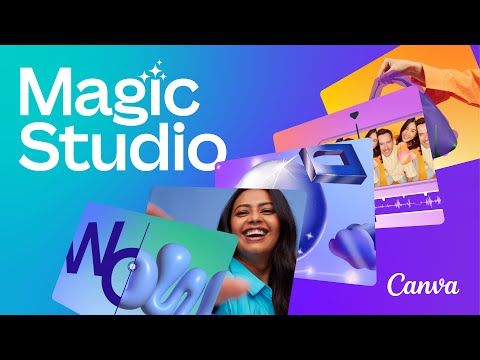
▶ Video: Meet Magic Studio | Let the power of AI supercharge your work — Canva (official). Click to play; opens YouTube’s player.
Canva quietly became an AI powerhouse: text-to-image, Magic Write, background remover, and one-click resizing — all inside the easiest design editor on the planet. The free tier is genuinely huge.
Pros: Massive free tier; templates for everything; AI tools built in.
Cons: Some premium assets and AI credits are paywalled.
Best for: Social posts, thumbnails, and presentations. Try Canva free →
5. Grammarly — best free writing polish

▶ Video: How Grammarly’s AI Empowers Writers — Grammarly (official). Click to play; opens YouTube’s player.
Grammarly’s free plan catches the spelling, grammar, and punctuation slips that make writing look careless — everywhere you type, from email to social posts. Set it up once and forget it exists until it saves you.
Pros: Works across your browser; catches what you miss; zero learning curve.
Cons: Tone rewrites and plagiarism checks need Premium.
Best for: Anyone who writes anything. Try Grammarly free →
6. Notion — best free AI-powered workspace

▶ Video: Introducing the new Notion AI — Notion (official). Click to play; opens YouTube’s player.
Notion is free for personal use and organizes your notes, tasks, and projects in one place; its built-in AI can summarize pages and draft outlines from your own notes. It’s the tool that makes the other tools on this list more useful.
Pros: Generous personal free plan; endlessly flexible; AI built in.
Cons: Slight learning curve; AI actions are limited on free.
Best for: Notes, planning, and staying organized. Try Notion free →
7. CapCut — best free AI video editor

▶ Video: Welcome to the CapCut YouTube Channel | CapCut — CapCut (official). Click to play; opens YouTube’s player.
CapCut made real video editing free: auto-captions, background removal, AI effects, and templates that turn raw clips into polished shorts in minutes. It’s the reason so many small creators look professional.
Pros: Powerful free editor; brilliant auto-captions; phone and desktop.
Cons: Some effects are Pro; watch for watermarks on certain templates.
Best for: Reels, Shorts, and TikToks. Try CapCut free →
Our top pick if you only try one
Start with ChatGPT for everyday help, then add the specialist that matches your life: Canva if you make anything visual, Perplexity if you research, CapCut if you make videos. The real trick with free AI isn’t finding one perfect tool — it’s pairing two or three that cover your actual week.
Frequently asked questions
What’s the catch with free AI tools?
Usually usage limits or premium features held back for paid plans. Everything on this list is genuinely usable daily on the free tier — that was our bar for including it.
Are free AI tools safe to use?
The major tools here are from established companies with real privacy policies. As a rule, avoid pasting sensitive personal or work data into any AI tool, free or paid.
Which free AI tool is best for students?
Perplexity for research with sources, plus Grammarly for polishing your writing. See our full guide to the best AI writing tools for students.
When is it worth paying for AI tools?
When you hit a free limit weekly and the tool saves you real hours. Until then, the free tiers above cover most people completely.
The bottom line
You can build a seriously capable AI toolkit in 2026 without spending a dollar. Grab ChatGPT plus one or two specialists from this list, use them for a couple of weeks, and only then decide if any paid upgrade earns its keep. Your wallet — and your workflow — will thank you.




Leave a Reply