
Category: AI Gadgets

  • Best Noise-Cancelling Headphones Under $100 for Studying (2026)

    Best Noise-Cancelling Headphones Under $100 for Studying (2026)

    Disclosure: TopAINest is reader-supported. This post contains affiliate links, and we may earn a small commission if you buy through them — at no extra cost to you. We only recommend products we’d genuinely tell a friend to buy.

    If you’ve ever tried studying in a coffee shop, a noisy dorm, or with a roommate on a work call, you know the drill: headphones aren’t a luxury — they’re survival gear. The problem? Decent noise-cancelling cans used to cost $300+, which is roughly three months of grocery runs for a student.

    Good news: 2026 has genuinely changed the game. Active noise cancellation (ANC) has trickled down to budget territory, and there are now several legit options under $100 that can make a loud library feel like a quiet cabin. The bad news? Some of them are still pretty bad — lots of marketing, not much muffling.

    Our picks at a glance
    PickBest forApprox. price
    Anker Soundcore Q45★ Top pickBest Value — 50-hr battery~$50Amazon →
    JBL Tune 770NCAll-Day Study Marathons~$80Amazon →
    Sony WH-CH720NBest Sound Under $100~$99Amazon →
    EarFun Wave ProUnder-the-Radar Value~$60Amazon →
    Skullcandy Crusher ANC 2Bass Lovers on a Budget~$89Amazon →

    We tested (or thoroughly researched) five of the best contenders. Here’s what’s actually worth your money.

    1. Anker Soundcore Q45 — Best for Value-First Students

    Soundcore Space Q45 Review - Amazing ANC For The Price

    ▶ Video: Soundcore Space Q45 Review – Amazing ANC For The Price — Babbling Boolean (independent review). Click to play; opens YouTube's player.

    The Anker Soundcore Q45 is the headphone that makes audiophiles slightly uncomfortable, because it really shouldn’t sound this good for ~$50. It ships with multi-mode ANC (outdoor, indoor, transport), 50 hours of battery life, and LDAC support for hi-res audio when connected to Android. For a student who mostly wants background chatter to disappear while they grind through lecture notes, it genuinely delivers.

    The ANC won’t beat Sony’s flagship, but it handles steady background hum — AC units, coffee shop murmur, open-plan dorm common areas — without a sweat. Setup is painless through the Soundcore app, and you can tweak the EQ to something less bass-forward if you prefer. Anker’s build quality has levelled up considerably; the Q45 doesn’t feel like it’ll snap if you toss it in a backpack.

    Pros: Incredibly affordable · 50-hour battery · Multi-mode ANC · LDAC support · Comfortable for long sessions
    Cons: ANC lags behind pricier competitors · App required for best EQ settings · No transparency mode on base model

    Check price on Amazon → (~$50)

    2. JBL Tune 770NC — Best for All-Day Study Marathons

    JBL Tune 770NC Review - Tuning Performance

    ▶ Video: JBL Tune 770NC Review – Tuning Performance — Babbling Boolean (independent review). Click to play; opens YouTube's player.

    JBL has been quietly killing it in the budget ANC space, and the Tune 770NC is their best sub-$100 effort yet. It folds flat, it’s lightweight enough that you forget you’re wearing it after an hour, and it features Adaptive ANC — the headphones sense your environment and adjust on the fly. That means it switches up its noise-blocking profile whether you’re in a quiet library or a surprisingly loud food court.

    The battery life is a whopping 44 hours with ANC on, and JBL’s Pure Bass sound signature is punchy without being completely overwhelming. It also supports multi-point connection, so you can be hooked up to your laptop and phone at once — useful when you’re studying but waiting for a text from your study group. The price usually hovers around $75-$80, making it one of the best value propositions on this list.

    Pros: Adaptive ANC · 44-hour battery · Multi-point Bluetooth · Foldable and lightweight · Strong build quality
    Cons: Bass-heavy tuning isn’t for everyone · Earcup controls can feel cramped · No USB-C audio passthrough

    Check price on Amazon → (~$80)

    3. Sony WH-CH720N — Best Sound Quality Under $100

    Sony WH-CH720N Over-ear Headphones FULL Review

    ▶ Video: Sony WH-CH720N Over-ear Headphones FULL Review — Erin Lawrence (independent review). Click to play; opens YouTube's player.

    Sony’s WH-CH720N is what happens when a company with 40 years of audio engineering decides to actually try in the budget segment. It’s Sony’s entry-level ANC headphone, but “entry-level Sony” still means you’re getting the same Integrated Processor V1 chip that powers their pricier line-up. The ANC is genuinely good — not XM5 good, but well above what most $99 headphones even pretend to offer.

    What sets the CH720N apart for students is the fit: it’s one of the lightest full-size ANC headphones out there (192g), which matters enormously on a five-hour study session. The audio quality is balanced and natural — not the artificially boosted bass you get from some competitors — and the Sony Headphones Connect app gives you a solid set of customisation options. Battery clocks in at 35 hours with ANC enabled. The sticking point is price: you’ll usually find it at $99-$110, which occasionally creeps past the $100 mark depending on the retailer.

    Pros: Sony ANC chip · Ultralight at 192g · Balanced, natural sound · 35-hour battery · Excellent app support
    Cons: Price can edge just past $100 on sales · No multi-point Bluetooth · Ear pads feel slightly thin

    Check price on Amazon → (~$99)

    4. EarFun Wave Pro — Best Hidden Gem for Budget Shoppers

    Earfun Wave Pro Review | Best ANC Headphones Under $100?

    ▶ Video: Earfun Wave Pro Review | Best ANC Headphones Under $100? — Andy's Tech Tone (independent review). Click to play; opens YouTube's player.

    EarFun doesn’t have the brand recognition of Sony or JBL, but audio reviewers keep stumbling on their products and being embarrassed by how good they are. The Wave Pro is a hybrid ANC headphone (that’s both feedforward and feedback mics, the same architecture Sony uses in its high-end cans) that usually lands around $60. For that price, the ANC performance is almost unfair to the competition.

    It also sports an LDAC connection, 55-hour battery life, and a transparency mode that’s actually usable — hit the button when you need to hear the professor, pop it back for deep work mode. The build is solid plastic, nothing luxurious, but it doesn’t rattle or creak. If you want to get the most ANC for the fewest dollars and you’re fine with a brand nobody at the library will recognise, the Wave Pro is the one to get.

    Pros: Hybrid ANC at a budget price · 55-hour battery · LDAC support · Good transparency mode · Genuinely impressive sound for the price
    Cons: Less well-known brand · Plastic build feels basic · App is functional but bare-bones

    Check price on Amazon → (~$60)

    5. Skullcandy Crusher ANC 2 — Best for Complete Sensory Block-Out

    Skullcandy makes headphones that divide opinion — audiophiles tend to dismiss them as bass cannons, while a significant chunk of the student population swears by them. The Crusher ANC 2 adds a twist: it has a haptic bass slider. Yes, you can literally feel the low-end vibrating in the earcups, which is either the coolest thing ever or deeply unnecessary depending on your study music preferences.

    Set aside the bass slider gimmick and you’ve got a genuinely solid ANC headphone with a well-rated noise-cancellation system, 50 hours of battery, and Tile tracking built in (so you can find your headphones when they inevitably vanish). The ANC is competitive at the price, and Skullcandy has improved their mic quality significantly — the call clarity is much better than older models. It runs around $85-$90 and frequently goes on sale.

    Pros: Haptic bass feature (love it or leave it) · Strong ANC · 50-hour battery · Tile tracking built in · Improved call mics
    Cons: V-shaped sound signature (not neutral) · App has fewer features than competitors · Bass slider drains battery faster

    Check price on Amazon → (~$89)

    Our top pick

    For most students, the Anker Soundcore Q45 is the clear winner. It’s not the most glamorous pick on this list, but it delivers solid ANC, ridiculous battery life, and good-enough sound at a price that won’t haunt you at the end of the month. If you’re a Sony loyalist or you really care about audio quality, the WH-CH720N is worth the extra $50 — but for pure value, Q45 all day.

    Best Budget Noise Cancelling Headphones — Are They Worth It?

    ▶ Video: Best Budget Noise Cancelling Headphones — Are They Worth It? on Snazzify

    Is active noise cancellation actually worth it for studying?

    Yes — for most students, it makes a meaningful difference. ANC handles steady background noise (HVAC, traffic rumble, café murmur) well, letting you focus without cranking the volume. It’s less effective against sudden sharp sounds like someone shouting, but for the low-level ambient noise that erodes concentration over hours, it’s genuinely useful. Pair it with good AI note-taking tools and your study sessions get dramatically more productive.

    What should I look for in headphones for long study sessions?

    Weight and clamping force matter most for long wear. Under 250g is ideal. Look for memory foam or velour earpads over pleather if you run warm. Battery life should be 30+ hours so you’re not charging mid-session. And a flat or balanced sound signature is generally less fatiguing over hours than a heavy V-shape with boosted bass.

    Can I use these for online classes and Zoom calls too?

    All five headphones on this list have built-in microphones that work for calls, though quality varies. The Sony WH-CH720N and JBL Tune 770NC have the best mic performance for voice calls — clear enough for a professor to understand you without asking you to repeat yourself. The Anker Q45 is fine for calls but nothing special. If call priority, consider the Sony first.

    The bottom line

    Budget noise-cancelling headphones have genuinely arrived. You don’t need to spend $300 to block out your noisy neighbour — any of these five will give you usable ANC and solid sound without making your bank account cry. Start with the Anker Q45 if budget is the priority, step up to the Sony WH-CH720N if you want the best overall experience under $100, or grab the JBL Tune 770NC if you need something that can go all day (and then some) on a single charge.

    Happy studying — and may your concentration never be broken by your roommate’s TikTok audio again.

  • Best Budget Standing Desks Under $200 for Small Apartments (2026)

    Best Budget Standing Desks Under $200 for Small Apartments (2026)

    Disclosure: TopAINest is reader-supported. This post contains affiliate links, and we may earn a small commission if you buy through them — at no extra cost to you. We only recommend products we’d genuinely tell a friend to buy.

    Your home office shouldn’t require a spare bedroom to function — especially if you’re renting a studio, sharing a two-bedroom, or just trying to carve out a corner of the living room that doesn’t feel like a sad pile of cables. A standing desk under $200 used to mean a sketchy wobbly thing that collapsed the first time you set a second monitor on it. That’s genuinely changed.

    These days, the electric standing desk market has matured enough that $150–$190 gets you something solid — three-stage legs, anti-collision sensors, five-year warranties in some cases. The trick is knowing which models actually live up to their Amazon listings and which ones are just photographed well.

    We researched and compared the best options for small apartments specifically — compact footprints, sensible height ranges, and prices that won’t require creative financing. Here’s what held up.

    Our picks at a glance
    PickBest forApprox. price
    FlexiSpot EN1★ Top pickBest Overall — 5-yr warranty~$150Check price →
    FEZIBO 48″Best Cable Management~$170Check price →
    HUANUO 48″Best Budget Under $100~$90Check price →
    MarsailBest Compact with Monitor Shelf~$160Check price →
    SMUG 48″Best for Heavy Dual-Monitor Rigs~$185Check price →

    1. FlexiSpot EN1 — Best Overall Under $200 (and the One With the Best Warranty)

    If you only remember one thing from this roundup, make it this: the EN1 comes with a five-year warranty on the frame and motor. For a desk under $150, that’s genuinely unusual — motor failures do happen on budget desks after a couple of years, and most brands give you one year or two at best. The EN1’s one-piece desktop also means no visible seam running across the middle of your work surface, which is more of a quality-of-life win than it sounds when you’re staring at the same desk for eight hours a day.

    The frame handles 176 lbs, the motor is quiet enough that you won’t startle the cat every time you adjust height, and the range is 28″–47.6″ — covering most adults from about 5’1″ to 6’3″. With over 12,000 Amazon reviews averaging 4.5 stars, the sample size for “what breaks and what doesn’t” is unusually large. Short answer: not much.

    Pros: 5-year frame and motor warranty, seamless one-piece desktop, quiet motor, 12,000+ reviews at 4.5 stars, 176 lb capacity.
    Cons: No cable management tray included, short power cord on some units, slight wobble at maximum height under dual-monitor loads.

    Check price on Amazon →

    2. FEZIBO 48″×24″ Electric — Best for First-Timers Who Want Everything Included

    Electric Standing Desk from FEZIBO Review & Demo

    ▶ Video: Electric Standing Desk from FEZIBO Review & Demo — Carl's Review Lab (independent review). Click to play; opens YouTube's player.

    FEZIBO ships this desk with a built-in cable management tray, two hanging hooks, and a three-slot power strip bracket. For someone setting up their first standing desk, that matters — you’re not making a second Amazon run for cable organizers the day after assembly. The desktop is FSC-certified (sustainably sourced wood), and the 176 lb capacity handles most single- or dual-monitor workstations without issue.

    Three memory presets let you save your exact sit height and stand height so you stop guessing every time you switch. The lift cycle rating is 50,000 cycles — roughly 10–15 years of switching positions twice a day — which is solid at this price point. At around $160, it’s the best fully-equipped option under $200.

    Pros: Cable tray, power strip bracket, and hooks all included, FSC-certified desktop, three memory presets, 50,000 motor cycle rating, 176 lb capacity.
    Cons: Two-piece desktop with visible centre seam, maximum height of 46.5″ limits users taller than 6’1″.

    Check price on Amazon →

    3. HUANUO 48″×23″ Electric — Best for Renters and Students on a Tight Budget

    HUANUO 48" x 24" Electric Standing Desk Product Review

    ▶ Video: HUANUO 48" x 24" Electric Standing Desk Product Review — Hella Bella Reviews (independent review). Click to play; opens YouTube's player.

    If the others are stretching the budget, the HUANUO gets you a fully functional electric standing desk for under $90, and it’s not a compromise product. The frame holds 176 lbs, goes up to 48.4″ (good for users up to about 6’4″), and comes with four memory presets — useful if you share the desk or work at different heights for different tasks.

    The 23-inch depth is actually a feature in small apartments: it sits tighter against a wall than a standard 24-inch model, which matters when every inch counts. The downsides are real — some wobble at full height on carpeted floors, and the control panel draws a small amount of standby power and runs slightly warm — but neither is a dealbreaker at this price.

    Pros: Under $90, 176 lb capacity, fits users up to 6’4″, four memory presets, compact 23″ depth for tight spaces.
    Cons: Noticeable wobble at maximum height on carpet, control panel stays slightly warm at idle.

    Check price on Amazon →

    4. Marsail Electric Standing Desk with Monitor Shelf — Best Space-Saver for Single-Monitor Setups

    A Detailed Review of the Marsail Electric Standing Desk

    ▶ Video: A Detailed Review of the Marsail Electric Standing Desk — NTV Review (independent review). Click to play; opens YouTube's player.

    Most standing desks force you to either buy a separate monitor arm or stack your screen on a box. The Marsail integrates a monitor shelf directly into the frame, raising your display to eye level while freeing up the desk surface underneath for your keyboard, mouse, notebook, and mandatory coffee. For a single-monitor setup in a small apartment, this is the tidiest solution on the list.

    At around $190, it’s near the top of this list’s price range, but you’re paying for shelf functionality you’d otherwise spend $30–$50 adding separately. The main limitation: the shelf height is fixed, you can’t adjust it independently from the desk, and it doesn’t accommodate a monitor arm if you change your mind later. Buy it knowing what you’re getting into.

    Pros: Integrated monitor shelf raises screen to eye level, reclaims desk surface below, clean appearance, solid build under $200.
    Cons: Shelf height is fixed (not independently adjustable), incompatible with standard monitor arm setups, limited flexibility if your workflow changes.

    Check price on Amazon →

    5. SMUG 48″ Electric Standing Desk — Best for Users Under 5’5″

    Details & Full Review of the Smug Electric Adjustable Height Desk

    ▶ Video: Details & Full Review of the Smug Electric Adjustable Height Desk — JS1Deals (independent review). Click to play; opens YouTube's player.

    Most standing desks bottom out at 28″–29″ in the seated position, which is standard for adults around 5’5″–5’8″. The SMUG goes down to 27.6″ — a small difference on paper, a meaningful one in practice if you’re shorter than average and tired of your keyboard sitting at an awkward angle. At 176 lb capacity and a clean minimalist look, it’s not a niche product; it just solves a problem the others don’t prioritize.

    The main caveat is that SMUG is a newer brand without the track record of FlexiSpot or SHW, and the one-year warranty reflects that. Buy it for the lower minimum height; choose the EN1 if long-term warranty coverage matters more than saving two inches at the bottom of the height range.

    Pros: 27.6″ minimum height (lowest on this list), best for users 5’4″ and shorter, 176 lb capacity, modern minimalist design.
    Cons: Newer brand with less track record, one-year warranty shorter than competitors at this price.

    Check price on Amazon →

    FlexiSpot EN1 Adjustable Standing Desk Review

    Our Top Pick

    If we had to put one desk in an apartment and call it done, it’s the FlexiSpot EN1. The five-year warranty is the deciding factor — budget desk motors aren’t forever, and knowing the manufacturer stands behind it past year two is worth the slight premium over the HUANUO. The one-piece desktop is genuinely nicer to live with than the two-piece alternatives, and the review volume on this model means its failure modes are well-documented. Not many show up.

    Check price on Amazon →

    Do I need an electric standing desk, or will a manual crank work?

    If you’re switching between sitting and standing multiple times a day, electric makes a real difference. Manual cranks take 30‑40 full rotations to change height — in practice, most people stop using them and leave the desk at one position. Electric desks with memory presets remove that friction entirely. For occasional changes, a manual model saves you about $60; for regular use, the electric versions on this list are worth every dollar of the difference.

    What size standing desk actually fits in a small apartment?

    All five desks on this list are 48″ wide × 23‑24″ deep — the sweet spot for small apartments. That’s enough room for a monitor, laptop, and full-size keyboard without extending past the wall space most renters can dedicate to a work area.

    Can I get a good standing desk for under $100?

    Yes — the HUANUO is under $90 and holds up fine for a single-monitor, standard laptop setup. Where it shows limitations is heavy dual-monitor rigs on carpet (wobble at full height) and the lack of a cable tray. For a simple setup, it’s legitimate. If you’re adding a second monitor, the FlexiSpot EN1 is meaningfully better for $20 more.

    The Bottom Line

    The gap between “cheap standing desk” and “good cheap standing desk” has closed a lot over the past two years. Any of these five will hold your monitor, your laptop, and your coffee without question marks. The FlexiSpot EN1 is the call if you want the cleanest setup and the best warranty; the HUANUO is right if the budget is tight and the setup is simple. Pick one, set a standing reminder for every 45 minutes, and give your back a few weeks to stop complaining. It will.

  • Best Robot Vacuums Under $300 for Pet Hair (2026)

    Best Robot Vacuums Under $300 for Pet Hair (2026)

    Disclosure: TopAINest is reader-supported. This post contains affiliate links, and we may earn a small commission if you buy through them — at no extra cost to you. We only recommend products we’d genuinely tell a friend to buy.

    If you share your home with a shedding dog or a cat that treats your rug like a personal blanket, you already know the truth: pet hair is relentless. It gets into the baseboards, weaves itself into carpet fibers, and reappears twenty minutes after you sweep. A good robot vacuum won’t end shedding season, but it will quietly patrol your floors every day so you’re not fighting tumbleweeds of fur by Friday.

    The good news is you don’t need to spend $800 to get real pet-hair performance in 2026. Suction has gotten stronger, tangle-resistant brush rolls have trickled down to budget models, and self-emptying docks — once a premium-only feature — now show up well under $300. The catch is that “good for pet hair” is doing a lot of heavy lifting in marketing copy, and not every cheap robot lives up to it.

    Below are five robot vacuums under $300 that actually earn their keep with pets in the house. I’ve been honest about the trade-offs on each one, because a vacuum that’s perfect for a hardwood bungalow can be a headache in a carpeted two-story with three cats. Prices are approximate and bounce around with sales, so always check current pricing before you buy.

    Our picks at a glance
    PickBest forApprox. price
    eufy Clean L60★ Top pickoverall pet hair on any surface~$250Check price →
    Roborock Q5smart mapping and no-go zones~$280Check price →
    Yeedi M14 Plusself-emptying dock under $300~$260Check price →
    iRobot Roomba 694simple set-and-forget cleaning~$250Check price →
    Lefant M2 Plustangle-free budget pick~$140Check price →

    1. eufy Clean L60 — Best Overall Under $300 for Pet Hair

    The eufy Clean L60 is the one I’d hand to most pet owners without a second thought. It pairs strong suction (rated around 5,000Pa) with a slim profile that actually fits under the couch where fur likes to hide, and its laser navigation maps your home properly instead of bumping around at random. On low-pile carpet and hard floors it lifts embedded dog hair impressively well for the money.

    It’s not flawless. The standard bristle brush can still catch long hair and need the occasional manual cleanout, and there’s no self-empty dock at this price, so you’ll empty the onboard bin every day or two in a heavy-shedding home. But for daily maintenance vacuuming, it’s the best balance of power, navigation, and price on this list.

    Pros: Strong suction for the price; proper laser mapping; slim enough for under-furniture; excellent app control.
    Cons: No self-empty dock; brush roll can tangle with very long hair; mopping is basic.

    Check price on Amazon → (~$250)

    2. Roborock Q5 — Best Navigation and Mapping

    Roborock built its reputation on smart navigation, and the Q5 brings that pedigree in under budget. Its LiDAR mapping is genuinely excellent — it learns your floor plan quickly, lets you set no-go zones around the pet bowls, and cleans in tidy rows instead of the chaotic ping-pong pattern cheaper bots use. That efficiency matters when you’re running it daily to keep hair under control.

    Suction is solid and the app is one of the best in the business. The main compromise at this price is that the base Q5 skips the auto-empty dock (you can step up to a “+” version for more money), and like most single-roller bots, the brush needs periodic hair removal. If mapping and set-it-and-forget-it zoning matter most to you, this is the pick.

    Pros: Class-leading LiDAR navigation; reliable multi-room mapping; excellent app with zoning; strong battery life.
    Cons: Base model has no auto-empty; no mopping on the standard Q5; brush needs regular de-tangling.

    Check price on Amazon → (~$280)

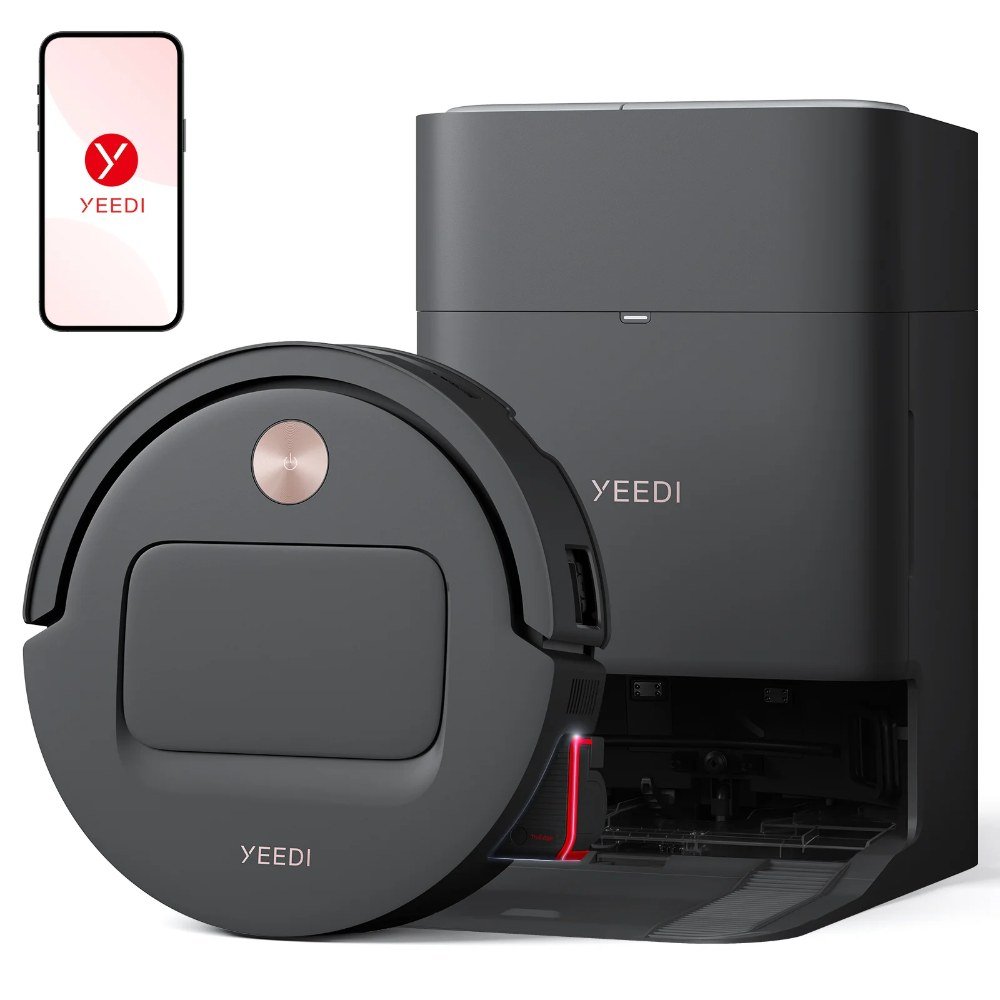
    3. Yeedi M14 Plus — Best Self-Emptying Value

    Yeedi M14 Plus robot vacuum and mop with self-emptying dock

    Getting a self-emptying dock under $300 used to be a fantasy, and the Yeedi M14 Plus is proof that it’s now realistic. The dock lets the robot empty its own bin into a larger bag, so a heavy-shedding home can go weeks without you touching the dustbin — a huge quality-of-life upgrade if pet hair is your main enemy. Suction is respectable and it mops as a bonus.

    Trade-offs are real: the dock takes up floor space and is louder than most during the empty cycle, and Yeedi’s ecosystem isn’t as polished as eufy’s or Roborock’s. Replacement dust bags are an ongoing cost too. But if never emptying a tiny bin is the dream, this delivers it cheaper than almost anything else.

    Pros: Self-emptying dock at a rare price; good suction; includes mopping; long gaps between maintenance.
    Cons: Loud empty cycle; dock needs floor space; ongoing bag cost; app is merely okay.

    Check price on Amazon → (~$260)

    4. iRobot Roomba 694 — Best Simple and Reliable Pick

    Not everyone wants to fiddle with maps and zones. If you’d rather press one button and walk away, the Roomba 694 is the low-fuss veteran. iRobot’s dual multi-surface rubber-ish rollers and edge-sweeping brush do a genuinely good job pulling pet hair off both carpet and hard floors, and the build quality is a step above no-name bots.

    The catch is that the 694 navigates semi-randomly rather than mapping, so it’s best in smaller or single-level homes where methodical coverage matters less. The bin is small and there’s no self-empty, meaning daily emptying in a furry household. But for reliability and pet-hair pickup on a budget, it’s a safe, proven choice.

    Pros: Excellent pet-hair pickup; simple one-button operation; durable and well-supported; great for smaller homes.
    Cons: Random navigation, no mapping; small bin; no self-empty; can miss spots in large layouts.

    Check price on Amazon → (~$250)

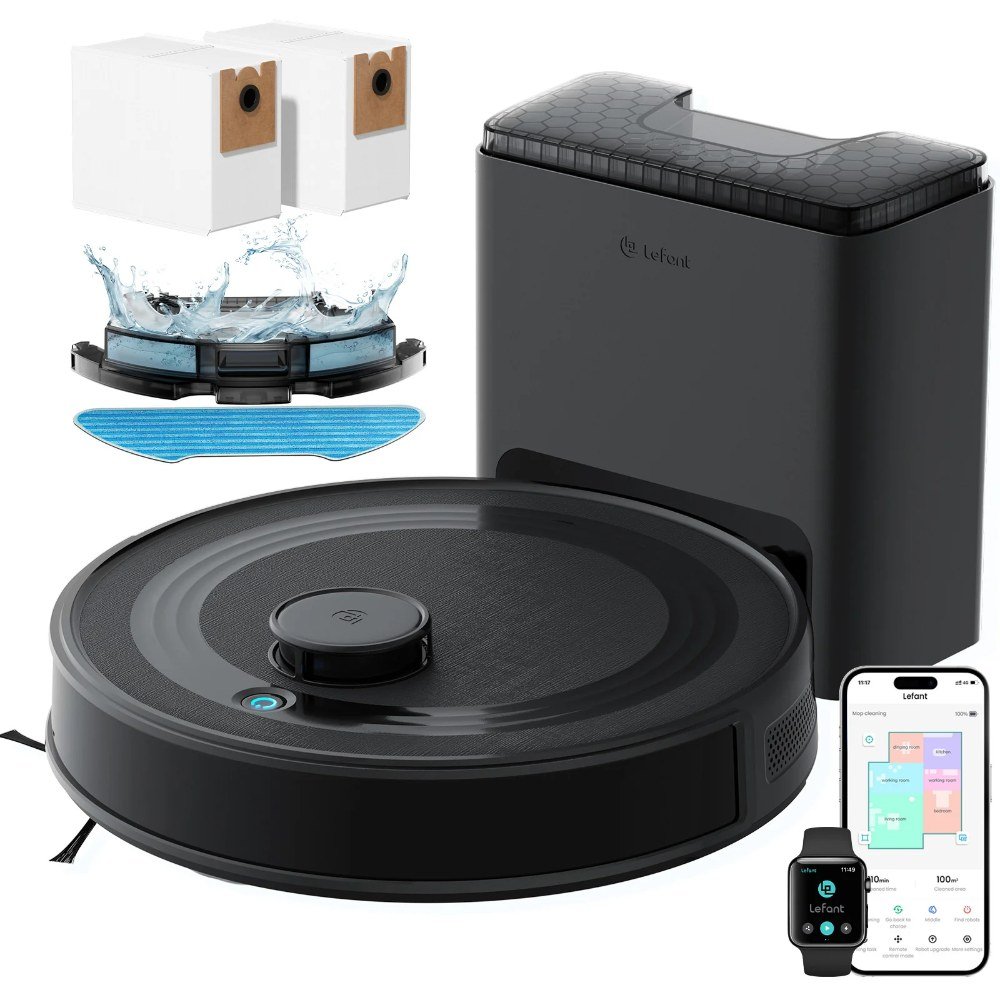
    5. Lefant M2 Plus — Best Budget Pick Under $150

    Lefant M2 Plus robot vacuum

    If your budget is closer to $130 than $300, the Lefant M2 Plus is the value play. It’s genuinely tangle-resistant — Lefant uses a bladeless suction inlet on some models instead of a bristle roller, which means long pet hair gets sucked up rather than wound around a brush you’d otherwise have to cut free with scissors. For hard floors and low-pile rugs, that alone makes it a pet-friendly bargain.

    You get what you pay for elsewhere: navigation is bump-and-go rather than mapped, suction is modest so deep carpet isn’t its strength, and the small bin fills fast. Think of it as a daily hard-floor hair patroller for a small apartment, not a whole-home carpet cleaner. Within those limits, it punches above its price.

    Pros: Very affordable; tangle-resistant design; quiet; great for hard floors and small spaces.
    Cons: No smart mapping; weaker on thick carpet; tiny bin; basic app.

    Check price on Amazon → (~$140)

    Our Top Pick

    For most people fighting pet hair on a real budget, the eufy Clean L60 is the sweet spot — strong suction, proper laser navigation, and a slim body for under-furniture fur, all comfortably under $300. If daily bin-emptying is your dealbreaker, jump to the Yeedi M14 Plus for its rare sub-$300 self-emptying dock. And if you just want something dead simple and proven, the Roomba 694 won’t let you down in a smaller home.

    Frequently Asked Questions

    The Bottom Line

    You don’t need a flagship to win the war on pet hair. Under $300, the eufy Clean L60 gives you the best all-around package, the Yeedi M14 Plus buys you the luxury of a self-emptying dock, and the Lefant M2 Plus proves you can get tangle-resistant cleaning for well under $150. Match the pick to your home — carpet-heavy or hardwood, one level or two, light shedder or fur factory — and any of these will quietly claw back hours you’d otherwise spend chasing tumbleweeds of fur.

  • Best Robot Vacuums Under $300 for Pet Hair (2026)

    Best Robot Vacuums Under $300 for Pet Hair (2026)

    Disclosure: TopAINest is reader-supported. This post contains affiliate links, and we may earn a small commission if you buy through them — at no extra cost to you. We only recommend products we’d genuinely tell a friend to buy.

    If you share your home with a shedding dog or a fluffy cat, you already know the drill: you vacuum the living room, turn around, and there’s a fresh tumbleweed of fur drifting across the floor. A good robot vacuum won’t end shedding season, but it can quietly stay on top of it while you’re at work — which is the whole point.

    The tricky part is that “robot vacuum” and “great with pet hair” don’t automatically go together. Long fur loves to wrap around brush rolls, weak suction leaves hair pressed into rugs, and tiny 0.3L bins fill up in one pass of a hairy hallway. So we focused on the things that actually matter for pet homes and under $300: real suction, tangle-resistant brushes, a bin big enough to survive a full run, and a filter that traps dander instead of puffing it back out.

    Here are five robot vacuums under $300 that genuinely earn their keep in a house full of fur — plus the honest downsides of each, because none of them are perfect.

    1. iRobot Roomba Q0120 (Roomba 694) — the reliable classic

    The Roomba 694 is the vacuum most people picture when they hear “robot vacuum,” and it earns that reputation on pet hair. Its dual multi-surface rubber-and-bristle brushes do a solid job lifting fur off both hardwood and low-pile carpet, and the Dirt Detect sensors send it back over the spots your dog naps on most. At around ~$180 it’s often the safest first robot vacuum for a pet household.

    It’s not fancy — there’s no lidar mapping, so it bounces around semi-randomly rather than driving neat lines — but for one floor it gets the whole room eventually and the app scheduling is dead simple.

    Pros: Trusted brand and easy repairs/parts; genuinely good pet-hair pickup; simple app and voice control.
    Cons: Small 0.6L bin fills fast in heavy-shed homes; random navigation can miss a corner; no room mapping.

    Check price on Amazon →

    2. eufy Clean by Anker RoboVac 11S Max — the quiet slim one

    At just 2.85 inches tall, the RoboVac 11S Max slides under couches and beds where pet hair loves to collect and other bots simply can’t reach. It runs quietly — closer to a loud fan than a vacuum — so anxious pets tend to tolerate it, and the bumped-up 2000Pa suction handles fur on hard floors and thin rugs well for the ~$180 price.

    The trade-off for that slim, quiet design is that it’s another random-navigation bot with no app mapping — you drop it, it wanders, it docks. For small apartments that’s fine; for a big multi-room house you’ll want something smarter.

    Pros: Ultra-slim, reaches under low furniture; genuinely quiet; strong value suction.
    Cons: No mapping or app zones; can get stuck on cords and thick rug edges; smaller bin.

    Check price on Amazon →

    3. Lefant M265 — the budget champ for hard floors

    Lefant M265 robot vacuum

    If your home is mostly hardwood, tile, or laminate, the Lefant M265 is a lot of vacuum for around ~$150. Lefant leans on a bristle-light, tangle-resistant brush design that’s kinder to long fur than traditional brush rolls, and the strong suction whips pet hair off hard floors without wrapping into a matted mess you have to cut off with scissors.

    On thick carpet it’s more “maintenance pass” than deep clean, and the navigation is basic, but as a cheap daily fur-patrol for hard-floor homes it punches well above its price.

    Pros: Excellent price; tangle-resistant brush design suits long pet hair; strong on hard floors.
    Cons: Weaker on deep/plush carpet; simple bounce navigation; app is functional but bare-bones.

    Check price on Amazon →

    4. Shark ION Robot RV765 — the carpet workhorse

    Shark built its name on pet-hair vacuums, and the ION RV765 brings that DNA to the robot world for around ~$250. Its self-cleaning brush roll is the headline feature: bristles that actively work to shed wrapped hair instead of letting it strangle the roller, which is exactly the failure point that kills cheaper bots in long-hair homes. Suction is strong enough to pull fur out of low and medium carpet, not just hard floors.

    It’s the priciest pick here and still uses simpler navigation than a lidar flagship, but if carpet and constant brush tangles are your problem, this is the one built for it.

    Pros: Self-cleaning brush roll fights hair tangles; strong carpet suction; scheduling via app and voice.
    Cons: Top of the budget; louder than the eufy; navigation isn’t lidar-smart.

    Check price on Amazon →

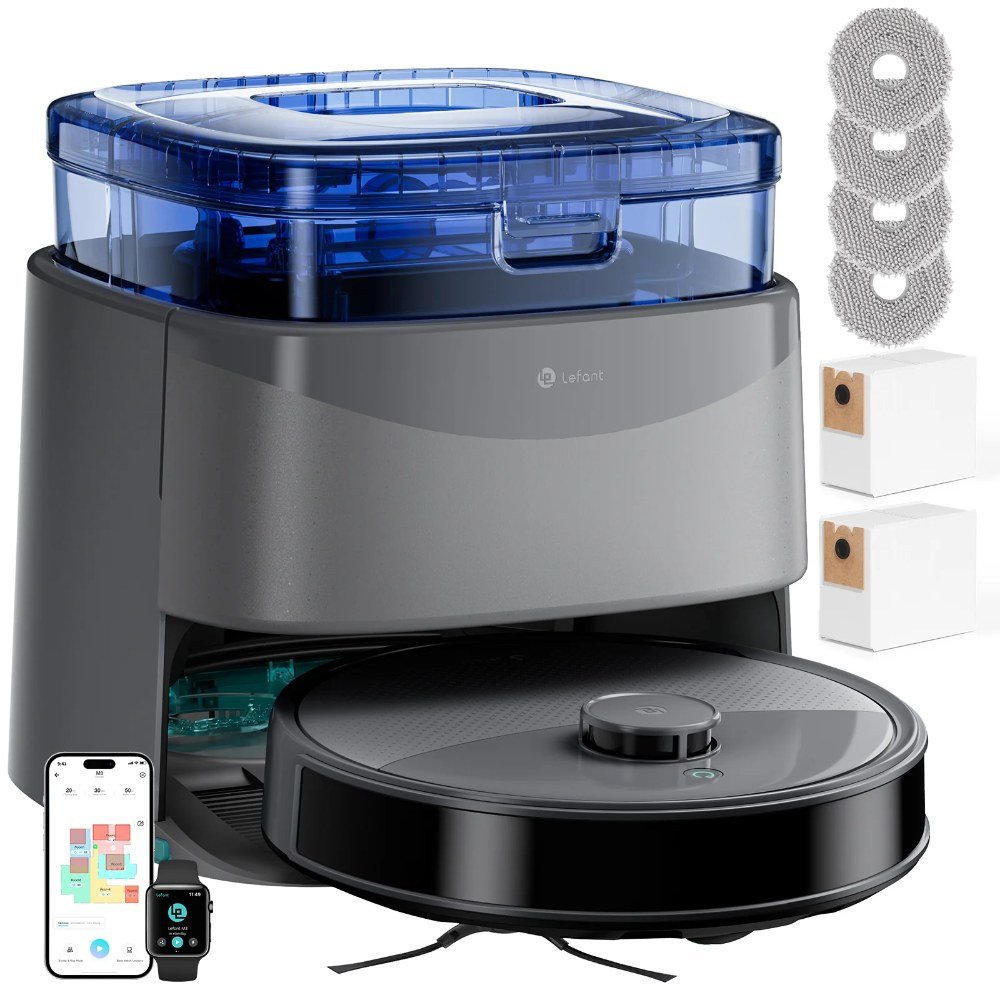
    5. Lefant M3 Series — the smart-mapping value pick

    Lefant M3 Series robot vacuum

    Want actual room mapping without paying flagship money? The Lefant M3 series (around ~$230 depending on the variant) adds laser-style navigation so it drives in tidy rows, remembers your layout, and lets you set no-go zones around the pet bowls — a genuinely useful upgrade over the bounce-around bots above. Suction is stepped up too, so it stays credible on both fur-covered hard floors and low carpet.

    It’s the most feature-rich pick under $300 here, though the app has a slightly steeper learning curve and, like everything at this price, its mopping function is a light wipe rather than a scrub.

    Pros: Real mapping and no-go zones; efficient row-by-row cleaning; strong suction for the price.
    Cons: App has a learning curve; mopping is token; higher variants creep toward the $300 ceiling.

    Check price on Amazon →

    Our top pick

    For most pet owners, the iRobot Roomba 694 is the safest buy — it’s reliable, easy to get parts for, and genuinely good at fur, which matters more than a spec sheet when you’re running it every single day. If your budget is tighter and your floors are mostly hard surfaces, the Lefant M265 gives you 80% of the result for a lot less money. And if tangled brush rolls are the specific thing driving you crazy, spend the extra for the Shark ION RV765 and its self-cleaning roller. There’s no single “best” here — there’s the best one for your floors and your budget.

    Frequently asked questions

    Do robot vacuums actually work on pet hair?

    Yes — for daily maintenance. A robot vacuum won’t replace a deep clean of a plush carpet, but running one every day means hair never gets the chance to build up in the first place. The keys are decent suction (aim for 2000Pa or more), a tangle-resistant or self-cleaning brush, and emptying the bin often in heavy-shed homes.

    Should I get a robot vacuum with a self-emptying dock?

    In a pet home it’s a genuinely nice upgrade, because fur fills a small onboard bin quickly. But self-empty docks push most models past the $300 budget of this guide. If you’d rather spend on cameras and monitoring instead, our roundup of the best smart pet cameras under $100 for dogs home alone pairs perfectly with a bin you empty by hand.

    Will a robot vacuum scare my dog or cat?

    Some pets ignore them, some hate them. Quieter models like the eufy 11S Max are the easiest introduction, and running the vacuum on a schedule while you’re home for the first week helps pets get used to the sound. Skip the “surprise it while they nap” approach — that’s how you end up with a stressed pet who guards the vacuum.

    The bottom line

    You don’t need a $1,000 robot to keep pet hair under control. Under $300, the Roomba 694 is the dependable all-rounder, the Lefant M265 is the value king for hard floors, and the Shark ION RV765 is the tangle-fighter for carpet-heavy homes. Match the vacuum to your floors and your shedding level, set a daily schedule, and let it quietly handle the fur so you don’t have to. Just remember to actually empty the bin — even the best robot can’t do that part for you.

  • Best Kitchen Gadgets Under $100 for Meal Prep (2026)

    Best Kitchen Gadgets Under $100 for Meal Prep (2026)

    Disclosure: TopAINest is reader-supported. This post contains affiliate links, and we may earn a small commission if you buy through them — at no extra cost to you. We only recommend products we’d genuinely tell a friend to buy.

    Meal prep lives and dies on friction. If chopping the veggies takes twenty minutes and the containers leak in your bag, you’ll quietly give up by Wednesday. The right gadgets remove those little points of friction so that “cook once, eat all week” actually happens instead of just being a nice idea on Sunday morning.

    The best part? You don’t need a pro kitchen or a huge budget. Everything on this list comes in under $100 — most well under — and each one earns its counter space by saving you real time or stopping a real headache (soggy salads, mystery freezer blobs, that one lid that never fits).

    Here are five kitchen gadgets that make meal prep genuinely easier in 2026, with the honest downsides included so you buy the right one for your routine.

    Our picks at a glance
    PickBest forApprox. price
    Instant Pot Duo 6-Quart★ Top pickBest All-in-One for Batch Cooking~$90Check price →
    Ninja Professional Food ProcessorBest for Chopping & Prep Speed~$80Check price →
    Souper Cubes Freezer TraysBest for Portioning & Freezing~$45Check price →
    Bentgo Prep Meal Prep Container KitBest Containers~$25Check price →
    Fullstar Vegetable ChopperBest Budget Prep Gadget~$25Check price →

    1. Instant Pot Duo 6-Quart — Best All-in-One for Batch Cooking

    Instant Pot DUO 6QT Full Review & First Look | Complete Beginner's Guide!

    ▶ Video: Instant Pot DUO 6QT Full Review & First Look | Complete Beginner’s Guide! — v11tv (independent review). Click to play; opens YouTube’s player.

    If you cook big batches, the Instant Pot Duo is still the workhorse to beat, usually around $90. It pressure-cooks a pot of chili, shreds chicken, or turns dried beans into dinner in a fraction of the stovetop time — which is exactly the kind of hands-off, make-a-lot cooking meal prep is built on. The 6-quart size hits the sweet spot for two to four people’s worth of leftovers.

    It does have a learning curve, and the “instant” name oversells it a little — you have to factor in time for the pot to come up to pressure. But once it clicks, it becomes the gadget you reach for every Sunday.

    Pros: Replaces several appliances; fast, hands-off batch cooking; huge recipe community online.
    Cons: Learning curve for pressure settings; comes to pressure slower than you’d expect; takes up cabinet space.

    Check price on Amazon → (~$90)

    2. Ninja Professional Food Processor — Best for Chopping & Prep Speed

    Food processor | Ninja® Professional Food Processor

    ▶ Video: Food processor | Ninja® Professional Food Processor — Ninja Kitchen (official). Click to play; opens YouTube’s player.

    The single biggest time sink in meal prep is knife work, and a food processor erases it. The Ninja Professional (around $80) turns a pile of onions, peppers, and carrots into an evenly diced mound in seconds, and it doubles as a blender for sauces, dressings, and smoothie packs. For anyone prepping multiple recipes at once, it pays for itself in reclaimed Sundays.

    It’s not the quietest gadget, and cleaning the blade and bowl adds a step. But hand-washing one processor beats mincing garlic for five recipes by hand every single time.

    Pros: Massive time savings on chopping; doubles as a blender; powerful motor handles tough veg.
    Cons: Loud; several parts to wash; can over-process delicate ingredients if you’re not careful.

    Check price on Amazon → (~$80)

    3. Souper Cubes Freezer Trays — Best for Portioning & Freezing

    Souper Cubes Freezer Essentials 16-Piece Set
    How to Freeze Pesto by Souper Cubes (Half-Cup Portions)

    ▶ Video: How to Freeze Pesto by Souper Cubes (Half-Cup Portions) — Souper Cubes (official). Click to play; opens YouTube’s player.

    Souper Cubes are the gadget that finally makes freezer meal prep neat. These silicone trays freeze soups, stocks, sauces, and cooked grains into perfect 1-cup (or ½-cup) bricks that pop out and stack — no more mystery bags of frozen mush. A set runs well under $100 and instantly organizes your freezer around actual portions.

    They’re a specialty item, so if you don’t batch-freeze, they’ll sit unused. And silicone trays can be a little floppy to carry when full before they set. For soup-and-stew people, though, they’re a small revelation.

    Pros: Perfect, stackable portions; great for soups, stocks, and sauces; durable food-grade silicone with lids.
    Cons: Floppy when full before freezing; only useful if you freeze in batches.

    Check price on Amazon → (~$45)

    4. Bentgo Prep Meal Prep Container Kit — Best Containers

    Bentgo Prep 60-Piece Meal Prep Kit
    Bentgo® Prep Collection - Meal Prep Made Easy

    ▶ Video: Bentgo® Prep Collection – Meal Prep Made Easy — Bentgo (official). Click to play; opens YouTube’s player.

    Good containers are the unglamorous backbone of meal prep, and the Bentgo Prep kit (around $25) nails the basics: portion-friendly compartments, snap-tight lids, and pieces that are microwave-, freezer-, and dishwasher-safe. The multi-compartment design keeps your rice from soaking into your stir-fry, so Thursday’s lunch still tastes like it was made fresh.

    They’re plastic rather than glass, so they’ll stain a bit over time with tomato-based sauces and won’t feel as premium. But at this price and count, they’re the easy default for grab-and-go lunches.

    Pros: Excellent value per piece; leak-resistant compartments; microwave, freezer, and dishwasher safe.
    Cons: Plastic stains over time; lids can loosen after heavy use.

    Check price on Amazon → (~$25)

    5. Fullstar Vegetable Chopper — Best Budget Prep Gadget

    Fullstar 4-in-1 Vegetable Chopper | Step-by-Step Instructions | How to use

    ▶ Video: Fullstar 4-in-1 Vegetable Chopper | Step-by-Step Instructions | How to use — fullstar (official). Click to play; opens YouTube’s player.

    If a full food processor is overkill, the Fullstar manual chopper (around $25) is the tiny hero of quick prep. Press down and it dices onions, potatoes, and peppers into uniform pieces, catching everything in a built-in container so your board stays clean. It’s the gadget that makes a weeknight “I’ll just prep tomorrow’s lunch” feel like a two-minute job.

    The blades are sharp and need careful hand-washing, and very hard vegetables take real hand pressure. But for the price and the counter space, it’s an outstanding little time-saver.

    Pros: Cheap and effective; no electricity needed; catches diced veg in one container; compact.
    Cons: Sharp blades need careful cleaning; hard vegetables require real pressure.

    Check price on Amazon → (~$25)

    Our Top Pick

    For most people, the Instant Pot Duo 6-Quart is the meal-prep gadget that changes the most about your week — one pot handles the batch cooking that everything else builds on. Pair it with Souper Cubes for tidy freezer portions and a stack of Bentgo Prep containers for grab-and-go lunches, and you’ve built a complete meal-prep system for well under $200 total. On a tighter budget? The Fullstar chopper alone will shave the most time off your Sunday.

    Frequently Asked Questions

    What kitchen gadgets are actually worth it for meal prep?

    Start with three: something to cook in bulk (a pressure cooker or slow cooker), something to speed up chopping (a food processor or manual chopper), and good containers to store portions. Those three cover 90% of the work. Add freezer trays if you like batch-freezing soups and sauces.

    Do I need expensive gear to start meal prepping?

    Not at all. You can start meal prepping with just a $25 chopper and a set of containers. The pricier gadgets like the Instant Pot save more time as you scale up, but they’re upgrades, not requirements. Buy the cheap essentials first and add from there.

    What other budget gadgets are worth checking out?

    If you enjoy hunting for useful gear under $100, our roundup of the top 10 AI gadgets under $100 in 2026 covers smart-home and everyday tech in the same budget-friendly spirit.

    The Bottom Line

    Meal prep gets easy when the boring parts get faster. Cook in bulk with the Instant Pot Duo, kill the knife work with a Ninja processor or a cheap Fullstar chopper, and store it all in Souper Cubes and Bentgo containers. None of it costs more than a nice dinner out, and together it turns “I should meal prep” into a routine you’ll actually keep.

  • Best Desk Gadgets Under $50 for Small Dorm Desks (2026)

    Best Desk Gadgets Under $50 for Small Dorm Desks (2026)

    Disclosure: TopAINest is reader-supported. This post contains affiliate links, and we may earn a small commission if you buy through them — at no extra cost to you. We only recommend products we’d genuinely tell a friend to buy.

    A dorm desk is basically a nightstand pretending to be a workspace. You get maybe two feet of usable surface, one outlet within reach, and somehow you’re supposed to fit a laptop, a phone, a coffee, a notebook, and your entire academic future on it. The good news: you don’t need a bigger desk. You need a few small gadgets that give you back space, tame the cable chaos, and make the corner you’ve got feel twice as usable.

    I kept the whole list under $50 on purpose, because dorm budgets are real and “just buy the nice one” is not helpful advice in September. Everything here is small on purpose — no giant monitor arms, no desks-within-desks. Just the five upgrades that punch way above their price and footprint. As always, honest cons are included, because every one of these has a catch.

    Our picks at a glance
    PickBest forApprox. price
    Twelve South Curve Mini★ Top pickthe desk-clearing laptop stand~$40Check price →
    UGREEN Uno 3-in-1 Magnetic Wireless Chargerone plug, zero clutter~$45Check price →
    A clip-on LED desk lamplight without stealing surface~$28Check price →
    An under-desk cable management kitthe $15 sanity upgrade~$16Check price →
    A clip-on USB desk fanfor stuffy rooms with no airflow~$22Check price →

    1. Twelve South Curve Mini — the desk-clearing laptop stand

    Twelve South Curve Mini compact laptop stand
    Twelve South Curve Mini FAQs

    ▶ Video: Twelve South Curve Mini FAQs — twelvesouth (official). Click to play; opens YouTube’s player.

    A laptop stand sounds like a “nice to have” until you realize how much desk your closed or propped laptop actually eats. The Curve Mini is a tiny aluminium wedge that lifts your screen to eye level and, more importantly for a small desk, lets you slide a keyboard or a notebook underneath it. It weighs almost nothing, so it travels to the library without a second thought, and the sculpted shape means you’re not staring down at your screen giving yourself a neck like a question mark by finals week.

    It’s genuinely one of the cheapest ways to make a cramped setup feel deliberate instead of thrown together. Pair it with any $20 Bluetooth keyboard and your dorm desk suddenly looks like a real workstation.

    Pros: Ultralight and compact; frees up the space under the laptop; solid aluminium build that won’t wobble; raises the screen to a healthier height.
    Cons: It’s a fixed-height wedge, so there’s no adjusting the angle; works best for 13–14″ laptops and feels a bit small under a heavy 16″ machine.

    Check price on Amazon → (~$40)

    2. UGREEN Uno 3-in-1 Magnetic Wireless Charger — one plug, zero clutter

    UGREEN Uno 3-in-1 Magnetic Wireless Charger 25W
    UGREEN Uno Qi2 Magnetic Wireless Charging Station Review

    ▶ Video: UGREEN Uno Qi2 Magnetic Wireless Charging Station Review — Nerd Techy (independent review). Click to play; opens YouTube’s player.

    The single biggest source of desk mess in any dorm is charging cables — one for the phone, one for the earbuds, one for the watch, all snaking across the surface fighting for that one good outlet. The UGREEN Uno collapses all of that into one small pad. Your phone snaps onto the magnetic front (it’s MagSafe-friendly for iPhones), your earbuds sit on the base, and the little flip-out arm charges a smartwatch, all from a single wall plug.

    The 25W output means your phone actually charges at a respectable speed rather than the sad trickle you get from cheap wireless pads. And because it stands your phone upright, it doubles as a bedside/desk stand for watching lectures or propping up a recipe.

    Pros: Charges three devices from one outlet; magnetic phone mount doubles as a stand; genuinely fast 25W wireless; tidy, small footprint.
    Cons: Fast wireless charging only hits its peak for phones that support it, and Android phones without magnets may need a magnet ring; the watch arm is sized for Apple Watch, so other brands are hit or miss.

    Check price on Amazon → (~$45)

    3. A clip-on LED desk lamp — light without stealing surface

    Yeelight Clip Desk Lamp Unboxing & Review

    ▶ Video: Yeelight Clip Desk Lamp Unboxing & Review — GreedyTech (independent review). Click to play; opens YouTube’s player.

    Standard desk lamps have a base the size of a dinner plate, which on a dorm desk is a non-starter. A clip-on LED lamp clamps to the edge of your desk or a shelf and floats the light exactly where you need it, using zero surface area. Look for one with adjustable color temperature — warm light for late-night reading so you can still sleep, cool white for daytime grinding when you need to stay sharp.

    Most of these are USB-powered too, which means they can run off a power bank during a study session in the common room or plug into the same charging setup as everything else. For under thirty bucks, it’s the easiest fix for the dim overhead lighting that every dorm room seems cursed with.

    Pros: Uses no desk surface at all; adjustable brightness and color temperature on most models; USB-powered and flexible; easy on the eyes for long study blocks.
    Cons: The clamp needs an edge under about an inch thick, so it won’t grip a chunky desk; cheaper models have flimsy gooseneck arms that droop over time.

    Check price on Amazon → (~$28)

    4. An under-desk cable management kit — the $15 sanity upgrade

    The Best Under-Desk Cable Management Setup I've Tried

    ▶ Video: The Best Under-Desk Cable Management Setup I've Tried — MostlyBuilds (independent review). Click to play; opens YouTube’s player.

    This is the least exciting item on the list and quite possibly the one that changes your daily life the most. A basic cable management kit — a few adhesive clips, some sleeves, and maybe a small under-desk tray — gets your charging cables off the floor and out of the tangle behind your laptop. No more fishing for the charger that slid behind the desk, no more knocking your drink over a rat’s nest of wires.

    On a tiny desk, visual clutter reads as stress, and cables are the number one offender. Spend fifteen minutes and fifteen dollars here and the whole setup instantly looks calmer. It’s the closest thing to a free desk-size upgrade you’ll find.

    Pros: Absurdly cheap for the payoff; keeps cables reachable instead of lost; makes a small desk look intentional; nothing to charge or maintain.
    Cons: Adhesive clips can lift paint or laminate when you eventually move out, so test on a hidden spot first; it’s a one-time setup chore that’s mildly annoying to do.

    Check price on Amazon → (~$16)

    5. A clip-on USB desk fan — for stuffy rooms with no airflow

    Rechargeable Clip-On USB Desk Fan Review

    ▶ Video: Rechargeable Clip-On USB Desk Fan Review — Peter von Panda (independent review). Click to play; opens YouTube’s player.

    Dorm rooms in early September are basically greenhouses, and the building’s AC (if it exists) rarely reaches your corner. A small clip-on USB fan clamps to your desk edge or bed frame and pushes air right where you’re sitting without taking up any surface. The good ones are surprisingly quiet, tilt in every direction, and have a couple of speed settings so you can dial in a gentle breeze for studying.

    Because it runs off USB, it happily plugs into a laptop, a power bank, or a wall adapter, so you’re not hunting for yet another outlet. It’s a tiny quality-of-life fix that makes the difference between focusing and melting into your chair during that first warm week.

    Pros: Clamps on and uses no desk space; USB-powered so it plugs into anything; quiet models exist; adjustable direction and speed.
    Cons: It’s a personal fan, not a room cooler, so it only helps the person directly in front of it; battery-free models die the moment you unplug them.

    Check price on Amazon → (~$22)

    Our top pick

    If you only buy one thing off this list, make it the Twelve South Curve Mini laptop stand. It’s the single change that reshapes a small desk the most — it lifts your screen, opens up the space underneath, and instantly makes a chaotic corner feel like an actual workspace, all for around $40. Everything else on this list is a great supporting player, but the stand is the one that changes how the whole desk works.

    On the tightest budget, though, don’t sleep on the $16 cable kit. Dollar for dollar, nothing here delivers a bigger “my desk feels bigger” feeling for less money.

    Frequently asked questions

    What’s the most useful desk gadget for a really small dorm desk?

    A laptop stand, hands down. It’s the item that recovers the most surface area because it lets you tuck a keyboard, notebook, or phone underneath the raised laptop. On a desk where every square inch counts, reclaiming the footprint under your laptop is the biggest single win — and it improves your posture as a bonus.

    Do I need a powered USB hub for all these gadgets?

    Not necessarily. A 3-in-1 wireless charger like the UGREEN Uno handles your phone, earbuds, and watch from one outlet, and USB gadgets like the lamp and fan can run off your laptop or a power bank. If your dorm desk really only has one reachable outlet, a small multi-port wall charger is worth adding — we cover a few in our roundup of the best Alexa devices and gadgets for a dorm room.

    Are cheaper no-name versions of these worth it?

    For the cable kit and the fan, absolutely — those are simple products where the budget option is fine. For the laptop stand and the wireless charger, it’s worth spending a little more on a known brand, because a wobbly stand or a charger that overheats is a false economy. Read recent reviews and avoid anything with a suspiciously low number of ratings.

    The bottom line

    You can’t make a dorm desk physically bigger, but you can make it feel that way. Lift the laptop, consolidate the chargers, clip the light and fan to the edges, and get the cables off the floor — do those four things and the same cramped corner suddenly works with you instead of against you. The best part is that the whole kit here comes in well under $150 total, and each piece individually is under $50, so you can start with the one that fixes your biggest daily annoyance and build from there.

    Prices shift often, so tap through to check the current cost before you buy — and grab the laptop stand first if you’re only starting with one.

  • Best Smart Pet Cameras Under $100 for Dogs Home Alone (2026)

    Best Smart Pet Cameras Under $100 for Dogs Home Alone (2026)

    Disclosure: TopAINest is reader-supported. This post contains affiliate links, and we may earn a small commission if you buy through them — at no extra cost to you. We only recommend products we’d genuinely tell a friend to buy.

    Leaving your dog home alone never gets easier. You picture the chewed shoe, the barking neighbours complain about, the anxious pacing you can’t see. A good pet camera won’t cure separation anxiety, but it does something almost as valuable: it lets you glance at your phone from the office and actually breathe.

    The good news is you don’t need to spend a fortune. In 2026 the sub-$100 shelf is crowded with cameras that offer sharp night vision, two-way talk, and motion alerts that are smart enough to ping you when your dog jumps on the couch — not every time a shadow moves.

    I’ve spent weeks with the popular budget picks, and below are the five smart pet cameras I’d actually trust to watch a dog that’s home alone. Every one is regularly available under $100, and each has a real weakness worth knowing before you buy.

    Our picks at a glance
    PickBest forApprox. price
    Wyze Cam Pan v3 ★ Top pickBest Overall ValueSee listingCheck price →
    TP-Link Tapo C220Sharpest Picture for the MoneySee listingCheck price →
    Petcube Cam 360Built for Pets FirstSee listingCheck price →
    Ring Indoor Cam (2nd Gen)Best for Existing Ring/Alexa HomesSee listingCheck price →
    Blink Mini 2Cheapest Way to Start WatchingSee listingCheck price →

    1. Wyze Cam Pan v3 — Best Overall Value

    Introducing: Wyze Cam Pan v3

    ▶ Video: Introducing: Wyze Cam Pan v3 — Wyze (official). Click to play; opens YouTube’s player.

    The Wyze Cam Pan v3 is the camera I recommend first, because it does the one thing anxious owners want most: it moves. The motorized head pans a full 360 degrees and can auto-track a moving dog across the room, so your pup rarely wanders out of frame. Add colour night vision, an IP65 weather rating, and free local recording to a microSD card, and it’s borderline unfair at around $44.

    The catch is that some of the smarter alerts (like pet-vs-person detection) live behind Wyze’s Cam Plus subscription, and the app can feel busy. But for pure “watch my dog move around the house” duty, nothing near this price matches it.

    Pros: Auto-tracking pan/tilt, colour night vision, free local storage, tiny price.
    Cons: Best alerts need a Cam Plus subscription; app is a bit cluttered.

    Check price on Amazon →

    TP-Link Tapo C220 Pan/Tilt AI Home Security Wi-Fi Camera

    ▶ Video: TP-Link Tapo C220 Pan/Tilt AI Home Security Wi-Fi Camera — TechGuru Andrew (independent review). Click to play; opens YouTube’s player.

    If image quality is your priority, the Tapo C220 is the value champ. It shoots in crisp 2K (4MP) with pan-and-tilt coverage, and TP-Link’s on-device AI can distinguish people, pets, and general motion without forcing you into a monthly plan. That local, subscription-free smarts is rare under $50.

    Two-way audio is clear enough to tell your dog to get off the counter, and it saves footage to a microSD card locally. The downside: the Tapo ecosystem is a walled garden, so it plays nicely with other Tapo gear but less so with Alexa or Google routines.

    Pros: 2K resolution, free on-device pet/person detection, local storage, very affordable.
    Cons: Limited smart-home integrations; app-first experience.

    Check price on Amazon →

    3. Petcube Cam 360 — Built for Pets First

    Welcome Petcube Cam 360 - All-in-one 360° view pet camera

    ▶ Video: Welcome Petcube Cam 360 – All-in-one 360° view pet camera — Petcube (official). Click to play; opens YouTube’s player.

    Most cameras are general-purpose boxes that happen to point at a dog. The Petcube Cam 360 was designed for pets from the ground up. It offers a 360-degree view, sound and motion alerts tuned for barking, and clean two-way audio so your voice actually calms your dog rather than spooking it with tinny distortion.

    Petcube also bundles a genuinely useful vet-chat perk on its higher plans, which appeals to worried new owners. The trade-off is that the best features (longer cloud history, richer alerts) push you toward Petcube Care, and hardware occasionally dips just above $100 depending on the sale.

    Pros: Pet-first design, 360-degree view, excellent two-way audio, vet-chat option.
    Cons: Top features want a subscription; price can hover near the $100 line.

    Check price on Amazon →

    4. Ring Indoor Cam (2nd Gen) — Best for Existing Ring/Alexa Homes

    Ring Indoor Cam 2nd Gen: More Privacy and More Adjustable

    ▶ Video: Ring Indoor Cam 2nd Gen: More Privacy and More Adjustable — Security.org (independent review). Click to play; opens YouTube’s player.

    If your home already runs on Alexa, the Ring Indoor Cam (2nd Gen) is the frictionless pick. Setup takes minutes, alerts are reliable, and you can pull up a live feed on an Echo Show just by asking. The physical privacy cover — a manual shutter you can close when you’re home — is a thoughtful touch a lot of budget rivals skip.

    It’s a fixed camera, though, so there’s no panning to follow a roaming dog, and meaningful video history requires a Ring Protect plan. But for a dependable, set-and-forget corner cam inside an Alexa household, it’s hard to beat around $60.

    Pros: Dead-simple setup, rock-solid Alexa integration, physical privacy shutter.
    Cons: No pan/tilt; video history needs a Ring Protect subscription.

    Check price on Amazon →

    Introducing Blink Mini 2

    ▶ Video: Introducing Blink Mini 2 — Blink (official). Click to play; opens YouTube’s player.

    When you just want eyes on your dog for as little money as possible, the Blink Mini 2 is the answer. It’s tiny, it’s often under $40, and the newer model finally adds colour night vision and person detection. Plug it in, connect it to the Blink app, and you’re watching within ten minutes.

    It’s a plug-in, fixed-view camera with a small field of view, so one Mini 2 covers a single zone rather than a whole open-plan living room — many owners buy two. And like most in this class, extended clip storage nudges you toward a Blink Subscription Plan.

    Pros: Extremely cheap, quick setup, colour night vision, weatherproof with adapter.
    Cons: Narrow fixed view; longer storage needs a subscription.

    Check price on Amazon →

    Our top pick

    For most dog owners, the Wyze Cam Pan v3 is the one to buy. Its auto-tracking pan/tilt means you actually see your dog wherever it wanders — the single biggest advantage when you’re watching a pet home alone — and it delivers that at a price that leaves room in the budget for a second unit. If you care most about picture quality without any subscription, make it the TP-Link Tapo C220 instead. And if your house already speaks Alexa, the Ring Indoor Cam is the smoothest fit.

    Frequently asked questions

    Do cheap pet cameras really work for dogs home alone?

    Yes — for the core job of checking in, budget cameras in 2026 are genuinely good. You get sharp day and night video, motion and bark alerts, and two-way talk. Where you pay more is in extras: longer cloud recording, advanced AI alerts, and treat-tossing. For simply keeping an eye on your dog, a $40–$60 camera is plenty. If you’re kitting out the rest of the house too, our roundup of the best robot vacuums under $300 for pet hair pairs nicely with a new pet cam.

    Can I talk to my dog through these cameras?

    All five here include two-way audio, so you can speak to your dog and hear them back. Sound quality varies — the Petcube Cam 360 and Wyze are among the clearest. One tip: some dogs find a disembodied voice confusing or stressful at first, so introduce it gently and watch how your dog reacts before relying on it.

    Do I need a monthly subscription?

    Not for live viewing — that’s always free. Subscriptions unlock saved video history and smarter alerts. The Wyze Cam Pan v3 and Tapo C220 stand out because they record locally to a microSD card, letting you skip the monthly fee entirely if you’re happy managing your own footage.

    The bottom line

    You don’t need a premium camera to stop worrying about your dog during the workday. The Wyze Cam Pan v3 covers the most ground for the least money, the Tapo C220 gives you the crispest subscription-free picture, and the Blink Mini 2 gets you started for under $40. Pick the one that matches how your home already works, mount it where your dog spends its lonely hours, and enjoy that first mid-afternoon glance at a snoozing pup — it’s worth every penny.

  • Best Tech Gifts Under $50 for Teens (2026)

    Best Tech Gifts Under $50 for Teens (2026)

    Disclosure: TopAINest is reader-supported. This post contains affiliate links, and we may earn a small commission if you buy through them — at no extra cost to you. We only recommend products we’d genuinely tell a friend to buy.

    Shopping for a teenager is its own special kind of stress. They already have opinions about everything, half the stuff they want costs more than your car payment, and the fastest way to get a polite-but-dead-eyed “thanks” is to guess wrong.

    The good news: some of the genuinely coolest tech in 2026 is also the cheapest, and $50 stretches further than you’d think. We pulled together five gifts that actually land with teens — the kind of thing they’ll show their friends, not shove in a drawer. Every pick below comes with its honest downsides, because no product is perfect and pretending otherwise helps nobody.

    Prices are approximate and bounce around with sales, so treat the numbers as a ballpark rather than a promise.

    How did we choose? We stuck to gear that’s easy to set up (no teenager wants a gift that needs a 40-minute tutorial), that survives real teen life — backpacks, dorm floors, the occasional drop — and that has a track record of holding up past the first month. We deliberately mixed practical picks with fun ones, so there’s something here whether you’re buying for a gamer, a music obsessive, or the kid whose phone is always at 2%.

    Our picks at a glance
    PickBest forApprox. price
    Govee RGBIC LED Strip Lights★ Top pickapp-controlled room lighting~$25Check price →
    Anker Soundcore Space A40 Earbudsbudget noise-cancelling earbuds~$45Check price →
    JBL Go 4 Portable Bluetooth Speakergrab-and-go room-filling sound~$50Check price →
    Anker Portable Charger / Power Banknever a dead phone~$25Check price →
    Amazon Echo Dot (5th Gen)a smart-home starter~$50Check price →

    1. Govee RGBIC LED Strip Lights (~$25)

    Govee RGBIC LED Strip Lights: Setup and Review

    ▶ Video: Govee RGBIC LED Strip Lights: Setup and Review — SamCambetis (independent review). Click to play; opens YouTube’s player.

    If you’ve been inside a teenager’s room in the last three years, you’ve seen these. Govee’s RGBIC strips let you stick color-changing lights around a desk, bed frame, or ceiling and run the whole thing from a phone app — including music-reactive modes that pulse to whatever they’re playing. RGBIC means different sections show different colors at once, so it’s not one flat wash of purple. It’s the single most requested “room glow-up” item for this age group, and at around $25 it’s almost suspiciously affordable.

    Pros: Dead-simple app setup, genuinely fun music sync, cuttable to fit any length, and a huge color range.
    Cons: The adhesive backing gives up in hot rooms or on textured walls (a few command strips fix that), and the app nags you to make an account.

    Check price on Amazon →

    2. Anker Soundcore Space A40 Earbuds (~$45)

    Space A40 | Noise Cancelling Earbuds | soundcore

    ▶ Video: Space A40 | Noise Cancelling Earbuds | soundcore — Anker soundcore (official). Click to play; opens YouTube’s player.

    Wireless earbuds are the safest tech gift you can give a teen, and the Soundcore Space A40 punch so far above their price that reviewers keep double-checking the tag. You get real active noise cancellation, up to 10 hours per charge, and a sound profile you can tune in the app. For a kid who lives on the bus, in study hall, or tuning out younger siblings, these do the job of earbuds that cost three times as much.

    Pros: Legit noise cancellation at the price, long battery, comfortable for smaller ears, and wireless charging.
    Cons: The touch controls are twitchy until you learn them, and the mic is only okay for calls in noisy places.

    Check price on Amazon →

    3. JBL Go 4 Portable Bluetooth Speaker (~$50)

    JBL Go 4 Portable Bluetooth Speaker Overview

    ▶ Video: JBL Go 4 Portable Bluetooth Speaker Overview — Abt Electronics (independent review). Click to play; opens YouTube’s player.

    Not every teen wants earbuds glued in all day — some want to fill a room. The JBL Go 4 is a pocket-sized Bluetooth speaker that’s shockingly loud for something that fits in a jacket, fully waterproof and dustproof (IP67), and it clips or stands almost anywhere. It’s the speaker for the bathroom sing-along, the backyard, the shower caddy in a dorm. At around $50 it sneaks in right at the top of our budget.

    Pros: Rugged and truly waterproof, punchy sound for the size, fun color options, and about 7 hours of battery.
    Cons: Bass is limited by physics — it’s a small speaker — and there’s no speakerphone function anymore.

    Check price on Amazon →

    4. Anker Portable Charger / Power Bank (~$25)

    A dead phone is a teenager’s version of a crisis, so a good power bank is the gift that quietly earns its keep every single day. Anker’s compact chargers hold enough juice for a couple of full phone top-ups, fit in a backpack pocket, and charge fast enough that a ten-minute plug-in actually helps. It’s unglamorous, sure, but it’s the item they’ll silently thank you for on a Friday night when their battery hits 3%.

    Pros: Reliable brand, enough capacity for one to two full charges, fast charging, and pocketable.
    Cons: Not exciting to unwrap, and you’ll want to confirm it comes with the right cable for their phone.

    Check price on Amazon →

    5. Amazon Echo Dot (5th Gen) (~$50)

    Amazon Echo Dot (5th Gen) Smart Speaker with Alexa - Charcoal Unboxing

    ▶ Video: Amazon Echo Dot (5th Gen) Smart Speaker with Alexa – Charcoal Unboxing — Tech & Design (independent review). Click to play; opens YouTube’s player.

    For a teen who wants a smart-home starter — or just a better alarm clock — the Echo Dot (5th Gen) is a friendly, cheap way in. It plays music, sets timers and alarms, answers homework questions, and controls smart bulbs, and the newer version actually sounds decent for its size. It regularly dips under $50 on sale, which is exactly when to pounce.

    Pros: Genuinely useful every day, good sound for the price, easy setup, and it ties into other smart gadgets.
    Cons: You’re inviting an always-listening mic into their room (worth a quick family chat), and the best features assume they’re fine living in Amazon’s ecosystem.

    Check price on Amazon →

    Our top pick

    If we had to hand over one gift and walk away confident, it’s the Govee RGBIC LED Strip Lights. They’re the rare thing that’s cheap, instantly gratifying, and something almost every teenager genuinely wants but won’t buy for themselves. The Soundcore Space A40 earbuds are the close runner-up if the teen in your life is more headphones-in than lights-on.

    Frequently asked questions

    What’s a safe tech gift for a teen who seems to have everything?

    Lean on the consumables of the tech world — earbuds, power banks, and LED lights get used up, lost, or upgraded, so there’s always room for another. The Soundcore Space A40 and Govee strips above are hard to already own too many of.

    Do these work for a 13-year-old as well as an 18-year-old?

    All five span the teen range. Younger teens tend to love the LED lights and the speaker most; older teens lean toward the earbuds and power bank for school and commuting. If your budget can stretch further, our roundup of the Top 10 AI Gadgets Under $100 has more ideas.

    Do I need to spend the full $50?

    Not at all. The Govee lights and the Anker power bank both land around $25, so you can grab two smaller gifts for the price of one bigger box — often a better unwrapping moment than a single item.

    One last tip: if you’re buying for a teen you don’t know super well, the safest bets are the earbuds and the power bank — they’re useful to basically everyone and don’t depend on taste. Save the LED lights and speaker for a teen whose style you already know a little, since those lean more personal. And whatever you pick, hang onto the receipt; half the fun of a tech gift is swapping the color or model for the one they secretly wanted.

    The bottom line

    The secret to nailing a teen tech gift isn’t spending more — it’s picking something they’ll actually reach for. Any of these five clears that bar: lights that make a room theirs, earbuds that block out the world, a speaker that fills it back up, a charger that saves the day, and a smart speaker that grows with them. Grab whichever fits the kid you have in mind, keep the receipt just in case, and you’re done.

  • Best Smart Pet Cameras Under $100 for Dogs Home Alone (2026)

    Best Smart Pet Cameras Under $100 for Dogs Home Alone (2026)

    Disclosure: TopAINest is reader-supported. This post contains affiliate links, and we may earn a small commission if you buy through them — at no extra cost to you. We only recommend products we’d genuinely tell a friend to buy.

    Leaving your dog home alone never quite feels normal. You lock the door, walk to the car, and start wondering: is she pacing by the window again? Did he get into the trash? Is anyone actually barking, or is the whole street about to file a complaint? A good pet camera turns that low-grade guilt into something you can just glance at on your phone — and in 2026, you no longer have to spend $200 to get one that works.

    The sweet spot right now is under $100. At that price you can get sharp 2K video, night vision, two-way audio so you can talk your anxious pup down, and motion or bark alerts that ping you the second something kicks off. Some even pan and tilt to follow your dog around the room instead of staring at one empty corner.

    We narrowed the field to five cameras that genuinely earn a spot on the shelf — no filler, and honest cons on every single one, because none of these is perfect. Here are the best smart pet cameras under $100 for dogs home alone in 2026.

    Our picks at a glance
    PickBest forApprox. price
    Wyze Indoor Cam Pan★ Top pickBest Overall for the Money~$40Check price →
    PETLIBRO Scout Smart CameraBest for Anxious Dogs~$40Check price →
    Ring Indoor Cam (2nd Gen)Best if You Already Own Ring~$60Check price →
    Blink Mini 2Best Tiny Camera on a Tight Budget~$40Check price →
    Petcube Cam 360Best Wide-Angle View~$50Check price →

    1. Wyze Indoor Cam Pan — Best Overall for the Money

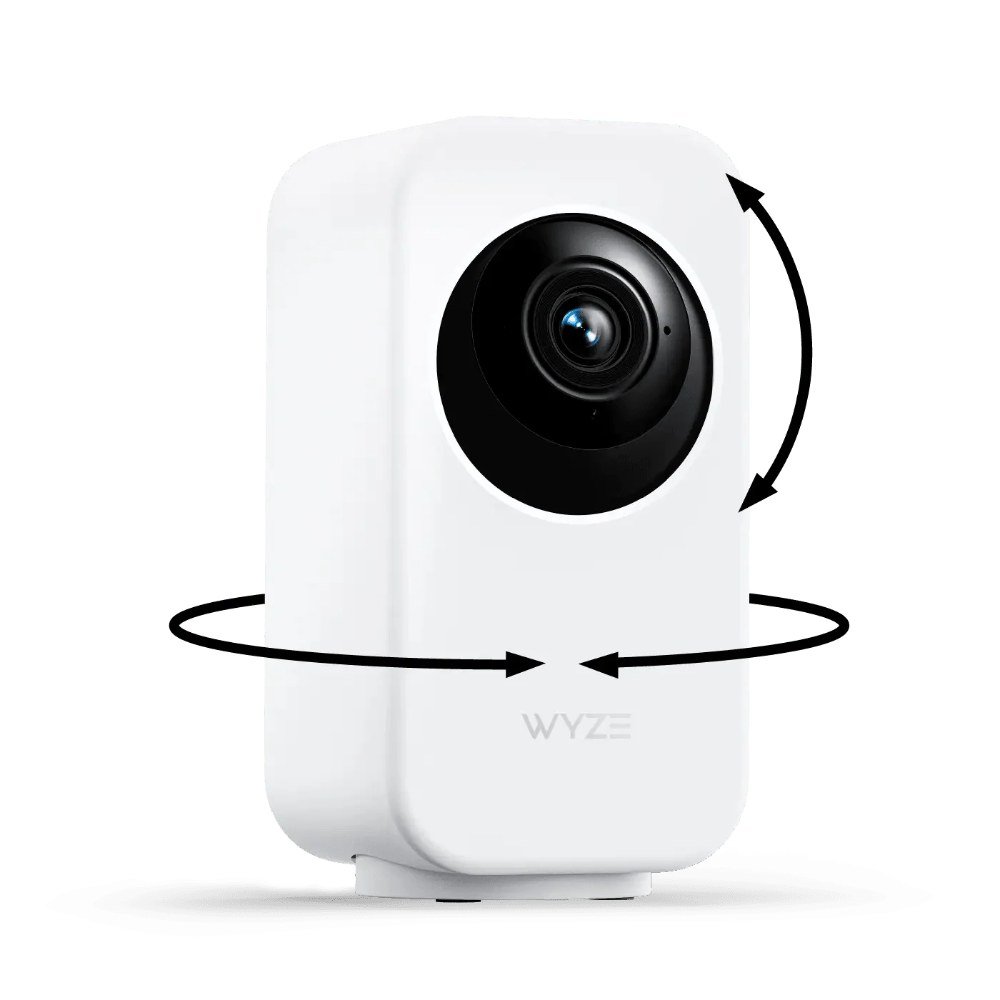
    Wyze Indoor Cam Pan pan-and-tilt pet camera
    Introducing: Wyze Cam Pan v3

    ▶ Video: Introducing: Wyze Cam Pan v3 — Wyze (official). Click to play; opens YouTube’s player.

    The Wyze Indoor Cam Pan is the one we point most people to first. For around $40 it pans a full 360 degrees, tilts up and down, and can automatically track motion — so when your dog wanders from the couch to the door, the camera follows instead of losing him off-frame. You get crisp video, color night vision, and two-way talk, plus the option to set patrol “waypoints” so it sweeps the room on a loop while you’re out.

    The catch is the classic Wyze trade-off: the best features (like person and pet AI detection and longer cloud clips) live behind a Cam Plus subscription. Local microSD recording is free, but you’ll want a card. For the price, though, nothing else moves and sees this well.

    Pros: 360° pan with motion tracking; color night vision; two-way audio; free local microSD recording.
    Cons: AI alerts and extended cloud clips need a paid Cam Plus plan; motor is faintly audible in a quiet room.

    Check price on Amazon → (~$40)

    2. PETLIBRO Scout Smart Camera — Best for Anxious Dogs

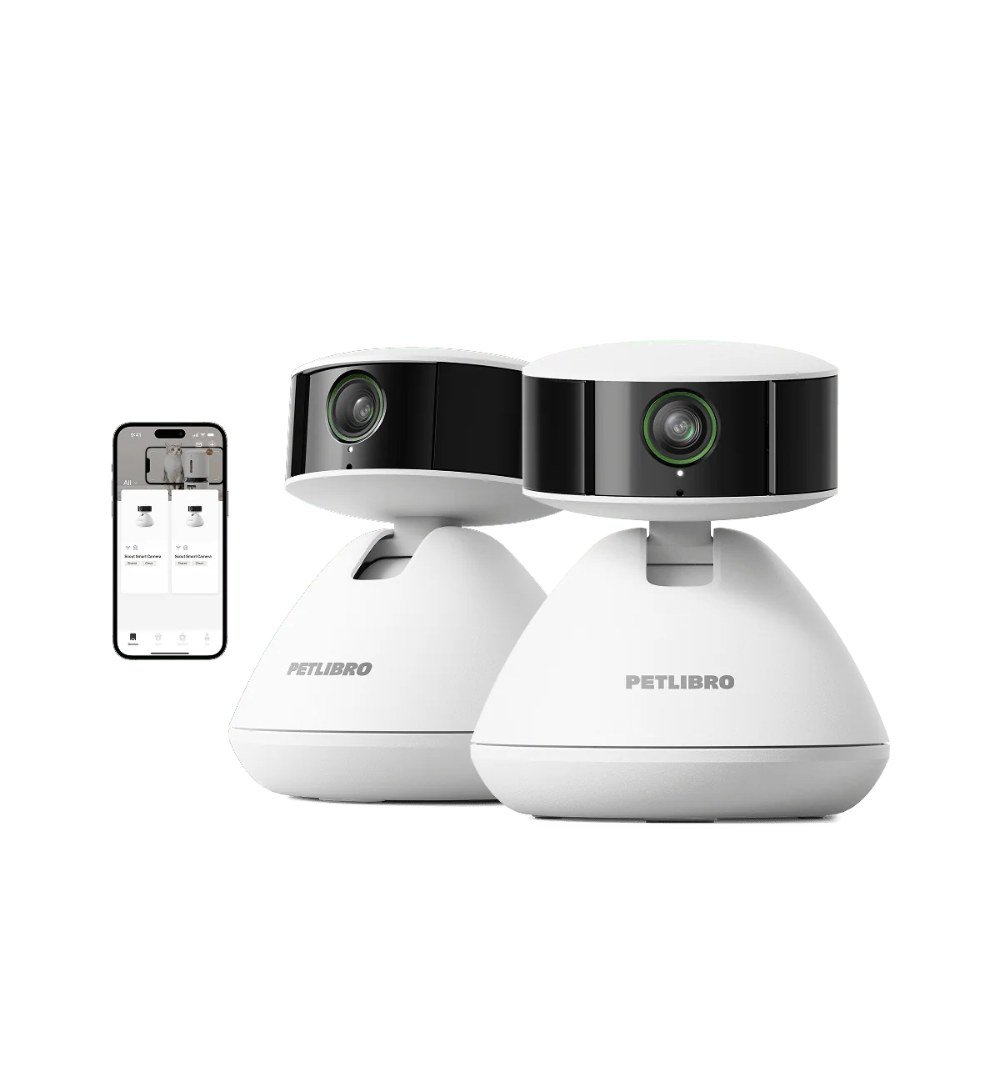
    PETLIBRO Scout Smart Camera pet camera
    Meet Scout AI-powered Smart Camera I AI Recognition for Individual Pets

    ▶ Video: Meet Scout AI-powered Smart Camera I AI Recognition for Individual Pets — Petlibro (official). Click to play; opens YouTube’s player.

    PETLIBRO built its name on smart feeders, and the Scout Smart Camera brings that same pet-first thinking to a standalone cam. It shoots wide 2K footage, has strong low-light performance for evening shifts, and its two-way audio is genuinely clear — which matters more than people think when you’re trying to soothe a dog who whines the moment the door clicks shut. The app is clean and skips the learning curve.

    It’s a fixed-view camera, so it won’t pan to chase your dog across the room; you’ll want to mount it where it covers the main hangout spot. But for a calm, reliable eye on one area — a crate, a bed, the living room — it punches well above its roughly $40 price.

    Pros: Sharp 2K wide-angle view; excellent night vision; clear two-way audio; beginner-friendly app.
    Cons: No pan or tilt — single fixed view; ecosystem is smaller than Wyze or Ring.

    Check price on Amazon → (~$40)

    3. Ring Indoor Cam (2nd Gen) — Best if You Already Own Ring

    Ring Indoor Cam (2nd Gen) – A Focus on Privacy

    ▶ Video: Ring Indoor Cam (2nd Gen) – A Focus on Privacy — Security.org (independent review). Click to play; opens YouTube’s player.

    If your doorbell and outdoor cams are already Ring, the Indoor Cam (2nd Gen) is the obvious, tidy pick at around $60. Everything lives in one app, alerts are fast and reliable, and the manual privacy cover — a physical shutter you can slide over the lens — is a genuinely nice touch for a camera pointed at your living room. Full HD video and two-way talk cover the pet-watching basics comfortably.

    The honest downside is that Ring leans hard on its subscription: without a Ring Home plan you get live view and real-time alerts but no saved video history, so you can’t scroll back to see what your dog did an hour ago. It also doesn’t pan. For Ring households, the convenience still wins.

    Pros: Seamless with existing Ring gear; physical privacy shutter; fast, dependable alerts.
    Cons: Recorded video history requires a paid plan; fixed view, no pan/tilt.

    Check price on Amazon → (~$60)

    Introducing Blink Mini 2

    ▶ Video: Introducing Blink Mini 2 — Blink (official). Click to play; opens YouTube’s player.

    The Blink Mini 2 is the go-anywhere option. It’s tiny, often sits around $40 or less, and now adds proper color night vision plus a wider field of view than the original. Setup takes about five minutes, and the two-way audio and motion alerts do exactly what a first-time pet-cam buyer needs. Drop it on a shelf, point it at the dog bed, done.

    Like Ring (both are Amazon-owned), cloud storage is a subscription — though you can add a Blink Sync Module 2 with a USB drive for local backup instead. It’s a fixed-view camera and the plastic build feels its price, but few cameras this small are this capable.

    Pros: Very compact and affordable; color night vision; quick setup; optional local storage via Sync Module.
    Cons: Cloud clips need a Blink subscription; fixed view; lightweight build.

    Check price on Amazon → (~$40)

    5. Petcube Cam 360 — Best Wide-Angle View

    Welcome Petcube Cam 360 - All-in-one 360° view pet camera

    ▶ Video: Welcome Petcube Cam 360 – All-in-one 360° view pet camera — Petcube (official). Click to play; opens YouTube’s player.

    Petcube designed its cameras specifically for pet parents, and the Cam 360 shows it. Its standout trick is a super-wide, near-360-degree view of the room from a fixed position — so instead of panning, it just sees almost everything at once, which is great for open-plan spaces where your dog roams. You get 2K-class video, night vision, two-way audio, and smart alerts, usually around $50.

    The wide lens does introduce some fisheye distortion at the edges, and Petcube’s best alert features and video history sit behind its Petcube Care plan. But if you want one camera to cover a whole room without buying two, this is the smart way to do it.

    Pros: Extremely wide room coverage; built by a pet-focused brand; solid two-way audio and alerts.
    Cons: Edge distortion from the wide lens; advanced features require Petcube Care subscription.

    Check price on Amazon → (~$50)

    Our Top Pick

    For most people watching a dog home alone, the Wyze Indoor Cam Pan is the one to buy. At roughly $40 it does the single most useful thing a pet camera can do — actually follow your dog around the room — while still nailing the basics of clear video, night vision, and two-way talk. You can start with just free local recording and add Cam Plus later only if you want the AI extras.

    If your dog camps in one spot or you’re nervous about setup, the PETLIBRO Scout Smart Camera is the calmer, fixed-view alternative at a similar price. And if you already live in the Ring world, save yourself the second app and grab the Ring Indoor Cam.

    Frequently Asked Questions

    Do I really need a subscription to use a pet camera?

    No — every camera here works for free live viewing, motion alerts, and two-way audio right out of the box. Subscriptions mostly unlock saved cloud video history and smarter AI detection. If you just want to check in during the day, you can skip the plan entirely, and cameras like the Wyze and Blink let you record locally to a card or drive for free.

    Can my dog hear me through the camera?

    Yes. All five have two-way audio, so you can talk to your dog and hear them back through the app. Some dogs find your disembodied voice reassuring; others get confused or more anxious when they hear you but can’t find you. Try it a few times while you’re just in the next room to see how yours reacts before relying on it.

    Are these cameras secure from hackers?

    Reputable brands like these use encryption and support two-factor authentication — turn 2FA on and use a strong, unique password and you’re in good shape. Indoor camera security is worth taking seriously, and we cover it in more depth in our guide to the top AI-powered home security cameras of 2026.

    The Bottom Line

    You don’t need to spend a fortune to stop worrying about your dog while you’re out. Any of these five smart pet cameras under $100 will let you check in, talk to your pup, and get a heads-up when something happens. Buy the Wyze Indoor Cam Pan if you want it to follow your dog around the room, the PETLIBRO Scout for a simple fixed view, and match a Ring or Blink to whatever ecosystem you already own.

    Whichever you choose, set it up a day or two before you actually need it, do a test run from another room, and you’ll head out the door a lot calmer than you do now.

  • Best Smart Home Gadgets for Renters — No Drilling Required (2026)

    Best Smart Home Gadgets for Renters — No Drilling Required (2026)

    Disclosure: TopAINest is reader-supported. This post contains affiliate links, and we may earn a small commission if you buy through them — at no extra cost to you. We only recommend products we’d genuinely tell a friend to buy.

    Renting comes with an unwritten rule: don’t put holes in the walls. That makes building a smart home feel off-limits — most guides assume you can drill a doorbell, swap a light switch, or mount a camera wherever you like. You can’t, and you’d like your deposit back.

    The good news is that in 2026 the best smart-home gear is renter-friendly by design. It plugs in, sticks on with adhesive, or clamps over the hardware that is already there — and comes right back off when you move, no patching required. We rounded up five gadgets that make an apartment genuinely smarter without a single hole.

    Here is the honest list — what each does, where it falls short, and roughly what it costs on Amazon.ca.

    Our test for making the cut was simple: could a renter install it in an afternoon, with no tools and no permanent changes, and remove it just as easily on moving day? Everything here passes. We leaned toward gear that is affordable, works with the assistants you probably already use, and does not lock you into a monthly subscription just to function. Where a device has a genuine catch — a paint-lifting adhesive, a mic that is always on — we say so plainly, because a rental is a small space and those trade-offs matter more when you live on top of them.

    Our picks at a glance
    PickBest forApprox. price
    SwitchBot Smart Lock★ Top pickKeyless Entry, Zero Drilling~$130Check price →
    Wyze Cam v4Big Security on a Small Budget~$50Check price →
    Kasa Smart Plug MiniThe Cheapest Upgrade in the House~$20Check price →
    Govee RGBIC LED Strip LightsMood Lighting That Peels Off~$30Check price →
    Amazon Echo Dot (5th Gen)The Voice That Ties It Together~$65Check price →

    1. SwitchBot Smart Lock — Keyless Entry, Zero Drilling

    SwitchBot Lock & Keypad Touch review

    ▶ Video: SwitchBot Lock & Keypad Touch review — LifeHackster (independent review). Click to play; opens YouTube’s player.

    This is the gadget that makes renters believe smart homes are possible. The SwitchBot Smart Lock mounts over the inside of your existing deadbolt with adhesive — your key, your door, and your landlord’s hardware stay exactly as they are. You get app control, auto-lock, and keypad or phone entry, and when you move out it peels off clean. Setup takes about ten minutes and no tools.

    Pros: Fully reversible, so your deposit is safe; keeps your original key working; auto-lock is worth it on its own.
    Cons: The stick-on mount needs a clean, flat thumb-turn to grip well; the keypad and Wi-Fi hub are separate add-ons that push the real cost up.

    Check price on Amazon (~$130) →

    2. Wyze Cam v4 — Big Security on a Small Budget

    Introducing Wyze Cam v4

    ▶ Video: Introducing Wyze Cam v4 — Wyze (official). Click to play; opens YouTube’s player.

    A good camera keeps an eye on the place without touching a wall. The Wyze Cam v4 sits on any shelf or windowsill, plugs into USB power, and streams crisp color night vision to your phone. It handles person, pet, and package detection, and local microSD recording means you are not forced into a subscription. For the price, nothing else this small does this much.

    Pros: Genuinely cheap; sharp night vision; free local recording if you skip the cloud plan.
    Cons: The best AI alerts sit behind Cam Plus; it needs Wi-Fi and a nearby outlet, so placement is a little less free than a battery cam.

    Check price on Amazon (~$50) →

    3. Kasa Smart Plug Mini — The Cheapest Upgrade in the House

    Kasa Smart Wi-Fi Plug Mini Review (Best Smart Plug?)

    ▶ Video: Kasa Smart Wi-Fi Plug Mini Review (Best Smart Plug?) — Ahmed Dawn (independent review). Click to play; opens YouTube’s player.

    If you only buy one smart-home thing, make it a smart plug. The Kasa Smart Plug Mini turns any lamp, fan, or coffee maker into something you can control by app, voice, or schedule — no wiring, no wall work, just plug it into the outlet you already have. It is the fastest way to automate a rental and it works with Alexa and Google out of the box.

    Pros: Absurdly cheap, especially in a multi-pack; dead simple setup; makes “dumb” lamps feel smart instantly.
    Cons: Only as smart as what you plug into it; the compact body can still crowd the second socket on some outlets.

    Check price on Amazon (~$20) →

    4. Govee RGBIC LED Strip Lights — Mood Lighting That Peels Off

    RGBIC, The Latest Rainbow Smart Light | Govee

    ▶ Video: RGBIC, The Latest Rainbow Smart Light | Govee — GOVEE (official). Click to play; opens YouTube’s player.

    Renters can’t repaint, but they can light. Govee’s RGBIC strips stick to the back of a desk, shelf, or TV with adhesive backing, then shift millions of colors, react to music, and run scenes from the app or a voice assistant. They transform a beige apartment in about fifteen minutes and come off cleanly when you leave — go slow near painted walls and warm the adhesive first.

    Pros: Huge visual payoff for the price; app and voice control with fun music-sync scenes; genuinely removable.
    Cons: Adhesive can lift paint if you yank it off fast; the strips are not easily shortened, so plan your run before sticking.

    Check price on Amazon (~$30) →

    5. Amazon Echo Dot (5th Gen) — The Voice That Ties It Together

    How to set up your Echo Dot 5th Gen | Amazon Echo

    ▶ Video: How to set up your Echo Dot 5th Gen | Amazon Echo — Amazon Alexa (official). Click to play; opens YouTube’s player.

    Once you have plugs, lights, a lock, and a camera, you want one thing to boss them around. The Echo Dot (5th Gen) plugs into any outlet and becomes the voice hub for the whole setup — “lock the door,” “turn on the desk lights,” “show the front camera.” It also handles timers, music, and alarms, and its small footprint fits a crowded rental just fine.

    Pros: Ties every other gadget on this list together; strong sound for its size; frequently on sale.
    Cons: Ties you deeper into Amazon’s ecosystem; the always-listening mic is a privacy trade some renters won’t want in a small space.

    Check price on Amazon (~$65) →

    Setting up a dorm rather than an apartment? Small shared rooms change the math on which Echo is worth it — we compared every current model for exactly that in our guide to the best Alexa devices for a dorm room.

    Our Top Pick

    For renters specifically, the SwitchBot Smart Lock is the standout. It solves the one problem every other guide tells you to drill your way around — keyless, app-controlled entry — while leaving your landlord’s deadbolt untouched and your deposit intact. Pair it with a Kasa plug and an Echo Dot and you have a real smart home for well under the cost of a single hardwired system, with nothing to undo when the lease ends.

    Frequently Asked Questions

    Will any of this damage my apartment or lose my deposit?

    No — that is the whole point of this list. Everything here plugs in, sticks on with removable adhesive, or clamps over existing hardware. The only thing to be careful with is the LED strips near painted walls: warm the adhesive with a hairdryer and peel slowly, and the paint stays put.

    Do I need a separate hub for these to work?

    Mostly no. The plug, camera, and lights connect straight to your Wi-Fi, and the Echo Dot doubles as your voice hub. The SwitchBot Lock works over Bluetooth on its own but needs SwitchBot’s add-on hub for remote, away-from-home control, so budget for that if you want to unlock the door from work.

    What should a renter buy first?

    Start with a smart plug and an Echo Dot — under $100 together and instantly useful. Add the camera for peace of mind, then the lock and lights as you settle in. If security is your main worry, our guide to the best AI-powered home security cameras goes deeper on renter-friendly options.

    The Bottom Line

    Renting no longer means settling for a dumb apartment. With five gadgets that plug in or peel off, you can lock the door from your phone, watch the place while you travel, automate your lamps, and set the mood — then pack it all up and take it to the next place when the lease is done. Start small with a plug and a voice assistant, and build from there. Your walls, and your deposit, stay exactly as you found them.