
Category: AI Gadgets

  • Best Robot Vacuums Under $300 for Pet Hair (2026)

    Best Robot Vacuums Under $300 for Pet Hair (2026)

    Disclosure: TopAINest is reader-supported. This post contains affiliate links, and we may earn a small commission if you buy through them — at no extra cost to you. We only recommend products we’d genuinely tell a friend to buy.

    If you share your home with a dog or cat, you already know the truth: pet hair is not a cleaning problem, it’s a lifestyle. It collects in corners, weaves itself into rugs, and somehow ends up on shelves your pet has never touched. A robot vacuum won’t stop the shedding, but it will quietly erase the daily layer before it becomes tumbleweed.

    The good news for 2026: you no longer need to spend $800 to get a robot vacuum that actually handles pet hair. The under-$300 bracket now includes models with strong suction, tangle-resistant brushes, and even lidar navigation — things that were flagship features just a few years ago.

    We compared the current budget field on suction, brush design (the make-or-break spec for hair), navigation, noise, and how annoying each one is to maintain. Here are the five worth your money — with the honest downsides included, because every robot vacuum has them.

    Our picks at a glance
    PickBest forApprox. price
    Eufy RoboVac 11S Max★ Top pickBest Overall for Most Pet Homes~$250Check price →
    iRobot Roomba 694Best for Reliability and Ease of Use~$275Check price →
    Roborock Q5 ProBest Navigation Under $300~$300Check price →
    Shark Matrix Robot VacuumBest Deep-Clean Pattern$300,Check price →
    ILIFE V3s ProBest Ultra-Budget Pick~$160Check price →

    1. Eufy RoboVac 11S Max — Best Overall for Most Pet Homes

    Meet the eufy RoboVac 11S

    ▶ Video: Meet the eufy RoboVac 11S — Anker eufy (official). Click to play; opens YouTube’s player.

    The 11S Max has been the quiet workhorse of the budget category for years, and it’s still here for a reason. It’s slim enough to slide under most couches and beds (where pet hair loves to hide), it pulls 2000Pa of suction with a BoostIQ mode that ramps up automatically on carpet, and it’s genuinely quiet — closer to a microwave hum than a vacuum. For hard floors and low-pile carpet covered in fur, it’s hard to beat at this price, and it routinely sells around ~$250 or less.

    Pros: Very quiet; slim 2.85″ body fits under furniture; strong suction for the price; no app account required — remote and scheduling work out of the box.
    Cons: Bounce-style navigation is random, so it cleans in a “drunk Roomba” pattern rather than neat rows; no Wi-Fi or mapping; the brush roll needs a weekly de-hairing with long-haired pets.

    Check price on Amazon →

    2. iRobot Roomba 694 — Best for Reliability and Ease of Use

    Roomba 694 Review: iRobot's Cheapest Robot Vacuum

    ▶ Video: Roomba 694 Review: iRobot’s Cheapest Robot Vacuum — Cordless Vacuum Guide (independent review). Click to play; opens YouTube’s player.

    The Roomba 694 is the robot vacuum equivalent of a Toyota Corolla: not flashy, but it starts every day and just works. Its dual multi-surface rubber brushes are the standout for pet owners — hair slides off rubber far more easily than it winds around bristles. The app is simple, scheduling is dependable, and Dirt Detect makes it re-clean the spots where your pet actually hangs out. Typical price hovers around ~$275.

    Pros: Rubber brushes resist hair tangles better than almost anything at this price; dead-simple app; excellent parts availability and repairability; strong edge cleaning.
    Cons: Small dustbin fills fast in a two-pet home; louder than the Eufy; navigation is semi-random, so bigger homes may get patchy coverage on one charge.

    Check price on Amazon →

    3. Roborock Q5 Pro — Best Navigation Under $300
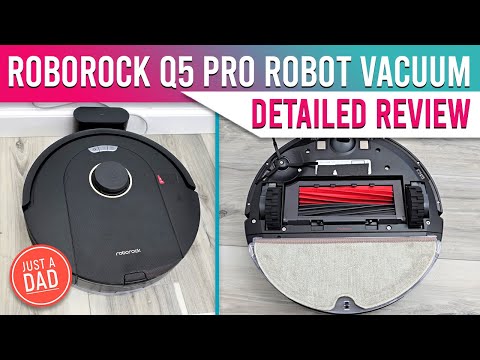
    Roborock Q5 Pro Review — Vacuum & Mop Detailed Review

    ▶ Video: Roborock Q5 Pro Review — Vacuum & Mop Detailed Review — Just A Dad Approved (independent review). Click to play; opens YouTube’s player.

    The Q5 Pro is what happens when flagship tech trickles down. You get proper lidar navigation — the robot maps your home and cleans in tidy, efficient rows instead of bouncing around — plus a dual rubber brush system and 5500Pa of suction, which is frankly absurd for the price bracket. It regularly dips to ~$300 or below on sale, and when it does, it’s the smartest buy on this list for larger or multi-room homes.

    Pros: Lidar mapping with no-go zones and room-by-room cleaning; huge suction numbers; big 770ml dustbin is a blessing for heavy shedders; dual rubber rollers handle long hair well.
    Cons: At full price it can drift over $300, so watch for sales; taller than the Eufy, so it may not fit under low furniture; the app has more settings than most people will ever touch.

    Check price on Amazon →

    4. Shark Matrix Robot Vacuum — Best Deep-Clean Pattern
    Getting Started with your Shark Matrix 2-in-1 Robot

    ▶ Video: Getting Started with your Shark Matrix 2-in-1 Robot — Shark Home (official). Click to play; opens YouTube’s player.

    Shark’s Matrix takes a different approach: instead of one pass, it cleans in a precision grid, going over high-traffic zones multiple times. That matrix pattern is surprisingly effective on embedded pet hair in carpet, and Shark’s self-cleaning brush roll is one of the best anti-tangle designs in the industry. It’s frequently discounted under $300, though its regular price sits higher.

    Pros: Multi-pass grid cleaning actually pulls hair out of carpet; self-cleaning brush roll means almost no scissor surgery; solid home mapping with room selection.
    Cons: Usually only under $300 on sale; louder on max power; the dock is bulky for small apartments; battery life is average.

    Check price on Amazon →

    5. ILIFE V3s Pro — Best Ultra-Budget Pick

    ILIFE V3sPro | Introduction & Guidelines

    ▶ Video: ILIFE V3sPro | Introduction & Guidelines — ILIFE (official). Click to play; opens YouTube’s player.

    The V3s Pro takes the opposite approach to everything above: it removes the brush roll entirely and uses a direct suction inlet instead. No brush means literally nothing for pet hair to tangle around — which is why this humble ~$160 robot has a cult following among owners of long-haired dogs and cats. It’s basic, it’s slow, and it doesn’t map anything, but it inhales hair off hard floors day after day.

    Pros: Tangle-proof brushless design is genius for long pet hair; very affordable; quiet; simple remote scheduling.
    Cons: Weak on carpet — this is a hard-floor specialist; random navigation; no app or Wi-Fi; small dustbin. Buy it for tile and hardwood, not a carpeted house.

    Check price on Amazon →

    Our Top Pick

    For most pet households, the Eufy RoboVac 11S Max is the one we’d tell a friend to buy: quiet, slim, strong suction, and reliably under $300 with money to spare. If your home is larger or you want the robot to clean in organized rows and respect no-go zones, stretch to the Roborock Q5 Pro on sale — its lidar navigation is a different league. And if your floors are mostly hardwood or tile and your pet sheds like it’s a competitive sport, the brushless ILIFE V3s Pro is the cheapest peace of mind on this list.

    FAQ: Robot Vacuums for Pet Hair

    Do robot vacuums really work on pet hair?

    Yes — with the right brush design. Rubber rollers (Roomba 694, Roborock Q5 Pro) and brushless suction inlets (ILIFE V3s Pro) handle hair far better than old-style bristle brushes, which turn into hairy burritos. Run the robot daily: frequent short cleans beat one weekly deep clean, because hair never gets the chance to embed.

    Is a $250 robot vacuum good enough, or should I spend more?

    For hair pickup on hard floors and low-pile carpet, budget models now do 90% of what $800 flagships do. What you give up under $300 is self-emptying docks, mopping, and obstacle avoidance (so pre-clean the charging cables and, ahem, any pet accidents). If you’re building out a budget smart home, our guide to the best Alexa devices for a dorm room pairs nicely — most of these vacuums work with Alexa voice commands too.

    How often do I need to clean the robot itself?

    With shedding pets, empty the dustbin after every run and check the brush roll weekly — a minute with the included cutter tool keeps suction strong. Filters should be tapped clean weekly and replaced every 2-3 months. Skip that maintenance and even the best robot slowly turns into an expensive floor ornament.

    The Bottom Line

    Pet hair is relentless, but so is a robot that cleans every single day without complaining. The Eufy RoboVac 11S Max is the best all-rounder under $300, the Roborock Q5 Pro is the tech bargain of the bracket, and the ILIFE V3s Pro proves that sometimes the cheapest tool is the smartest one for the job. Whichever you pick, your floors — and your black jeans — will thank you.


  • Best Alexa Devices for a Dorm Room (2026)

    Best Alexa Devices for a Dorm Room (2026)

    Dorm rooms are a design challenge: one desk, one outlet strip fighting for its life, a roommate with opinions, and about four square feet of free space. That’s exactly the environment Alexa devices were quietly built for — a voice assistant that replaces an alarm clock, a speaker, a white-noise machine and half your light switches without taking up more room than a coffee mug. We compared the current Echo lineup specifically through a student lens — price, size, speaker quality for a small room, and how annoying each one is (or isn’t) for the person sleeping six feet away — and these five earned a spot.

    Disclosure: TopAINest is reader-supported. This post contains affiliate links, and we may earn a small commission if you buy through them — at no extra cost to you. We only recommend products we’d genuinely tell a friend to buy.

    Our picks at a glance
    PickBest forApprox. price
    Echo PopThe best cheap way into Alexa~$55Check price →
    Echo Dot (5th Gen)★ Top pickThe all-round pick~$70Check price →
    Echo Show 5Alarm clock, upgraded~$120Check price →
    Echo SpotThe stylish bedside option~$110Check price →
    Amazon Smart PlugThe $35 quality-of-life upgrade~$35Check price →

    1. Echo Pop — the best cheap way into Alexa

    Introducing Echo Pop | Amazon Alexa

    ▶ Video: Introducing Echo Pop | Amazon Alexa — Amazon Alexa (official). Click to play; opens YouTube’s player.

    The Pop is the semi-sphere that shows up in every dorm for a reason: it’s the cheapest full Alexa device Amazon makes (~$55, and routinely on sale for much less), it’s small enough to live on a windowsill, and the front-facing speaker is honestly decent for a room the size of a walk-in closet. It handles the student essentials — alarms, timers, weather, music, white noise for exam week — without any setup drama. What it doesn’t have: a temperature sensor, a clock display, or sound that fills anything bigger than a dorm room.

    Pros: cheapest way into Alexa; compact and cute; perfectly adequate sound for small rooms.
    Cons: no display or clock; weaker mics than the Dot; audio thins out at high volume.

    Check price on Amazon →

    2. Echo Dot (5th Gen) — the all-round pick

    Echo Dot (5th Gen) review

    ▶ Video: Echo Dot (5th Gen) review — The Breakdown With Luke (independent review). Click to play; opens YouTube’s player.

    Spend a little more (~$70) and the Dot gives you noticeably fuller sound, better microphones that hear you over a fan, a built-in temperature sensor (useful in dorms where the radiator has two settings: off and surface-of-the-sun), and tap gestures to snooze alarms — a dangerous but beloved feature. If you only buy one Alexa device for university, this is the one; it’s the best balance of price, sound and features in the lineup.

    Pros: best sound-per-dollar in the Echo range; temperature sensor; tap-to-snooze; great mics.
    Cons: still no screen; the clock version costs extra; bass won’t impress anyone at a party.

    Check price on Amazon →

    3. Echo Show 5 — alarm clock, upgraded

    All-new Echo Show 5 (3rd Gen, 2023 release) | Amazon Alexa

    ▶ Video: All-new Echo Show 5 (3rd Gen, 2023 release) | Amazon Alexa — Amazon Alexa (official). Click to play; opens YouTube’s player.

    The Show 5 (~$120) is what happens when an alarm clock goes to grad school: a 5.5-inch touchscreen that shows the time, your calendar, the weather and lecture reminders at a glance, plus a tap-to-snooze screen and a sunrise-style wake-up that’s gentler than any phone alarm. The camera has a physical shutter switch — worth knowing in a shared room — and video calls home actually look decent. The trade-off is desk space and the fact that the speaker, while fine, is tuned more for podcasts than parties.

    Pros: glanceable clock/calendar/weather; gentle sunrise alarms; camera shutter for privacy; compact for a smart display.
    Cons: pricier than speaker-only Echos; average sound; a screen near your bed can be a temptation.

    Check price on Amazon →

    4. Echo Spot — the stylish bedside option

    All-new Echo Spot (2024 release) | Amazon Alexa

    ▶ Video: All-new Echo Spot (2024 release) | Amazon Alexa — Amazon Alexa (official). Click to play; opens YouTube’s player.

    The revived Echo Spot (~$110) splits the difference between the Dot and the Show: a half-circle display that shows the time, weather and song titles — but no camera at all, which some roommates will consider its best feature. Its speaker is a step up from the Show 5 for music, and the semi-circle design takes barely more space than the Dot. It’s the pick for people who want a glanceable clock without a full screen (or a camera) pointed at their bed.

    Pros: clean glanceable display; no camera = zero privacy debate; better music than Show 5; small footprint.
    Cons: display is info-only (no video); costs nearly as much as the Show 5; often out of stock around back-to-school.

    Check price on Amazon →

    5. Amazon Smart Plug — the $35 quality-of-life upgrade

    How to Set Up Amazon Smart Plug

    ▶ Video: How to Set Up Amazon Smart Plug — Amazon Alexa (official). Click to play; opens YouTube’s player.

    Pair any Echo with a Smart Plug (~$35) and suddenly “Alexa, goodnight” turns off your string lights, lamp and fan from bed — which sounds lazy until it’s December and your bed is warm. Setup is genuinely 60 seconds, no hub needed. Two honest caveats: check your residence’s rules first, since some dorms restrict certain appliances on any plug, smart or not — and don’t put anything with a heating element on one.

    Pros: cheapest real smart-home upgrade; effortless setup; works with routines (“goodnight”, “I’m leaving”).
    Cons: one outlet per plug adds up; useless without an Echo to command it; check dorm appliance rules.

    Check price on Amazon →

    Our top pick

    For most students: the Echo Dot (5th Gen), and add a Smart Plug when you catch it on sale — together they cover music, alarms, white noise and lights for about $100. If your alarm clock is the whole reason you’re shopping, get the Echo Show 5 (or the Spot if a camera near your bed feels weird). The Pop is the right answer when the budget is “whatever’s left after textbooks.”

    FAQ

    Will an Alexa device bother my roommate?

    Less than you’d think, with three settings changed: turn on whisper mode (Alexa whispers back if you whisper), enable Do Not Disturb overnight, and lower the wake-word volume. Etiquette-wise, agree on it like you would a mini-fridge — and pick the camera-free Spot or a speaker-only Echo if cameras are a concern.

    Do I need a smart home hub in a dorm?

    No — every device here connects straight to Wi-Fi. One note: campus Wi-Fi networks with login portals can be fussy with smart devices. Most universities offer a device-registration page or a separate IoT network; five minutes with your IT help desk page usually solves it.

    What else should I pack for a tech-smart dorm?

    An Echo covers sound and alarms; pair it with the budget picks in our back-to-school tech under $100 guide — a good power strip, desk light and headphones do more for your GPA than any gadget on this list.

    The bottom line

    Alexa devices earn their spot in a dorm by replacing three or four single-purpose gadgets with one thing that costs less than a textbook. Start with the Dot, add pieces as sales come around, and set up whisper mode before your roommate files a complaint. We’ll keep this list updated as the Echo lineup changes.

  • Best Wireless Earbuds Under $50 for Online Classes (2026)

    Best Wireless Earbuds Under $50 for Online Classes (2026)

    If your classes happen over Zoom, Teams or Google Meet, your earbuds matter more than your webcam. A muffled mic makes you “the person everyone asks to repeat themselves,” and leaky earbuds mean your whole household hears your 8 AM lecture. The good news: in 2026 you genuinely do not need AirPods money to fix this. We dug through spec sheets, firmware update histories and hundreds of long-term owner reviews to find wireless earbuds under $50 CAD that nail the three things online classes actually demand — a mic that picks up your voice clearly, battery that survives a full day of back-to-back calls, and a connection that doesn’t stutter when your laptop and phone are both fighting for Bluetooth.

    Heads up: some links below are affiliate links to Amazon.ca. If you buy through them, TopAINest may earn a small commission at no extra cost to you. It helps keep our testing honest and ad-free.

    How we picked (and what we skipped)

    Every pick had to stay under $50 CAD at regular price, have a call-focused mic setup (dual mics or better, ideally with noise reduction), offer at least 5 hours per charge with a case that gets you through a full school day, and hold a stable connection to a laptop — not just a phone. We skipped anything with a history of one-earbud-dies syndrome in reviews, and anything from brands that abandon firmware after launch. Active noise cancelling at this price is usually a gimmick, so we treated it as a bonus, not a requirement.

    Our picks at a glance
    PickBest forApprox. price
    Anker Soundcore Life P2 MiniBest mic for the moneySee listingCheck price →
    Anker Soundcore P20iBest battery + app control$40Check price →
    JLab Go Air PopBest for tiny budgets$25Check price →
    QCY T13Best mic array under $40$40Check price →
    TOZO T6Best fit for small ears and long wear$50Check price →

    1. Anker Soundcore Life P2 Mini — best mic for the money

    How to use the Soundcore Life P2 Mini

    ▶ Video: How to use the Soundcore Life P2 Mini — Anker soundcore (official). Click to play; opens YouTube’s player.

    The Life P2 Mini is the earbud we would hand to any student who says “I just need my professor to hear me.” Anker’s dual-mic setup with AI noise reduction consistently gets called out in owner reviews for cutting through keyboard clatter and roommate noise — rare praise at this price. You get about 8 hours per charge and 32 hours total with the case, so a forgotten Sunday charge won’t wreck your Monday. Sound is warm and easy to listen to for long lectures, and the tiny case disappears into a pencil pouch.

    Pros: standout call clarity for the price; 32-hour total battery; small, pocketable case; reliable Anker firmware support.
    Cons: no wireless charging; touch controls are basic; no companion app EQ on this model.

    Check price on Amazon →

    2. Anker Soundcore P20i — best battery + app control

    Soundcore by Anker P20i True Wireless Earbuds Review

    ▶ Video: Soundcore by Anker P20i True Wireless Earbuds Review — Todd’s Garage (independent review). Click to play; opens YouTube’s player.

    The P20i is the newer budget star in Anker’s lineup, and it fixes the P2 Mini’s one real gap: it works with the Soundcore app, so you get a proper EQ, a “find my earbuds” beeper (a lifesaver in a backpack), and customizable controls. Battery is a claimed 10 hours per charge and 30 with the case, and real-world reports back up all-day use. Calls are handled by dual mics with AI clarity processing — a notch below the P2 Mini in loud rooms, but perfectly fine for a quiet desk. For students who live in one spot and want to tune their sound, this is the pick.

    Pros: app with full EQ and earbud-finder; 10-hour single charge; big, easy physical fit; frequently discounted well under $40.
    Cons: case is chunkier than the P2 Mini’s; mic slightly behind its sibling in noisy rooms.

    Check price on Amazon →

    3. JLab Go Air Pop — best for tiny budgets

    JLab Go Air Pop Review | Super Affordable Earbuds

    ▶ Video: JLab Go Air Pop Review | Super Affordable Earbuds — Andy’s Tech Tone (independent review). Click to play; opens YouTube’s player.

    Regularly floating around the $25–30 mark, the Go Air Pop is the “I need earbuds by Thursday and I’m broke” answer — and it’s shockingly decent. You get 8+ hours per bud, a slim case, dual connect (each bud works solo, so you can keep one ear on the lecture and one on the real world), and JLab’s three built-in EQ modes without needing an app. The mic is fine for quiet rooms; it won’t fight a busy kitchen. Where JLab really wins is trust: a two-year warranty at a throwaway price.

    Pros: absurd value; 32+ hours total battery; each bud works independently; two-year warranty.
    Cons: mic is average in noise; micro-USB-free but short cable included; bass-heavy default tuning.

    Check price on Amazon →

    4. QCY T13 — best mic array under $40

    QCY T13 true wireless earbuds with charging case — official product photo
    QCY T13 Unboxing & Review

    ▶ Video: QCY T13 Unboxing & Review — Jonny Zhu (independent review). Click to play; opens YouTube’s player.

    QCY is huge in Asia and criminally underrated in Canada. The T13 packs four microphones — two per ear — with noise suppression that owner reviews consistently rate above its price class for calls. The companion app brings a 10-band EQ, control remapping and a low-latency mode. Battery runs about 7 hours per charge, 30+ with the case. The catch is the brand feel: packaging, translations and app polish are rougher than Anker or JLab, and long-term durability reports are more mixed. But purely on call quality per dollar, the T13 punches way up.

    Pros: 4-mic array is rare under $40; deep app customization; strong total battery; often on sale near $30.
    Cons: less polished app and build; mixed long-term durability reports; unremarkable default sound until you EQ it.

    Check price on Amazon →

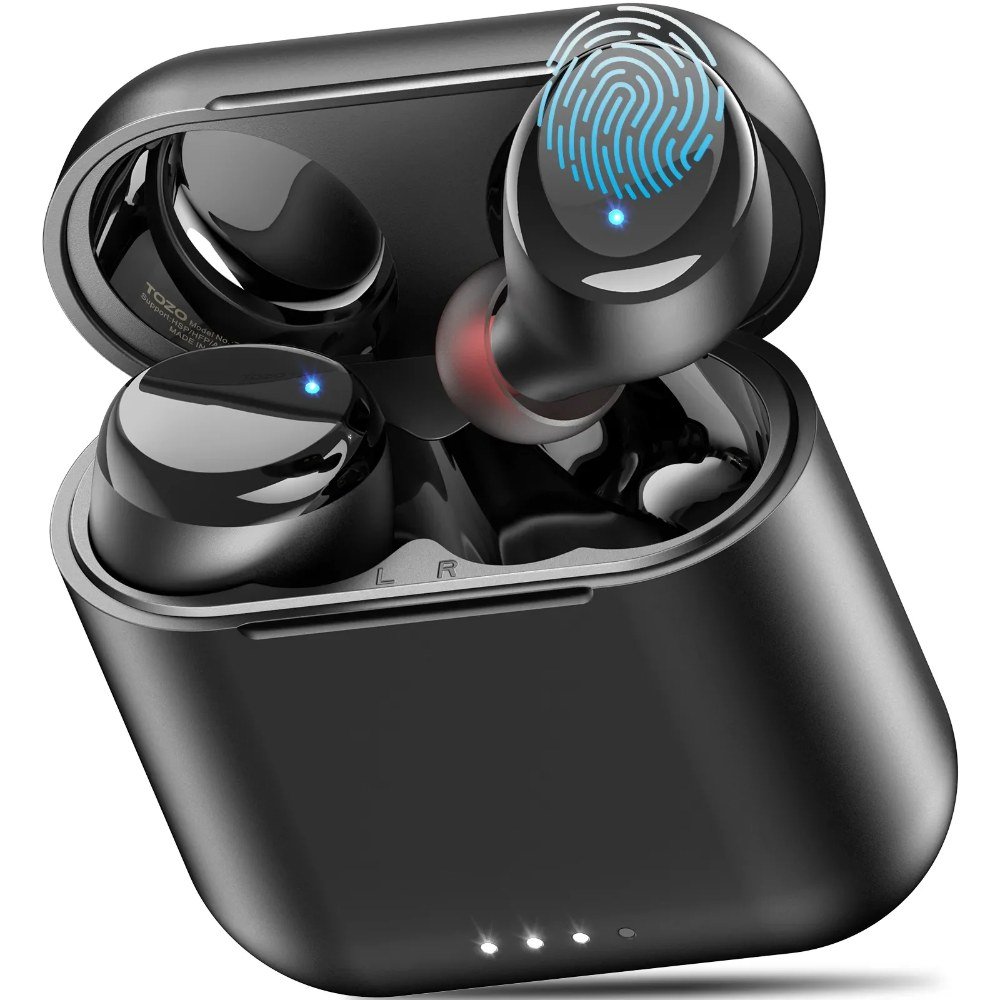
    5. TOZO T6 — best fit for small ears and long wear

    TOZO T6 wireless earbuds in black with charging case — official product photo
    Tozo T6 True Wireless Earbuds Review

    ▶ Video: Tozo T6 True Wireless Earbuds Review — Digital David (independent review). Click to play; opens YouTube’s player.

    The T6 has quietly become one of Amazon’s best-selling earbuds for a reason: it’s small, light, IPX8 waterproof (survives an actual dunk, not just sweat), and ships with six ear-tip sizes, which makes it the easiest recommendation for smaller ears that ache after a two-hour seminar. Battery is roughly 6 hours per charge and up to 30 with the case, and the case supports wireless charging — genuinely rare under $50. The single mic per bud is the trade-off: fine for a quiet bedroom class, weakest on this list in a noisy space.

    Pros: most comfortable for long lectures; wireless charging case; IPX8 rating; huge, active user base and support.
    Cons: weakest mic of our five in noise; no companion app on the base model; bass-forward tuning isn’t for everyone.

    Check price on Amazon →

    Which one should you actually buy?

    If calls are the whole point, get the Soundcore Life P2 Mini — its mic is the reason this list exists. If you want app control and the longest single-charge battery, the P20i is a coin-flip better. Down near $25, the JLab Go Air Pop is the safest cheap buy on the internet. Pick the QCY T13 if you’ll actually use the EQ, and the TOZO T6 if comfort and small ears have ruined earbuds for you before.

    Kitting out a dorm desk on a budget? Once the earbuds are sorted, the next thing most students add is a smart speaker — here’s our honest take on the best Alexa devices for a dorm room, including the one we’d skip.

    FAQ

    Are cheap wireless earbuds good enough for Zoom classes?

    Yes — for voice calls, a good $40 earbud with dual mics is closer to a $200 earbud than you’d expect. Video platforms compress audio heavily anyway, so mic placement and noise reduction matter more than expensive drivers. Where budget earbuds fall behind is music detail and active noise cancelling, not speech.

    Can I connect these to my laptop and phone at the same time?

    True multipoint is rare under $50. The practical workaround: pair the earbuds to both devices once, then turn Bluetooth off on the one you’re not using. JLab’s dual-connect and QCY’s app make switching a little smoother, but no pick here does seamless two-device audio like $150+ models do.

    What matters more for online classes — ANC or a good mic?

    The mic, every time. Noise cancelling helps you hear the lecture; the mic decides whether anyone hears you. Budget ANC also tends to hiss and eat battery. If you need quiet for focus, foam ear tips on a well-fitting earbud block nearly as much noise as cheap ANC does.
    We’ll keep this list updated as prices move and new budget earbuds earn their place. If a pick here dies on you or surprises you, tell us — real long-term reports are exactly what makes these rankings better.

  • Best Fitness Trackers Under $100 with Long Battery Life (2026)

    Best Fitness Trackers Under $100 with Long Battery Life (2026)

    Disclosure: TopAINest is reader-supported. This post contains affiliate links, and we may earn a small commission if you buy through them — at no extra cost to you. We only recommend products we’d genuinely tell a friend to buy.

    The dirty secret of fitness trackers isn’t accuracy — it’s the charger. A tracker that dies every second night ends up in a drawer by week six, and a tracker in a drawer records exactly zero steps. Battery life isn’t a spec; it’s the difference between a habit and a purchase you regret.

    So we ranked the best fitness trackers under $100 with one hard rule: at least a week of real-world battery, so charging becomes something you do occasionally, not nightly. Every pick tracks steps, sleep, heart rate and workouts — with honest notes on where each one cuts corners.

    Prices are approximate and move around — always check the listing for today’s number.

    Quick comparison: the best fitness trackers under $100

    TrackerReal-world batteryBest forApprox. price
    Amazfit Band 712–18 daysBest overall value~$65
    Xiaomi Smart Band 9~2–3 weeksLongest battery~$60
    Fitbit Inspire 3~10 daysBest app & ecosystem~$99
    Huawei Band 9~2 weeksBest sleep tracking~$60
    Amazfit Bip 3 Pro~2 weeksWatch-style display + GPS~$90
    Our picks at a glance
    PickBest forApprox. price
    Amazfit Band 7★ Top pickThe best overall value, periodSee listingCheck price →
    Xiaomi Smart Band 9The battery kingSee listingCheck price →
    Fitbit Inspire 3The best app, the gentlest learning curveSee listingCheck price →
    Huawei Band 9The sleep-tracking specialistSee listingCheck price →
    Amazfit Bip 3 ProA watch-sized screen and real GPSSee listingCheck price →

    1. Amazfit Band 7 — the best overall value, period

    Amazfit Band 7 full review

    ▶ Video: Amazfit Band 7 full review — Tech, Gadgets and Other Great Ideas (independent review). Click to play; opens YouTube’s player.

    Our repeat champion. The Band 7 pairs a big, bright display with 24/7 heart rate, SpO2, stress and sleep tracking, and its AI-powered Zepp app turns the data into plain-English insights and a daily readiness score. Real-world battery lands between 12 and 18 days depending on settings — charge it twice a month and forget it exists.

    Pros: Outstanding battery; large display for the price; genuinely useful sleep insights; 120+ sport modes.
    Cons: Notifications are view-only; no built-in GPS (uses your phone’s).

    Best for: Most people, most budgets. Check price on Amazon →

    2. Xiaomi Smart Band 9 — the battery king

    Xiaomi Smart Band 9

    ▶ Video: Xiaomi Smart Band 9 — UX Tech (independent review). Click to play; opens YouTube’s player.

    Xiaomi’s little band routinely stretches past two weeks — closer to three with the always-on display off — and its bright AMOLED screen and 60Hz smoothness feel far more expensive than they are. Tracking accuracy for steps and sleep is solidly midpack or better.

    Pros: Best battery in class; premium-feeling screen; feather-light.
    Cons: The Mi Fitness app is clunkier than Zepp or Fitbit; no GPS.

    Best for: People who hate charging things. Check price on Amazon →

    3. Fitbit Inspire 3 — the best app, the gentlest learning curve

    Move more. Stress less. Fitbit Inspire 3

    ▶ Video: Move more. Stress less. Fitbit Inspire 3 — Fitbit (official). Click to play; opens YouTube’s player.

    Fitbit still has the friendliest fitness app on earth, and the Inspire 3 is its long-battery ambassador: about ten days per charge, excellent automatic workout detection, and sleep tracking presented in a way your parents could understand. The catch is that some deeper insights sit behind Fitbit Premium.

    Pros: Best-in-class app; reliable auto-detection; strong community features.
    Cons: Priciest pick here; several insights need the Premium subscription; small screen.

    Best for: First-time tracker owners who value simplicity. Check price on Amazon →

    4. Huawei Band 9 — the sleep-tracking specialist

    HUAWEI Band 9 - All-Day Comfort for Better Sleep

    ▶ Video: HUAWEI Band 9 – All-Day Comfort for Better Sleep — Huawei Mobile (official). Click to play; opens YouTube’s player.

    Huawei’s TruSleep tracking is quietly among the best at any price — detailed sleep stages, breathing quality, and practical suggestions — wrapped in a slim band with roughly two weeks of battery. The Huawei Health app works on both Android and iPhone.

    Pros: Excellent sleep analysis; comfortable for overnight wear; two-week battery.
    Cons: App setup is a bit more fiddly in North America; no GPS.

    Best for: Anyone whose main question is “why am I tired?” Check price on Amazon →

    5. Amazfit Bip 3 Pro — a watch-sized screen and real GPS

    Amazfit Bip 3 Pro | Think Big, Think Bip

    ▶ Video: Amazfit Bip 3 Pro | Think Big, Think Bip — Amazfit Global (official). Click to play; opens YouTube’s player.

    Want something closer to a smartwatch without smartwatch charging? The Bip 3 Pro brings a big square display and — rare at this price — built-in GPS, so runners and cyclists can leave their phone at home and still get accurate routes. Around two weeks of battery with regular use.

    Pros: Built-in GPS; big readable display; still ~2 weeks of battery.
    Cons: Bulkier than a band; screen is LCD, not AMOLED.

    Best for: Runners on a budget. Check price on Amazon →

    Our top pick

    For most people: the Amazfit Band 7 — the best balance of battery, screen, insights and price on this list. If battery life is genuinely your whole reason for reading, the Xiaomi Smart Band 9 takes the crown. And if this is your very first tracker and you want the gentlest experience, spend the extra on the Fitbit Inspire 3.

    Frequently asked questions

    Which fitness tracker under $100 has the longest battery life?

    The Xiaomi Smart Band 9 — two to three weeks in real-world use. The Amazfit Band 7 and Huawei Band 9 both manage around two weeks as well.

    Are cheap fitness trackers accurate?

    For steps, sleep and resting heart rate — yes, close enough to be genuinely useful. For intense interval workouts or medical-grade readings, no tracker at any price replaces proper equipment. Buy them to build habits, not to diagnose.

    Do these trackers work with both iPhone and Android?

    Yes — all five picks support both. Notification features are slightly richer on Android across the board. For the software side of staying organized, see our back-to-school tech guide.

    The bottom line

    The best fitness tracker is the one still on your wrist in March. Pick the battery life that matches your patience, wear it every day, and let the streak do the motivating. At these prices, the barrier to knowing your own body has never been lower.

  • Best Back-to-School Tech Gadgets Under $100 in 2026 (Tested & Ranked)

    Best Back-to-School Tech Gadgets Under $100 in 2026 (Tested & Ranked)

    Disclosure: TopAINest is reader-supported. This post contains affiliate links, and we may earn a small commission if you buy through them — at no extra cost to you. We only recommend products we’d genuinely tell a friend to buy.

    September has a way of arriving with a shopping list: new courses, new schedule, new reasons your laptop battery dies at the worst moment. The good news? The tech that actually makes a school year easier isn’t the expensive stuff — it’s a handful of smart, under-$100 gadgets that quietly remove daily friction.

    We skipped the gimmicks (no, you don’t need a smart water bottle) and kept the ten things students and parents tell us they actually use every single day — from a dorm-room assistant to the power bank that saves your 8 a.m. lecture.

    Prices are approximate and swing a lot during back-to-school sales — always check the listing for today’s number.

    Quick comparison: back-to-school tech under $100

    GadgetBest forApprox. price
    Anker PowerCore 10K power bankNever dying mid-lecture~$30
    Amazon Echo PopDorm-room assistant~$40
    Soundcore Space A40 earbudsStudying in loud places~$99
    Amazfit Band 7Sleep & routine tracking~$65
    Anker USB-C hub (7-in-1)Laptops with two ports~$45
    Logitech Pebble Mouse 2Silent library clicking~$35
    Rocketbook smart notebookDigitizing handwritten notes~$40
    Tile Mate trackerUn-losable backpack & keys~$35
    JBL Go 4 speakerSmall rooms, big sound~$60
    Govee LED strip lightsMaking a dorm feel like home~$45
    Our picks at a glance
    PickBest forApprox. price
    Anker PowerCore 10K★ Top pickThe gadget every student actually needsFreeCheck price →
    Amazon Echo PopThe $40 dorm-room assistant$40Check price →
    Soundcore Space A40Noise cancelling that survives a dining hall$100Visit site →
    Amazfit Band 7Fix your sleep schedule before it fixes youSee listingCheck price →
    Anker 7-in-1 USB-C hubBecause your laptop has two portsSee listingCheck price →
    Logitech Pebble Mouse 2The library-approved mouseSee listingCheck price →
    RocketbookThe notebook you never run out ofSee listingCheck price →
    Tile MateFor the backpack that "was just right here"$35Check price →
    JBL Go 4Pocket speaker, dorm-party soundSee listingCheck price →
    Govee LED strip lightsThe cheapest dorm glow-up~$45Check price →

    1. Anker PowerCore 10K — the gadget every student actually needs

    Anker PowerCore 10K overview

    ▶ Video: Anker PowerCore 10K overview — Elden Reviews (independent review). Click to play; opens YouTube’s player.

    Boring? Absolutely. Essential? More than anything else on this list. A 10,000mAh power bank charges a phone twice, slips into any bag pocket, and ends the daily hunt for a free outlet in the library. Anker’s build quality is why we name it over the no-name alternatives.

    Pros: Two full phone charges; pocket-sized; reliable for years.
    Cons: Charges slowly unless you pick the USB-C fast-charge model; you will lend it to friends constantly.

    Best for: Everyone. Genuinely everyone. Check price on Amazon →

    2. Amazon Echo Pop — the $40 dorm-room assistant

    Introducing Echo Pop | Amazon Alexa

    ▶ Video: Introducing Echo Pop | Amazon Alexa — Amazon Alexa (official). Click to play; opens YouTube’s player.

    Alarms, timers, music, quick questions, and smart-plug control from a speaker the size of a bagel. The Echo Pop is the cheapest way to get a real AI assistant into a dorm or study room — and it’s regularly discounted below $40 during back-to-school season.

    Pros: Very cheap; surprisingly decent sound; full Alexa smarts.
    Cons: No clock display; speaker won’t fill a large room.

    Best for: Dorm rooms and first apartments. Check price on Amazon →

    3. Soundcore Space A40 — noise cancelling that survives a dining hall

    Anker Soundcore Space A40 Wireless Noise Cancelling Earbuds

    ▶ Video: Anker Soundcore Space A40 Wireless Noise Cancelling Earbuds — GizmoJoe (independent review). Click to play; opens YouTube’s player.

    The best study upgrade money can buy at this price: adaptive noise cancelling that tunes itself to your surroundings, 50 hours of battery with the case, and a comfortable fit for long sessions. We ranked these the best budget earbuds in our AI gadgets under $100 guide too.

    Pros: Class-leading ANC for the money; marathon battery; multipoint pairing for laptop + phone.
    Cons: Mediocre call mics; bass-heavy until you tweak the EQ.

    Best for: Loud roommates, louder libraries. Check price on Amazon →

    4. Amazfit Band 7 — fix your sleep schedule before it fixes you

    Amazfit Band 7 - Full Review, Pros/Cons & Features

    ▶ Video: Amazfit Band 7 – Full Review, Pros/Cons & Features — Tech, Gadgets and Other Great Ideas (independent review). Click to play; opens YouTube’s player.

    New semester, new sleep chaos. The Band 7 tracks sleep, heart rate and stress with plain-English AI insights, runs up to two weeks per charge, and its silent alarm wakes you without waking your roommate.

    Pros: Two-week battery; genuinely useful sleep insights; bright display.
    Cons: View-only notifications; the app pitches its premium tier.

    Best for: Anyone whose schedule collapsed by week three last year. Check price on Amazon →

    5. Anker 7-in-1 USB-C hub — because your laptop has two ports

    Anker | PowerExpand+ 7-in-1 USB-C PD Media Hub | Hub

    ▶ Video: Anker | PowerExpand+ 7-in-1 USB-C PD Media Hub | Hub — Anker Charging (official). Click to play; opens YouTube’s player.

    Modern student laptops are thin, light, and allergic to connectors. One small hub adds HDMI for presentations, SD card slots for projects, and enough USB ports to charge everything at your desk.

    Pros: Solves five problems with one gadget; pass-through charging; no drivers needed.
    Cons: Runs warm under heavy use; cable is short.

    Best for: MacBook and thin-laptop owners. Check price on Amazon →

    6. Logitech Pebble Mouse 2 — the library-approved mouse

    Logitech Pebble Mouse 2 M350s Mouse - Review

    ▶ Video: Logitech Pebble Mouse 2 M350s Mouse – Review — Kova Tech (independent review). Click to play; opens YouTube’s player.

    Cheap, slim, silent. The Pebble’s clicks are nearly inaudible — a small mercy in quiet study halls — and it pairs to three devices at once, so switching between laptop and tablet is one button away.

    Pros: Silent clicks; months of battery; fits in a pencil case.
    Cons: Flat shape isn’t for big hands; no fancy features.

    Best for: Note-takers who hate trackpads. Check price on Amazon →

    7. Rocketbook — the notebook you never run out of

    Introducing Rocketbook Core (formerly Everlast)

    ▶ Video: Introducing Rocketbook Core (formerly Everlast) — Rocketbook (official). Click to play; opens YouTube’s player.

    Write by hand, scan with your phone, and the app’s smart OCR sends searchable notes to Google Drive or Notion — then you wipe the page with a damp cloth and start again. One notebook, four years.

    Pros: Reusable forever; handwriting-to-text works well; plays nicely with the note apps we recommend.
    Cons: Requires their special pens; ink needs a moment to dry.

    Best for: Students who think better on paper. Check price on Amazon →

    8. Tile Mate — for the backpack that “was just right here”

    Tile Mate 2022 - Everything You Need to Know!

    ▶ Video: Tile Mate 2022 – Everything You Need to Know! — Track This ‘N That (independent review). Click to play; opens YouTube’s player.

    Clip one to your keys, drop one in your bag, and your phone can ring them — or show where you left them on a map. The start-of-semester chaos claims thousands of backpacks a year; $35 is cheap insurance.

    Pros: Works with iPhone and Android; loud ring; replaceable battery on newer models.
    Cons: Community-finding network is smaller than Apple’s AirTag network.

    Best for: Serial losers of keys, wallets and bags. Check price on Amazon →

    9. JBL Go 4 — pocket speaker, dorm-party sound

    JBL | Go 4 | Ultra-Portable Bluetooth Speaker

    ▶ Video: JBL | Go 4 | Ultra-Portable Bluetooth Speaker — JBL (official). Click to play; opens YouTube’s player.

    Waterproof, palm-sized, and much louder than it has any right to be. The Go 4 handles shower playlists, study sessions and impromptu hangouts, and shrugs off being tossed into a bag daily.

    Pros: Great sound for the size; genuinely rugged; 7-hour battery.
    Cons: Bass has limits; no aux input.

    Best for: Music anywhere without carrying a brick. Check price on Amazon →

    10. Govee LED strip lights — the cheapest dorm glow-up

    RGBIC, The Latest Rainbow Smart Light | Govee

    ▶ Video: RGBIC, The Latest Rainbow Smart Light | Govee — GOVEE (official). Click to play; opens YouTube’s player.

    Nothing transforms a beige dorm room faster. Govee’s strips sync to music, take voice commands through Alexa or Google, and turn “institutional lighting” into somewhere you actually want to spend the evening.

    Pros: Massive visual payoff for ~$45; excellent app; roommate-approved.
    Cons: The adhesive is one-shot — plan before sticking; check your dorm’s wall policy.

    Best for: Making a rented room feel like yours. Check price on Amazon →

    Our top pick

    If the budget only stretches to two things: the Anker PowerCore 10K and the Soundcore Space A40. Power and focus — the two resources every student runs out of first. Everything else here is a genuine upgrade, but those two get used every single day until graduation.

    If a smart speaker is on the list, don’t just grab the cheapest one — we tested which Echo models actually make sense in a small shared room in our roundup of the best Alexa devices for a dorm room.

    Frequently asked questions

    What tech does a student actually need for school?

    Beyond a laptop: a power bank, decent earbuds, and a way to keep notes organized. Start there, add the rest as real needs appear — not because a packing list said so.

    When do back-to-school tech deals start?

    Late July through early September, with the deepest discounts around Labour Day weekend. Amazon prices swing fast during this window, so check current prices before assuming our approximate ones.

    Are AI-powered study gadgets worth it for students?

    The affordable ones, yes — a voice assistant for timers and questions, a band that fixes your sleep, adaptive earbuds for focus. For the software side, see our guide to the best AI writing tools for students.

    The bottom line

    A good school year runs on small advantages: a phone that’s never dead, noise that disappears on command, notes that organize themselves. None of it needs to cost more than $100 — and most of it will still be working at graduation. Pick the friction that annoys you most, and fix that one first.

  • Top 7 AI-Powered Home Security Cameras in 2026 (Tested & Ranked)

    Top 7 AI-Powered Home Security Cameras in 2026 (Tested & Ranked)

    Disclosure: TopAINest is reader-supported. This post contains affiliate links, and we may earn a small commission if you buy through them — at no extra cost to you. We only recommend products we’d genuinely tell a friend to buy.

    Old home security cameras had one talent: recording eight hours of your driveway while completely missing the one minute that mattered. Modern AI cameras are different — they can tell a person from a passing car, a delivery driver from a raccoon, and only ping your phone when something is actually worth seeing.

    The catch? Half the “best camera” lists out there just rank whoever pays the biggest commission, and they conveniently skip the subscription fees that quietly double the real cost. So we ranked these seven the honest way: detection quality, whether the AI features are free or paywalled, and what you’ll actually pay over a year of ownership.

    Prices are approximate and move around constantly — always check the listing for today’s number.

    Quick comparison: the best AI security cameras of 2026

    CameraBest forApprox. priceFree AI detection?
    TP-Link Tapo C211Indoor, no subscription~$45Yes
    eufy Indoor Cam C220Indoor, local storage~$60Yes
    Blink Mini 2Cheapest reliable pick~$45Partly (plan for more)
    Ring Indoor Cam (2nd Gen)Alexa households~$65No (plan needed)
    Tapo C500Budget outdoor pan/tilt~$60Yes
    Blink Outdoor 4Wire-free outdoor~$120Partly (plan for more)
    Ring Video Doorbell (Wired)Front door coverage~$65No (plan needed)
    Our picks at a glance
    PickBest forApprox. price
    TP-Link Tapo C211★ Top pickThe best value in home security, periodFreeCheck price →
    eufy Indoor Cam C220Best local AI with zero feesFreeCheck price →
    Blink Mini 2The cheapest camera that doesn’t feel cheapSee listingCheck price →
    Ring Indoor Cam (2nd Gen)Best for Alexa householdsSee listingCheck price →
    TP-Link Tapo C500Best budget outdoor cameraFreeCheck price →
    Blink Outdoor 4Best wire-free outdoor cameraFreeCheck price →
    Ring Video Doorbell (Wired)The front door specialistSee listingCheck price →
    Tapo C211 overview + app demo

    ▶ Video: Tapo C211 overview + app demo — Steve’s Techtube (independent review). Click to play; opens YouTube’s player.

    Our overall winner, and it isn’t close. The C211 pans a full 360°, records in 2K, and runs person, pet and motion detection on the camera itself — saved to a cheap microSD card. That means the AI features cost you nothing monthly, which is almost unheard of in this market.

    Pros: Free on-device AI detection; local storage with no subscription; pan/tilt covers a whole room; physical privacy mode.
    Cons: Needs a power outlet; the app regularly advertises its optional cloud plan.

    Best for: Anyone who wants real security without a monthly bill. Check price on Amazon →

    2. eufy Indoor Cam C220 — best local AI with zero fees

    eufy C220 Indoor Cam 360 Pan/Tilt: Worth It?

    ▶ Video: eufy C220 Indoor Cam 360 Pan/Tilt: Worth It? — George Langabeer (independent review). Click to play; opens YouTube’s player.

    eufy built its reputation on one promise: no subscriptions. The C220 delivers 2K video, sharp human and pet detection processed locally, and storage on a microSD card you own. The AI is a touch more accurate than Tapo’s in our experience, especially at telling pets from people in low light.

    Pros: Excellent free AI detection; crisp 2K image; genuinely subscription-free.
    Cons: No pan/tilt at this price; smart-home integrations are more limited than Ring’s.

    Best for: Privacy-minded buyers who want everything stored at home. Check price on Amazon →

    Introducing Blink Mini 2

    ▶ Video: Introducing Blink Mini 2 — Blink (official). Click to play; opens YouTube’s player.

    Amazon’s tiny Blink Mini 2 is the impulse-buy of home security: crisp 1080p, colour night view, and AI person detection that meaningfully cuts false alarms. The catch is that person detection and cloud recordings live behind a Blink subscription — without it you still get live view and motion pings, just fewer smarts.

    Pros: Very cheap; two-minute setup; person detection works well with a plan.
    Cons: Best features need the subscription; outdoor use requires a separate adapter.

    Best for: Dipping a toe into home security for pocket change. Check price on Amazon →

    4. Ring Indoor Cam (2nd Gen) — best for Alexa households

    Ring Indoor Cam 2nd Gen Review

    ▶ Video: Ring Indoor Cam 2nd Gen Review — LifeHackster (independent review). Click to play; opens YouTube’s player.

    If your home already runs on Echo speakers and a Ring doorbell, the Indoor Cam slots in seamlessly — one app, shared alerts, and camera feeds on your Echo Show. Ring’s person detection and motion zones are polished, but nearly everything worth having requires a Ring Home plan.

    Pros: Best-in-class app; flawless Alexa integration; physical privacy shutter.
    Cons: No local storage — recordings need a subscription; you’re firmly in Amazon’s ecosystem.

    Best for: Homes already invested in Alexa and Ring. Check price on Amazon →

    Tapo C500 Review, Installation & Setup Guide: Best Budget Outdoor Security Camera from TP-Link?

    ▶ Video: Tapo C500 Review, Installation & Setup Guide: Best Budget Outdoor Security Camera from TP-Link? — Truthify (independent review). Click to play; opens YouTube’s player.

    Outdoor cameras usually mean outdoor prices, but the weatherproof C500 pans a full 360°, tracks motion automatically, and — like its indoor sibling — does person and vehicle detection free on the device with microSD storage. For about sixty dollars, that’s remarkable.

    Pros: Weatherproof pan/tilt for a bargain price; free AI detection; motion tracking; colour night vision.
    Cons: 1080p (not 2K); needs an outdoor outlet or drilled cable run.

    Best for: Driveways and backyards on a budget. Check price on Amazon →

    Blink Outdoor 4 Video Quality | Sample Recordings

    ▶ Video: Blink Outdoor 4 Video Quality | Sample Recordings — Security.org (independent review). Click to play; opens YouTube’s player.

    No outlet? No problem. The Blink Outdoor 4 runs up to two years on a pair of AA batteries, mounts anywhere in minutes, and adds person detection through the Blink plan. It’s the practical choice for spots where running a cable is a non-starter.

    Pros: Two-year battery life; fully wire-free; easy multi-camera setups.
    Cons: Person detection and cloud storage want a subscription; batteries drain faster in busy areas and cold snaps.

    Best for: Sheds, fences and rentals — anywhere without power. Check price on Amazon →

    7. Ring Video Doorbell (Wired) — the front door specialist

    Ring Video Doorbell Wired, All The Essentials In a Slimmed-Down Design

    ▶ Video: Ring Video Doorbell Wired, All The Essentials In a Slimmed-Down Design — Ring (official). Click to play; opens YouTube’s player.

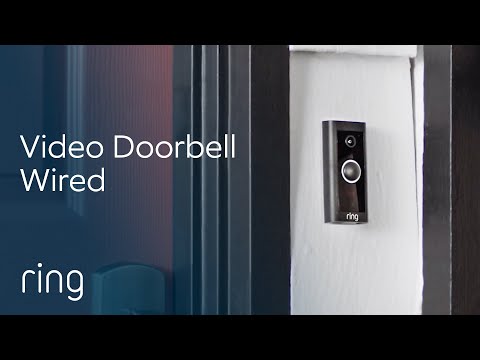
    Most break-ins and all packages arrive at the same place: your front door. The wired Ring doorbell gives you sharp video, two-way talk and person-only alerts with custom zones, and it pairs perfectly with the Echo devices from our gadgets guide.

    Pros: Cheapest reliable video doorbell; excellent person detection; answers the door from anywhere.
    Cons: Needs existing doorbell wiring; recording history requires a plan.

    Best for: Every house with doorbell wiring — it’s the highest-impact camera most people buy. Check price on Amazon →

    Our top pick

    For most people: the Tapo C211 indoors, and if you need outside coverage, add the Tapo C500. About $105 total, full AI person detection, and not a single monthly fee — that combination simply doesn’t exist elsewhere. If you’re already deep in Alexa land, go the Ring route instead and budget for the plan; the integration really is that good.

    The honest math on subscriptions

    Here’s what camera makers hope you won’t calculate: a $45 camera with a $5/month plan costs about $105 in year one and $60 every year after — forever. A $60 camera with free local AI costs $60, once. Subscriptions aren’t automatically bad (cloud backups survive a stolen camera, for one), but do the math before you buy. It’s why subscription-free picks top our list.

    Frequently asked questions

    What’s the best AI security camera without a subscription?

    The TP-Link Tapo C211 indoors and Tapo C500 outdoors. Both run person detection on the camera itself and store footage to a microSD card, so the AI features cost nothing monthly. The eufy C220 is a close runner-up with slightly better detection.

    Do AI cameras really reduce false alerts?

    Dramatically. Person detection means your phone stays silent for headlights, rain and squirrels, and pings you for humans. It’s the single biggest quality-of-life upgrade over older motion-only cameras.

    Are cheap security cameras safe to use?

    Stick to established brands like TP-Link, eufy, Blink and Ring, enable two-factor authentication in the app, and keep firmware updated. Skip no-name cameras from unknown sellers — that’s where the horror stories come from.

    What other budget AI gadgets are worth it?

    We rounded up our favourites — smart speakers, earbuds, trackers and more — in our guide to the best AI gadgets under $100.

    The bottom line

    You can genuinely secure a home for about a hundred dollars now — AI person detection included. Start with the door or the room that worries you most, pick a camera whose fees you understand, and add coverage as you go. Peace of mind has never been this affordable.

  • Top 10 AI Gadgets Under $100 in 2026 (Tested & Ranked)

    Top 10 AI Gadgets Under $100 in 2026 (Tested & Ranked)

    Disclosure: TopAINest is reader-supported. This post contains affiliate links, and we may earn a small commission if you buy through them — at no extra cost to you. We only recommend gadgets we’d genuinely tell a friend to buy.

    “AI gadget” usually means one of two things: a genuinely clever device that learns and adapts to you — or a $30 plastic box with “AI” printed on the side. The difference matters a lot when it’s your money.

    So we set a hard limit of $100 and went hunting for the gadgets that actually deliver: real voice assistants, security cameras that can tell a person from a passing car, earbuds that tune themselves to your surroundings, and a little robot that vacuums while you do literally anything else.

    Here are the ten that earned a spot, ranked. Prices are approximate and move around constantly — always check the listing for today’s number.

    Quick comparison: the best AI gadgets under $100

    GadgetBest forApprox. price
    Echo Dot (5th Gen)Voice assistant for any room~$65
    Echo Show 5Smart display~$99
    Google Nest MiniGoogle households~$65
    Blink Mini 2Budget security cam~$45
    TP-Link Tapo C211Pan/tilt home cam~$45
    Ring Video Doorbell (Wired)Smart doorbell~$65
    Amazfit Band 7Fitness & sleep tracking~$65
    Soundcore Space A40Noise-cancelling earbuds~$99
    Govee RGBIC LED StripSmart lighting~$45
    Lefant M210 Robot VacuumCheapest robot helper~$100
    Our picks at a glance
    PickBest forApprox. price
    Amazon Echo Dot (5th Gen)★ Top pickThe best all-round AI assistant under $100$100Check price →
    Amazon Echo Show 5Best smart display for the money$100Check price →
    Google Nest Mini (2nd Gen)Best for Google householdsSee listingCheck price →
    Blink Mini 2The cheapest security camera that’s actually goodSee listingCheck price →
    TP-Link Tapo C211Best camera with free AI detectionFreeCheck price →
    Ring Video Doorbell (Wired)The smart doorbell that started it all, cheapSee listingCheck price →
    Amazfit Band 7Best AI health tracking on a budgetSee listingCheck price →
    Soundcore Space A40Self-tuning noise cancelling that punches way upSee listingCheck price →
    Govee RGBIC LED StripThe biggest wow factor per dollar$45Check price →
    Lefant M210A real robot vacuum for about $100$100Check price →

    1. Amazon Echo Dot (5th Gen) — the best all-round AI assistant under $100

    Echo Dot (5th Gen) review

    ▶ Video: Echo Dot (5th Gen) review — The Breakdown With Luke (independent review). Click to play; opens YouTube’s player.

    The Echo Dot is still the easiest way to put a capable AI assistant in any room. Ask it anything, set timers, control your lights and plugs, play music — and with Amazon rolling smarter, more conversational Alexa features out across its devices, the little sphere keeps getting more natural to talk to.

    Pros: Best microphone and sound at this size; works with practically every smart-home brand; constantly improving.
    Cons: Ties you into Amazon’s ecosystem; occasionally mishears; will happily try to sell you things.

    Best for: Your first (or fifth) smart speaker. Check price on Amazon →

    2. Amazon Echo Show 5 — best smart display for the money

    All-new Echo Show 5 (3rd Gen, 2023 release) | Amazon Alexa

    ▶ Video: All-new Echo Show 5 (3rd Gen, 2023 release) | Amazon Alexa — Amazon Alexa (official). Click to play; opens YouTube’s player.

    Add a screen to Alexa and it becomes twice as useful: recipes you can glance at, video calls, camera feeds, weather, and visual answers to your questions. The Show 5 usually sits right at the edge of our $100 limit, and it’s the best bedside or kitchen-counter assistant you can get for that.

    Pros: The screen genuinely doubles what an assistant is useful for; great sunrise alarm; doubles as a digital photo frame.
    Cons: Small display; the home screen shows suggestions and ads you can’t fully switch off.

    Best for: Bedside tables and kitchen counters. Check price on Amazon →

    3. Google Nest Mini (2nd Gen) — best for Google households

    First Look at Google Nest Mini: a $49 smart speaker with a twist

    ▶ Video: First Look at Google Nest Mini: a $49 smart speaker with a twist — CNET (independent review). Click to play; opens YouTube’s player.

    If your life runs on Gmail, Google Calendar and Android, the Nest Mini fits like a glove — and Google has been steadily upgrading its assistant with Gemini’s smarts, which makes its answers to real questions noticeably better than most rivals.

    Pros: Best general-knowledge answers of any budget speaker; wall-mountable; often heavily discounted.
    Cons: Weak speaker for music; Google’s assistant lineup is mid-transition, so features occasionally shuffle around.

    Best for: Anyone already living in Google’s world. Check price on Amazon →

    Introducing Blink Mini 2

    ▶ Video: Introducing Blink Mini 2 — Blink (official). Click to play; opens YouTube’s player.

    The Blink Mini 2 is a tiny plug-in camera with crisp 1080p video, night view in colour, and AI person detection that cuts out the false alarms from cars and cats. It’s regularly one of the cheapest cameras on Amazon — and it doesn’t feel like it.

    Pros: Very cheap; two-minute setup; person detection genuinely reduces junk alerts.
    Cons: The best AI features and cloud recordings need a Blink subscription; indoor-first (outdoor use needs an adapter).

    Best for: Keeping an eye on the front door, pets or a rental. Check price on Amazon →

    Tapo C211 overview + app demo

    ▶ Video: Tapo C211 overview + app demo — Steve’s Techtube (independent review). Click to play; opens YouTube’s player.

    Here’s the sleeper pick of this list. The Tapo C211 pans and tilts for a full-room view, records in 2K, and — the big one — does its person, pet and motion detection on the device itself, saved to a cheap microSD card. Translation: the AI features are free, with no monthly subscription.

    Pros: Free on-device AI detection; local storage, no subscription required; 360° coverage; privacy shutter mode.
    Cons: Needs a power outlet nearby; the app enjoys reminding you its paid cloud plan exists.

    Best for: Anyone who hates subscriptions. Check price on Amazon →

    6. Ring Video Doorbell (Wired) — the smart doorbell that started it all, cheap

    Ring Video Doorbell Wired, All The Essentials In a Slimmed-Down Design

    ▶ Video: Ring Video Doorbell Wired, All The Essentials In a Slimmed-Down Design — Ring (official). Click to play; opens YouTube’s player.

    Ring’s entry doorbell gives you sharp video, two-way talk, and smart person detection with custom motion zones — so you get pinged for a visitor, not every squirrel. If you already have doorbell wiring, it’s a fifteen-minute upgrade that changes how you use your front door.

    Pros: Reliable, polished app; person-only alerts work well; integrates perfectly with Echo devices above.
    Cons: Needs existing doorbell wiring; video recording history requires a Ring subscription.

    Best for: Houses with existing doorbell wiring. Check price on Amazon →

    7. Amazfit Band 7 — best AI health tracking on a budget

    Amazfit Band 7 - Full Review, Pros/Cons & Features

    ▶ Video: Amazfit Band 7 – Full Review, Pros/Cons & Features — Tech, Gadgets and Other Great Ideas (independent review). Click to play; opens YouTube’s player.

    The Band 7 tracks your heart rate, sleep stages, stress and blood oxygen around the clock, then turns it into plain-English insights and a daily readiness score in the Zepp app. The party trick is battery life: up to two weeks and change, while most smartwatches beg for a charger nightly.

    Pros: Outstanding battery; genuinely useful sleep and health insights; big bright display for the price.
    Cons: Notifications are view-only; the app periodically pitches its premium tier.

    Best for: Sleep and fitness tracking without a smartwatch price tag. Check price on Amazon →

    8. Soundcore Space A40 — self-tuning noise cancelling that punches way up

    Anker Soundcore Space A40 Wireless Noise Cancelling Earbuds

    ▶ Video: Anker Soundcore Space A40 Wireless Noise Cancelling Earbuds — GizmoJoe (independent review). Click to play; opens YouTube’s player.

    Anker’s Space A40 earbuds use adaptive noise cancelling that listens to your surroundings and adjusts itself — louder on the bus, lighter at home — plus hi-res LDAC audio and around 50 hours of total battery with the case. Reviewers keep comparing them to earbuds twice their price, and they’re right to.

    Pros: Class-leading ANC for the money; tiny and comfortable; multipoint pairing; wireless charging.
    Cons: Call quality is only okay; default sound is bass-heavy until you tweak the EQ.

    Best for: Commutes, flights and open offices. Check price on Amazon →

    9. Govee RGBIC LED Strip — the biggest wow factor per dollar

    RGBIC, The Latest Rainbow Smart Light | Govee

    ▶ Video: RGBIC, The Latest Rainbow Smart Light | Govee — GOVEE (official). Click to play; opens YouTube’s player.

    Govee’s RGBIC strips can show multiple colours at once, sync to your music in real time, and take voice commands through Alexa or Google. Is the “AI” here mostly clever lighting effects and scene generation? Honestly, yes. Does your room look incredible for about $45? Also yes.

    Pros: Huge visual payoff for the price; excellent app; music sync is genuinely fun.
    Cons: The adhesive is a one-shot deal — plan the placement before you stick it; “AI” is marketing shorthand here.

    Best for: Bedrooms, desks and TV backlighting. Check price on Amazon →

    10. Lefant M210 — a real robot vacuum for about $100

    Lefant M210 Introduction

    ▶ Video: Lefant M210 Introduction — Lefant (official). Click to play; opens YouTube’s player.

    No, a $100 robot vacuum doesn’t get laser mapping or self-emptying. What the slim little Lefant M210 does get you: scheduled daily sweeps, app and voice control, and floors that stay noticeably cleaner without you touching a thing. It’s the cheapest way to hand a whole chore to a robot — which is the real promise of AI, after all.

    Pros: Often dips to around $100 on sale; slim enough to clean under furniture; surprisingly strong suction for the class.
    Cons: No smart mapping — it bumps and wanders; small dustbin; happiest on hard floors and low carpet.

    Best for: Apartments and daily maintenance cleans. Check price on Amazon →

    Our top pick

    If you’re buying one thing, make it the Echo Dot (or the Nest Mini if you live in Google’s world) — nothing else under $100 changes daily life as much as a good voice assistant. And the sleeper pick of the whole list is the Tapo C211: free AI person detection with no subscription is almost unheard of at this price. Pair those two and you’ve got a genuinely smart home for about $110.

    A quick, honest word about “AI” at this price

    None of these gadgets run giant AI models on the device. They lean on cloud assistants and small on-device detection models — and some “AI” labels are pure marketing (looking at you, light strips). That’s fine. Our rule: buy the utility, not the buzzword. Every pick above earns its spot for what it actually does, not what the box claims.

    Frequently asked questions

    What is the best AI gadget under $100?

    For most people, the Amazon Echo Dot — it’s the most useful AI assistant you can buy at this price. If home security matters more, the TP-Link Tapo C211 gives you AI person detection with no monthly fee.

    Are cheap AI gadgets actually worth it?

    Yes — when you buy proven categories like smart speakers, security cameras and fitness bands. Skip anything vague that leads with “AI-powered” but can’t explain what the AI actually does.

    Do these gadgets need subscriptions?

    Some do. Blink and Ring want a plan for cloud recordings, while the Tapo C211, Govee lights, Amazfit Band 7 and Soundcore earbuds are fully useful with zero monthly fees. Software works the same way — our roundup of the best free AI tools in 2026 covers what’s genuinely free.

    What’s the best AI gift under $100?

    The Govee light strip for teens, the Echo Show 5 for parents and grandparents, and the Soundcore Space A40 for anyone who commutes. All three feel far more expensive than they are.

    The bottom line

    You don’t need a $700 wearable pin or $300 smart glasses to put AI to work at home. A $65 speaker that runs your household, a $45 camera that knows a person from a raccoon, and a $100 robot that quietly does a chore — that’s the practical end of AI, and it’s never been this cheap. Start with one, see how fast it earns its keep, and build from there.