
Author: TopAINest Team

  • Top 7 AI-Powered Home Security Cameras in 2026 (Tested & Ranked)

    Top 7 AI-Powered Home Security Cameras in 2026 (Tested & Ranked)

    Disclosure: TopAINest is reader-supported. This post contains affiliate links, and we may earn a small commission if you buy through them — at no extra cost to you. We only recommend products we’d genuinely tell a friend to buy.

    Old home security cameras had one talent: recording eight hours of your driveway while completely missing the one minute that mattered. Modern AI cameras are different — they can tell a person from a passing car, a delivery driver from a raccoon, and only ping your phone when something is actually worth seeing.

    The catch? Half the “best camera” lists out there just rank whoever pays the biggest commission, and they conveniently skip the subscription fees that quietly double the real cost. So we ranked these seven the honest way: detection quality, whether the AI features are free or paywalled, and what you’ll actually pay over a year of ownership.

    Prices are approximate and move around constantly — always check the listing for today’s number.

    Quick comparison: the best AI security cameras of 2026

    CameraBest forApprox. priceFree AI detection?
    TP-Link Tapo C211Indoor, no subscription~$45Yes
    eufy Indoor Cam C220Indoor, local storage~$60Yes
    Blink Mini 2Cheapest reliable pick~$45Partly (plan for more)
    Ring Indoor Cam (2nd Gen)Alexa households~$65No (plan needed)
    Tapo C500Budget outdoor pan/tilt~$60Yes
    Blink Outdoor 4Wire-free outdoor~$120Partly (plan for more)
    Ring Video Doorbell (Wired)Front door coverage~$65No (plan needed)
    Our picks at a glance
    PickBest forApprox. price
    TP-Link Tapo C211★ Top pickThe best value in home security, periodFreeCheck price →
    eufy Indoor Cam C220Best local AI with zero feesFreeCheck price →
    Blink Mini 2The cheapest camera that doesn’t feel cheapSee listingCheck price →
    Ring Indoor Cam (2nd Gen)Best for Alexa householdsSee listingCheck price →
    TP-Link Tapo C500Best budget outdoor cameraFreeCheck price →
    Blink Outdoor 4Best wire-free outdoor cameraFreeCheck price →
    Ring Video Doorbell (Wired)The front door specialistSee listingCheck price →
    Tapo C211 overview + app demo

    ▶ Video: Tapo C211 overview + app demo — Steve’s Techtube (independent review). Click to play; opens YouTube’s player.

    Our overall winner, and it isn’t close. The C211 pans a full 360°, records in 2K, and runs person, pet and motion detection on the camera itself — saved to a cheap microSD card. That means the AI features cost you nothing monthly, which is almost unheard of in this market.

    Pros: Free on-device AI detection; local storage with no subscription; pan/tilt covers a whole room; physical privacy mode.
    Cons: Needs a power outlet; the app regularly advertises its optional cloud plan.

    Best for: Anyone who wants real security without a monthly bill. Check price on Amazon →

    2. eufy Indoor Cam C220 — best local AI with zero fees

    eufy C220 Indoor Cam 360 Pan/Tilt: Worth It?

    ▶ Video: eufy C220 Indoor Cam 360 Pan/Tilt: Worth It? — George Langabeer (independent review). Click to play; opens YouTube’s player.

    eufy built its reputation on one promise: no subscriptions. The C220 delivers 2K video, sharp human and pet detection processed locally, and storage on a microSD card you own. The AI is a touch more accurate than Tapo’s in our experience, especially at telling pets from people in low light.

    Pros: Excellent free AI detection; crisp 2K image; genuinely subscription-free.
    Cons: No pan/tilt at this price; smart-home integrations are more limited than Ring’s.

    Best for: Privacy-minded buyers who want everything stored at home. Check price on Amazon →

    Introducing Blink Mini 2

    ▶ Video: Introducing Blink Mini 2 — Blink (official). Click to play; opens YouTube’s player.

    Amazon’s tiny Blink Mini 2 is the impulse-buy of home security: crisp 1080p, colour night view, and AI person detection that meaningfully cuts false alarms. The catch is that person detection and cloud recordings live behind a Blink subscription — without it you still get live view and motion pings, just fewer smarts.

    Pros: Very cheap; two-minute setup; person detection works well with a plan.
    Cons: Best features need the subscription; outdoor use requires a separate adapter.

    Best for: Dipping a toe into home security for pocket change. Check price on Amazon →

    4. Ring Indoor Cam (2nd Gen) — best for Alexa households

    Ring Indoor Cam 2nd Gen Review

    ▶ Video: Ring Indoor Cam 2nd Gen Review — LifeHackster (independent review). Click to play; opens YouTube’s player.

    If your home already runs on Echo speakers and a Ring doorbell, the Indoor Cam slots in seamlessly — one app, shared alerts, and camera feeds on your Echo Show. Ring’s person detection and motion zones are polished, but nearly everything worth having requires a Ring Home plan.

    Pros: Best-in-class app; flawless Alexa integration; physical privacy shutter.
    Cons: No local storage — recordings need a subscription; you’re firmly in Amazon’s ecosystem.

    Best for: Homes already invested in Alexa and Ring. Check price on Amazon →

    Tapo C500 Review, Installation & Setup Guide: Best Budget Outdoor Security Camera from TP-Link?

    ▶ Video: Tapo C500 Review, Installation & Setup Guide: Best Budget Outdoor Security Camera from TP-Link? — Truthify (independent review). Click to play; opens YouTube’s player.

    Outdoor cameras usually mean outdoor prices, but the weatherproof C500 pans a full 360°, tracks motion automatically, and — like its indoor sibling — does person and vehicle detection free on the device with microSD storage. For about sixty dollars, that’s remarkable.

    Pros: Weatherproof pan/tilt for a bargain price; free AI detection; motion tracking; colour night vision.
    Cons: 1080p (not 2K); needs an outdoor outlet or drilled cable run.

    Best for: Driveways and backyards on a budget. Check price on Amazon →

    Blink Outdoor 4 Video Quality | Sample Recordings

    ▶ Video: Blink Outdoor 4 Video Quality | Sample Recordings — Security.org (independent review). Click to play; opens YouTube’s player.

    No outlet? No problem. The Blink Outdoor 4 runs up to two years on a pair of AA batteries, mounts anywhere in minutes, and adds person detection through the Blink plan. It’s the practical choice for spots where running a cable is a non-starter.

    Pros: Two-year battery life; fully wire-free; easy multi-camera setups.
    Cons: Person detection and cloud storage want a subscription; batteries drain faster in busy areas and cold snaps.

    Best for: Sheds, fences and rentals — anywhere without power. Check price on Amazon →

    7. Ring Video Doorbell (Wired) — the front door specialist
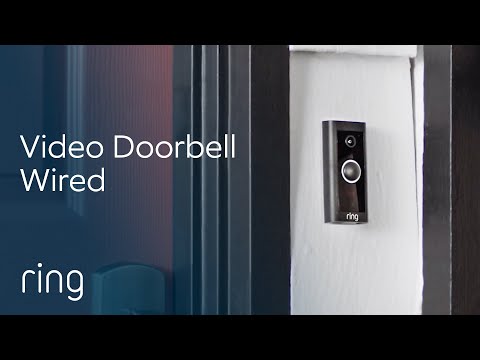
    Ring Video Doorbell Wired, All The Essentials In a Slimmed-Down Design

    ▶ Video: Ring Video Doorbell Wired, All The Essentials In a Slimmed-Down Design — Ring (official). Click to play; opens YouTube’s player.

    Most break-ins and all packages arrive at the same place: your front door. The wired Ring doorbell gives you sharp video, two-way talk and person-only alerts with custom zones, and it pairs perfectly with the Echo devices from our gadgets guide.

    Pros: Cheapest reliable video doorbell; excellent person detection; answers the door from anywhere.
    Cons: Needs existing doorbell wiring; recording history requires a plan.

    Best for: Every house with doorbell wiring — it’s the highest-impact camera most people buy. Check price on Amazon →

    Our top pick

    For most people: the Tapo C211 indoors, and if you need outside coverage, add the Tapo C500. About $105 total, full AI person detection, and not a single monthly fee — that combination simply doesn’t exist elsewhere. If you’re already deep in Alexa land, go the Ring route instead and budget for the plan; the integration really is that good.

    The honest math on subscriptions

    Here’s what camera makers hope you won’t calculate: a $45 camera with a $5/month plan costs about $105 in year one and $60 every year after — forever. A $60 camera with free local AI costs $60, once. Subscriptions aren’t automatically bad (cloud backups survive a stolen camera, for one), but do the math before you buy. It’s why subscription-free picks top our list.

    Frequently asked questions

    What’s the best AI security camera without a subscription?

    The TP-Link Tapo C211 indoors and Tapo C500 outdoors. Both run person detection on the camera itself and store footage to a microSD card, so the AI features cost nothing monthly. The eufy C220 is a close runner-up with slightly better detection.

    Do AI cameras really reduce false alerts?

    Dramatically. Person detection means your phone stays silent for headlights, rain and squirrels, and pings you for humans. It’s the single biggest quality-of-life upgrade over older motion-only cameras.

    Are cheap security cameras safe to use?

    Stick to established brands like TP-Link, eufy, Blink and Ring, enable two-factor authentication in the app, and keep firmware updated. Skip no-name cameras from unknown sellers — that’s where the horror stories come from.

    What other budget AI gadgets are worth it?

    We rounded up our favourites — smart speakers, earbuds, trackers and more — in our guide to the best AI gadgets under $100.

    The bottom line

    You can genuinely secure a home for about a hundred dollars now — AI person detection included. Start with the door or the room that worries you most, pick a camera whose fees you understand, and add coverage as you go. Peace of mind has never been this affordable.

  • Top 10 AI Gadgets Under $100 in 2026 (Tested & Ranked)

    Top 10 AI Gadgets Under $100 in 2026 (Tested & Ranked)

    Disclosure: TopAINest is reader-supported. This post contains affiliate links, and we may earn a small commission if you buy through them — at no extra cost to you. We only recommend gadgets we’d genuinely tell a friend to buy.

    “AI gadget” usually means one of two things: a genuinely clever device that learns and adapts to you — or a $30 plastic box with “AI” printed on the side. The difference matters a lot when it’s your money.

    So we set a hard limit of $100 and went hunting for the gadgets that actually deliver: real voice assistants, security cameras that can tell a person from a passing car, earbuds that tune themselves to your surroundings, and a little robot that vacuums while you do literally anything else.

    Here are the ten that earned a spot, ranked. Prices are approximate and move around constantly — always check the listing for today’s number.

    Quick comparison: the best AI gadgets under $100

    GadgetBest forApprox. price
    Echo Dot (5th Gen)Voice assistant for any room~$65
    Echo Show 5Smart display~$99
    Google Nest MiniGoogle households~$65
    Blink Mini 2Budget security cam~$45
    TP-Link Tapo C211Pan/tilt home cam~$45
    Ring Video Doorbell (Wired)Smart doorbell~$65
    Amazfit Band 7Fitness & sleep tracking~$65
    Soundcore Space A40Noise-cancelling earbuds~$99
    Govee RGBIC LED StripSmart lighting~$45
    Lefant M210 Robot VacuumCheapest robot helper~$100
    Our picks at a glance
    PickBest forApprox. price
    Amazon Echo Dot (5th Gen)★ Top pickThe best all-round AI assistant under $100$100Check price →
    Amazon Echo Show 5Best smart display for the money$100Check price →
    Google Nest Mini (2nd Gen)Best for Google householdsSee listingCheck price →
    Blink Mini 2The cheapest security camera that’s actually goodSee listingCheck price →
    TP-Link Tapo C211Best camera with free AI detectionFreeCheck price →
    Ring Video Doorbell (Wired)The smart doorbell that started it all, cheapSee listingCheck price →
    Amazfit Band 7Best AI health tracking on a budgetSee listingCheck price →
    Soundcore Space A40Self-tuning noise cancelling that punches way upSee listingCheck price →
    Govee RGBIC LED StripThe biggest wow factor per dollar$45Check price →
    Lefant M210A real robot vacuum for about $100$100Check price →

    1. Amazon Echo Dot (5th Gen) — the best all-round AI assistant under $100

    Echo Dot (5th Gen) review

    ▶ Video: Echo Dot (5th Gen) review — The Breakdown With Luke (independent review). Click to play; opens YouTube’s player.

    The Echo Dot is still the easiest way to put a capable AI assistant in any room. Ask it anything, set timers, control your lights and plugs, play music — and with Amazon rolling smarter, more conversational Alexa features out across its devices, the little sphere keeps getting more natural to talk to.

    Pros: Best microphone and sound at this size; works with practically every smart-home brand; constantly improving.
    Cons: Ties you into Amazon’s ecosystem; occasionally mishears; will happily try to sell you things.

    Best for: Your first (or fifth) smart speaker. Check price on Amazon →

    2. Amazon Echo Show 5 — best smart display for the money

    All-new Echo Show 5 (3rd Gen, 2023 release) | Amazon Alexa

    ▶ Video: All-new Echo Show 5 (3rd Gen, 2023 release) | Amazon Alexa — Amazon Alexa (official). Click to play; opens YouTube’s player.

    Add a screen to Alexa and it becomes twice as useful: recipes you can glance at, video calls, camera feeds, weather, and visual answers to your questions. The Show 5 usually sits right at the edge of our $100 limit, and it’s the best bedside or kitchen-counter assistant you can get for that.

    Pros: The screen genuinely doubles what an assistant is useful for; great sunrise alarm; doubles as a digital photo frame.
    Cons: Small display; the home screen shows suggestions and ads you can’t fully switch off.

    Best for: Bedside tables and kitchen counters. Check price on Amazon →

    3. Google Nest Mini (2nd Gen) — best for Google households

    First Look at Google Nest Mini: a $49 smart speaker with a twist

    ▶ Video: First Look at Google Nest Mini: a $49 smart speaker with a twist — CNET (independent review). Click to play; opens YouTube’s player.

    If your life runs on Gmail, Google Calendar and Android, the Nest Mini fits like a glove — and Google has been steadily upgrading its assistant with Gemini’s smarts, which makes its answers to real questions noticeably better than most rivals.

    Pros: Best general-knowledge answers of any budget speaker; wall-mountable; often heavily discounted.
    Cons: Weak speaker for music; Google’s assistant lineup is mid-transition, so features occasionally shuffle around.

    Best for: Anyone already living in Google’s world. Check price on Amazon →

    Introducing Blink Mini 2

    ▶ Video: Introducing Blink Mini 2 — Blink (official). Click to play; opens YouTube’s player.

    The Blink Mini 2 is a tiny plug-in camera with crisp 1080p video, night view in colour, and AI person detection that cuts out the false alarms from cars and cats. It’s regularly one of the cheapest cameras on Amazon — and it doesn’t feel like it.

    Pros: Very cheap; two-minute setup; person detection genuinely reduces junk alerts.
    Cons: The best AI features and cloud recordings need a Blink subscription; indoor-first (outdoor use needs an adapter).

    Best for: Keeping an eye on the front door, pets or a rental. Check price on Amazon →

    Tapo C211 overview + app demo

    ▶ Video: Tapo C211 overview + app demo — Steve’s Techtube (independent review). Click to play; opens YouTube’s player.

    Here’s the sleeper pick of this list. The Tapo C211 pans and tilts for a full-room view, records in 2K, and — the big one — does its person, pet and motion detection on the device itself, saved to a cheap microSD card. Translation: the AI features are free, with no monthly subscription.

    Pros: Free on-device AI detection; local storage, no subscription required; 360° coverage; privacy shutter mode.
    Cons: Needs a power outlet nearby; the app enjoys reminding you its paid cloud plan exists.

    Best for: Anyone who hates subscriptions. Check price on Amazon →

    6. Ring Video Doorbell (Wired) — the smart doorbell that started it all, cheap

    Ring Video Doorbell Wired, All The Essentials In a Slimmed-Down Design

    ▶ Video: Ring Video Doorbell Wired, All The Essentials In a Slimmed-Down Design — Ring (official). Click to play; opens YouTube’s player.

    Ring’s entry doorbell gives you sharp video, two-way talk, and smart person detection with custom motion zones — so you get pinged for a visitor, not every squirrel. If you already have doorbell wiring, it’s a fifteen-minute upgrade that changes how you use your front door.

    Pros: Reliable, polished app; person-only alerts work well; integrates perfectly with Echo devices above.
    Cons: Needs existing doorbell wiring; video recording history requires a Ring subscription.

    Best for: Houses with existing doorbell wiring. Check price on Amazon →

    7. Amazfit Band 7 — best AI health tracking on a budget

    Amazfit Band 7 - Full Review, Pros/Cons & Features

    ▶ Video: Amazfit Band 7 – Full Review, Pros/Cons & Features — Tech, Gadgets and Other Great Ideas (independent review). Click to play; opens YouTube’s player.

    The Band 7 tracks your heart rate, sleep stages, stress and blood oxygen around the clock, then turns it into plain-English insights and a daily readiness score in the Zepp app. The party trick is battery life: up to two weeks and change, while most smartwatches beg for a charger nightly.

    Pros: Outstanding battery; genuinely useful sleep and health insights; big bright display for the price.
    Cons: Notifications are view-only; the app periodically pitches its premium tier.

    Best for: Sleep and fitness tracking without a smartwatch price tag. Check price on Amazon →

    8. Soundcore Space A40 — self-tuning noise cancelling that punches way up

    Anker Soundcore Space A40 Wireless Noise Cancelling Earbuds

    ▶ Video: Anker Soundcore Space A40 Wireless Noise Cancelling Earbuds — GizmoJoe (independent review). Click to play; opens YouTube’s player.

    Anker’s Space A40 earbuds use adaptive noise cancelling that listens to your surroundings and adjusts itself — louder on the bus, lighter at home — plus hi-res LDAC audio and around 50 hours of total battery with the case. Reviewers keep comparing them to earbuds twice their price, and they’re right to.

    Pros: Class-leading ANC for the money; tiny and comfortable; multipoint pairing; wireless charging.
    Cons: Call quality is only okay; default sound is bass-heavy until you tweak the EQ.

    Best for: Commutes, flights and open offices. Check price on Amazon →

    9. Govee RGBIC LED Strip — the biggest wow factor per dollar

    RGBIC, The Latest Rainbow Smart Light | Govee

    ▶ Video: RGBIC, The Latest Rainbow Smart Light | Govee — GOVEE (official). Click to play; opens YouTube’s player.

    Govee’s RGBIC strips can show multiple colours at once, sync to your music in real time, and take voice commands through Alexa or Google. Is the “AI” here mostly clever lighting effects and scene generation? Honestly, yes. Does your room look incredible for about $45? Also yes.

    Pros: Huge visual payoff for the price; excellent app; music sync is genuinely fun.
    Cons: The adhesive is a one-shot deal — plan the placement before you stick it; “AI” is marketing shorthand here.

    Best for: Bedrooms, desks and TV backlighting. Check price on Amazon →

    10. Lefant M210 — a real robot vacuum for about $100

    Lefant M210 Introduction

    ▶ Video: Lefant M210 Introduction — Lefant (official). Click to play; opens YouTube’s player.

    No, a $100 robot vacuum doesn’t get laser mapping or self-emptying. What the slim little Lefant M210 does get you: scheduled daily sweeps, app and voice control, and floors that stay noticeably cleaner without you touching a thing. It’s the cheapest way to hand a whole chore to a robot — which is the real promise of AI, after all.

    Pros: Often dips to around $100 on sale; slim enough to clean under furniture; surprisingly strong suction for the class.
    Cons: No smart mapping — it bumps and wanders; small dustbin; happiest on hard floors and low carpet.

    Best for: Apartments and daily maintenance cleans. Check price on Amazon →

    Our top pick

    If you’re buying one thing, make it the Echo Dot (or the Nest Mini if you live in Google’s world) — nothing else under $100 changes daily life as much as a good voice assistant. And the sleeper pick of the whole list is the Tapo C211: free AI person detection with no subscription is almost unheard of at this price. Pair those two and you’ve got a genuinely smart home for about $110.

    A quick, honest word about “AI” at this price

    None of these gadgets run giant AI models on the device. They lean on cloud assistants and small on-device detection models — and some “AI” labels are pure marketing (looking at you, light strips). That’s fine. Our rule: buy the utility, not the buzzword. Every pick above earns its spot for what it actually does, not what the box claims.

    Frequently asked questions

    What is the best AI gadget under $100?

    For most people, the Amazon Echo Dot — it’s the most useful AI assistant you can buy at this price. If home security matters more, the TP-Link Tapo C211 gives you AI person detection with no monthly fee.

    Are cheap AI gadgets actually worth it?

    Yes — when you buy proven categories like smart speakers, security cameras and fitness bands. Skip anything vague that leads with “AI-powered” but can’t explain what the AI actually does.

    Do these gadgets need subscriptions?

    Some do. Blink and Ring want a plan for cloud recordings, while the Tapo C211, Govee lights, Amazfit Band 7 and Soundcore earbuds are fully useful with zero monthly fees. Software works the same way — our roundup of the best free AI tools in 2026 covers what’s genuinely free.

    What’s the best AI gift under $100?

    The Govee light strip for teens, the Echo Show 5 for parents and grandparents, and the Soundcore Space A40 for anyone who commutes. All three feel far more expensive than they are.

    The bottom line

    You don’t need a $700 wearable pin or $300 smart glasses to put AI to work at home. A $65 speaker that runs your household, a $45 camera that knows a person from a raccoon, and a $100 robot that quietly does a chore — that’s the practical end of AI, and it’s never been this cheap. Start with one, see how fast it earns its keep, and build from there.

  • Top 7 Free AI Tools That Are Actually Worth It in 2026

    Top 7 Free AI Tools That Are Actually Worth It in 2026

    Disclosure: TopAINest is reader-supported. This post contains affiliate links, and we may earn a small commission if you sign up through them — at no extra cost to you. We only recommend tools we’d genuinely tell a friend to use.

    “Free” usually means one of two things in the AI world: genuinely useful, or a glorified demo that nags you to upgrade every five minutes. After trying dozens of free plans, we found that most fall into the second bucket — but a handful are so good it’s honestly surprising they cost nothing.

    This list is the first bucket only. Every tool here has a free plan you can use daily without hitting a wall in the first hour, and each one earns its spot for a different job — writing, research, design, video, or just getting your life organized. Here are the seven free AI tools actually worth your time in 2026.

    Quick comparison: the best free AI tools

    ToolBest forFree plan limit
    ChatGPTEveryday questions & writing helpGenerous daily use
    Google GeminiResearch with Google appsGenerous daily use
    PerplexityResearch with sourcesDaily searches
    CanvaDesign & social graphicsHuge free tier
    GrammarlyGrammar & clarityCore checks free
    NotionNotes & organizationFree for individuals
    CapCutVideo editingCore editor free
    Our picks at a glance
    PickBest forApprox. price
    ChatGPT★ Top pickThe best all-round free AI assistantFreeVisit site →
    Google GeminiBest if you live in Google appsFreeVisit site →
    PerplexityBest for research with real sourcesFreeVisit site →
    CanvaBest free AI design toolFreeVisit site →
    GrammarlyBest free writing polishFreeVisit site →
    NotionBest free AI-powered workspaceFreeVisit site →
    CapCutBest free AI video editorFreeVisit site →

    1. ChatGPT — the best all-round free AI assistant

    Introduction to ChatGPT agent

    ▶ Video: Introduction to ChatGPT agent — OpenAI (official). Click to play; opens YouTube’s player.

    Still the one to beat. ChatGPT’s free tier handles everyday questions, drafting, brainstorming, summarizing, and explaining hard topics in plain English. For most people it replaces a dozen single-purpose apps at once.

    Pros: Versatile; strong free tier; easy to use on phone and desktop.
    Cons: Can be confidently wrong — verify facts; busiest hours can be slower on free.

    Best for: Everyone — it’s the default first AI tool. Try ChatGPT free →

    2. Google Gemini — best if you live in Google apps

    Google's newest AI in 90 seconds | Gemini

    ▶ Video: Google’s newest AI in 90 seconds | Gemini — Google (official). Click to play; opens YouTube’s player.

    Gemini’s free tier is excellent on its own, but its superpower is connection: it plugs into Gmail, Docs, and Drive, so you can summarize emails or draft documents where you already work.

    Pros: Deep Google integration; great at research; generous free tier.
    Cons: Best features assume you use Google’s ecosystem.

    Best for: Gmail and Google Docs users. Try Gemini free →

    3. Perplexity — best for research with real sources

    Perplexity — This is where knowledge begins.

    ▶ Video: Perplexity — This is where knowledge begins. — Perplexity (official). Click to play; opens YouTube’s player.

    Perplexity answers questions like a search engine and a researcher had a baby: direct answers with citations you can actually check. For homework, work research, or fact-checking, it beats scrolling ten blue links.

    Pros: Cites sources; fast; great free tier for daily use.
    Cons: Deeper “Pro” searches are limited per day on free.

    Best for: Students and researchers. Try Perplexity free →

    4. Canva — best free AI design tool

    Meet Magic Studio | Let the power of AI supercharge your work

    ▶ Video: Meet Magic Studio | Let the power of AI supercharge your work — Canva (official). Click to play; opens YouTube’s player.

    Canva quietly became an AI powerhouse: text-to-image, Magic Write, background remover, and one-click resizing — all inside the easiest design editor on the planet. The free tier is genuinely huge.

    Pros: Massive free tier; templates for everything; AI tools built in.
    Cons: Some premium assets and AI credits are paywalled.

    Best for: Social posts, thumbnails, and presentations. Try Canva free →

    5. Grammarly — best free writing polish

    How Grammarly's AI Empowers Writers

    ▶ Video: How Grammarly’s AI Empowers Writers — Grammarly (official). Click to play; opens YouTube’s player.

    Grammarly’s free plan catches the spelling, grammar, and punctuation slips that make writing look careless — everywhere you type, from email to social posts. Set it up once and forget it exists until it saves you.

    Pros: Works across your browser; catches what you miss; zero learning curve.
    Cons: Tone rewrites and plagiarism checks need Premium.

    Best for: Anyone who writes anything. Try Grammarly free →

    6. Notion — best free AI-powered workspace

    Introducing the new Notion AI

    ▶ Video: Introducing the new Notion AI — Notion (official). Click to play; opens YouTube’s player.

    Notion is free for personal use and organizes your notes, tasks, and projects in one place; its built-in AI can summarize pages and draft outlines from your own notes. It’s the tool that makes the other tools on this list more useful.

    Pros: Generous personal free plan; endlessly flexible; AI built in.
    Cons: Slight learning curve; AI actions are limited on free.

    Best for: Notes, planning, and staying organized. Try Notion free →

    7. CapCut — best free AI video editor

    Welcome to the CapCut YouTube Channel | CapCut

    ▶ Video: Welcome to the CapCut YouTube Channel | CapCut — CapCut (official). Click to play; opens YouTube’s player.

    CapCut made real video editing free: auto-captions, background removal, AI effects, and templates that turn raw clips into polished shorts in minutes. It’s the reason so many small creators look professional.

    Pros: Powerful free editor; brilliant auto-captions; phone and desktop.
    Cons: Some effects are Pro; watch for watermarks on certain templates.

    Best for: Reels, Shorts, and TikToks. Try CapCut free →

    Our top pick if you only try one

    Start with ChatGPT for everyday help, then add the specialist that matches your life: Canva if you make anything visual, Perplexity if you research, CapCut if you make videos. The real trick with free AI isn’t finding one perfect tool — it’s pairing two or three that cover your actual week.

    Frequently asked questions

    What’s the catch with free AI tools?

    Usually usage limits or premium features held back for paid plans. Everything on this list is genuinely usable daily on the free tier — that was our bar for including it.

    Are free AI tools safe to use?

    The major tools here are from established companies with real privacy policies. As a rule, avoid pasting sensitive personal or work data into any AI tool, free or paid.

    Which free AI tool is best for students?

    Perplexity for research with sources, plus Grammarly for polishing your writing. See our full guide to the best AI writing tools for students.

    When is it worth paying for AI tools?

    When you hit a free limit weekly and the tool saves you real hours. Until then, the free tiers above cover most people completely.

    The bottom line

    You can build a seriously capable AI toolkit in 2026 without spending a dollar. Grab ChatGPT plus one or two specialists from this list, use them for a couple of weeks, and only then decide if any paid upgrade earns its keep. Your wallet — and your workflow — will thank you.

  • Top 5 AI Writing Tools for Students in 2026 (Tested & Ranked)

    Top 5 AI Writing Tools for Students in 2026 (Tested & Ranked)

    Disclosure: TopAINest is reader-supported. This post contains affiliate links, and we may earn a small commission if you sign up through them — at no extra cost to you. We only recommend tools we’d genuinely tell a friend to use.

    If you’re a student in 2026, you already know the workload is relentless: essays, research papers, lab reports, group projects, and a reading list that never shrinks. The right AI writing tool won’t do your thinking for you — but it will help you draft faster, catch mistakes, paraphrase clearly, and stay organized so you can focus on actually learning.

    The problem? There are hundreds of AI tools, and most “best of” lists just push whatever pays them the most. So we did the boring part for you. We tested the most popular options against what students actually need: accuracy, ease of use, a genuinely useful free plan, and whether the tool helps you improve instead of just cutting corners. Here are the five that earned a spot.

    Quick comparison: the best AI writing tools for students

    ToolBest forFree plan?Starting price
    GrammarlyGrammar & clarityYes~$12/mo
    QuillBotParaphrasing & summarizingYes~$10/mo
    Notion AINotes & organizationYes~$10/mo
    ChatGPTBrainstorming & researchYes~$20/mo
    JasperLong-form draftsTrial~$39/mo
    Our picks at a glance
    PickBest forApprox. price
    Grammarly★ Top pickBest for grammar and clarityFreeVisit site →
    QuillBotBest for paraphrasing and summarizingFreeVisit site →
    Notion AIBest for notes and staying organizedFreeVisit site →
    ChatGPTBest for brainstorming and understanding hard topicsFreeVisit site →
    JasperBest for longer drafts (if you can afford it)FreeVisit site →

    1. Grammarly — best for grammar and clarity

    What is Grammarly?

    ▶ Video: What is Grammarly? — Grammarly (official). Click to play; opens YouTube’s player.

    Grammarly is the tool almost every student ends up using, and for good reason. It checks grammar, spelling, punctuation, and tone in real time across your browser, Google Docs, and Word. Its AI can also rewrite clunky sentences, adjust formality for academic writing, and flag accidental plagiarism on paid plans.

    Pros: Excellent free plan; works everywhere you write; catches mistakes you’d miss.
    Cons: Advanced rewrites and the plagiarism checker need Premium.

    Best for: Every student who wants cleaner, more confident writing. Try Grammarly free →

    2. QuillBot — best for paraphrasing and summarizing

    Paraphraser Tool Demo | QuillBot Official

    ▶ Video: Paraphraser Tool Demo | QuillBot Official — Quillbot (official). Click to play; opens YouTube’s player.

    QuillBot is a lifesaver when you understand an idea but need to put it in your own words, or when you have to condense a 20-page PDF into something readable. Its paraphraser rewrites text in different tones, its summarizer pulls out key points fast, and it includes a handy citation generator.

    Pros: Best-in-class paraphrasing; usable free plan; great for research.
    Cons: The free plan limits how much you can rewrite at once.

    Best for: Research-heavy courses and anyone who summarizes a lot. Try QuillBot free →

    3. Notion AI — best for notes and staying organized

    Introducing the new Notion AI

    ▶ Video: Introducing the new Notion AI — Notion (official). Click to play; opens YouTube’s player.

    If your real problem isn’t writing but drowning in notes, Notion AI is the fix. Notion is a flexible workspace for class notes, to-do lists, and project planning, and its built-in AI can summarize your notes, generate study questions, and draft outlines from your own material. There’s even discounted student pricing.

    Pros: Combines organization and AI in one place; generous free plan; student discount.
    Cons: Slight learning curve when you first set it up.

    Best for: Students who want one home for notes, tasks, and drafts. Try Notion free →

    4. ChatGPT — best for brainstorming and understanding hard topics

    Introducing GPT-4o

    ▶ Video: Introducing GPT-4o — OpenAI (official). Click to play; opens YouTube’s player.

    ChatGPT is the best all-round thinking partner on this list. Ask it to explain a difficult concept in simple terms, brainstorm essay angles, build a study plan, or quiz you before an exam. Use it to understand — not to submit its output as your own, which most universities can now detect and penalize.

    Pros: Powerful free tier; incredibly versatile; a genuinely good tutor.
    Cons: Can be confidently wrong — always verify facts and sources.

    Best for: Brainstorming, studying, and plain-English explanations. Try ChatGPT free →

    5. Jasper — best for longer drafts (if you can afford it)

    Jasper 10 Min Demo — How Jasper.ai Works

    ▶ Video: Jasper 10 Min Demo — How Jasper.ai Works — Jasper (official). Click to play; opens YouTube’s player.

    Jasper is built for long-form writing. If you regularly produce lengthy essays or reports and want AI help structuring and drafting them, Jasper delivers more polished long-form output than most. It’s pricier and has no free plan, so it’s best once you know you’ll use it often.

    Pros: Strong long-form drafting; templates and tone control.
    Cons: No free plan; overkill for light users.

    Best for: Heavy writers and grad students. Try Jasper →

    Our top pick for most students

    If you only start with one, make it Grammarly for everyday writing, then add QuillBot when you’re doing research-heavy work. Together they cover about 90% of what students need, both have free plans, and neither encourages cutting corners — they simply make your own work better.

    A quick word on using AI honestly

    AI tools are welcome in more classrooms every year — but the rules vary by school and even by professor. Use them to learn, draft, and polish, not to hand in work that isn’t yours. Most schools now use AI detectors, and the real goal is to become a better writer, not to outsource your degree. Every tool here is most powerful when it helps you do your own best work.

    Frequently asked questions

    What is the best free AI writing tool for students?

    Grammarly has the best free plan for everyday writing, while QuillBot is the best free option for paraphrasing and summarizing. Most students use both together.

    Is it cheating to use AI writing tools?

    Not if you use them to check grammar, brainstorm, or understand topics. It becomes cheating when you submit AI-generated text as your own original work. Always follow your school’s policy.

    Can teachers detect AI writing?

    Often, yes. Many schools use AI-detection software, so the safest approach is to use AI to support your own writing rather than replace it.

    Which AI tool is best for essays?

    For drafting long essays, Jasper produces the most polished long-form output, but Grammarly plus your own outline is enough for most undergraduate essays.

    The bottom line

    You don’t need a stack of expensive subscriptions. Start with Grammarly and QuillBot’s free plans, add Notion AI to stay organized, and use ChatGPT as a study partner. Upgrade only when you hit a real limit. Used honestly, these tools give you back hours every week — time you can spend actually learning (or, let’s be real, sleeping).