
If your classes happen over Zoom, Teams or Google Meet, your earbuds matter more than your webcam. A muffled mic makes you “the person everyone asks to repeat themselves,” and leaky earbuds mean your whole household hears your 8 AM lecture. The good news: in 2026 you genuinely do not need AirPods money to fix this. We dug through spec sheets, firmware update histories and hundreds of long-term owner reviews to find wireless earbuds under $50 CAD that nail the three things online classes actually demand — a mic that picks up your voice clearly, battery that survives a full day of back-to-back calls, and a connection that doesn’t stutter when your laptop and phone are both fighting for Bluetooth.
Heads up: some links below are affiliate links to Amazon.ca. If you buy through them, TopAINest may earn a small commission at no extra cost to you. It helps keep our testing honest and ad-free.
How we picked (and what we skipped)
Every pick had to stay under $50 CAD at regular price, have a call-focused mic setup (dual mics or better, ideally with noise reduction), offer at least 5 hours per charge with a case that gets you through a full school day, and hold a stable connection to a laptop — not just a phone. We skipped anything with a history of one-earbud-dies syndrome in reviews, and anything from brands that abandon firmware after launch. Active noise cancelling at this price is usually a gimmick, so we treated it as a bonus, not a requirement.
| Pick | Best for | Approx. price | |
|---|---|---|---|
| Anker Soundcore Life P2 Mini | Best mic for the money | See listing | Check price → |
| Anker Soundcore P20i | Best battery + app control | $40 | Check price → |
| JLab Go Air Pop | Best for tiny budgets | $25 | Check price → |
| QCY T13 | Best mic array under $40 | $40 | Check price → |
| TOZO T6 | Best fit for small ears and long wear | $50 | Check price → |
In this guide
1. Anker Soundcore Life P2 Mini — best mic for the money

▶ Video: How to use the Soundcore Life P2 Mini — Anker soundcore (official). Click to play; opens YouTube’s player.
The Life P2 Mini is the earbud we would hand to any student who says “I just need my professor to hear me.” Anker’s dual-mic setup with AI noise reduction consistently gets called out in owner reviews for cutting through keyboard clatter and roommate noise — rare praise at this price. You get about 8 hours per charge and 32 hours total with the case, so a forgotten Sunday charge won’t wreck your Monday. Sound is warm and easy to listen to for long lectures, and the tiny case disappears into a pencil pouch.
Pros: standout call clarity for the price; 32-hour total battery; small, pocketable case; reliable Anker firmware support.
Cons: no wireless charging; touch controls are basic; no companion app EQ on this model.
2. Anker Soundcore P20i — best battery + app control

▶ Video: Soundcore by Anker P20i True Wireless Earbuds Review — Todd’s Garage (independent review). Click to play; opens YouTube’s player.
The P20i is the newer budget star in Anker’s lineup, and it fixes the P2 Mini’s one real gap: it works with the Soundcore app, so you get a proper EQ, a “find my earbuds” beeper (a lifesaver in a backpack), and customizable controls. Battery is a claimed 10 hours per charge and 30 with the case, and real-world reports back up all-day use. Calls are handled by dual mics with AI clarity processing — a notch below the P2 Mini in loud rooms, but perfectly fine for a quiet desk. For students who live in one spot and want to tune their sound, this is the pick.
Pros: app with full EQ and earbud-finder; 10-hour single charge; big, easy physical fit; frequently discounted well under $40.
Cons: case is chunkier than the P2 Mini’s; mic slightly behind its sibling in noisy rooms.
3. JLab Go Air Pop — best for tiny budgets

▶ Video: JLab Go Air Pop Review | Super Affordable Earbuds — Andy’s Tech Tone (independent review). Click to play; opens YouTube’s player.
Regularly floating around the $25–30 mark, the Go Air Pop is the “I need earbuds by Thursday and I’m broke” answer — and it’s shockingly decent. You get 8+ hours per bud, a slim case, dual connect (each bud works solo, so you can keep one ear on the lecture and one on the real world), and JLab’s three built-in EQ modes without needing an app. The mic is fine for quiet rooms; it won’t fight a busy kitchen. Where JLab really wins is trust: a two-year warranty at a throwaway price.
Pros: absurd value; 32+ hours total battery; each bud works independently; two-year warranty.
Cons: mic is average in noise; micro-USB-free but short cable included; bass-heavy default tuning.
4. QCY T13 — best mic array under $40
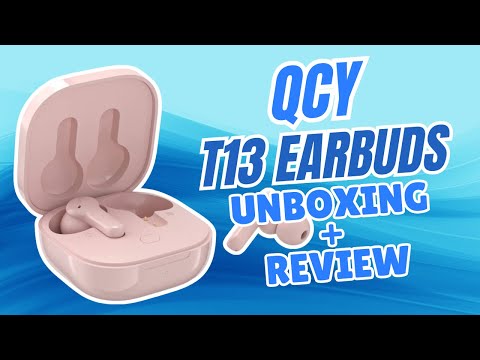
▶ Video: QCY T13 Unboxing & Review — Jonny Zhu (independent review). Click to play; opens YouTube’s player.
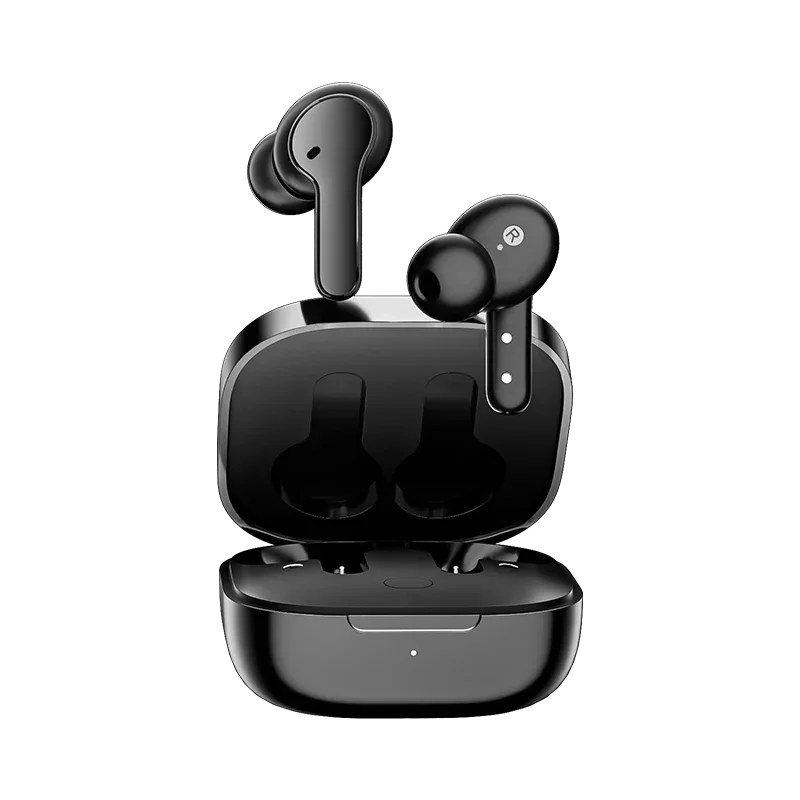
QCY is huge in Asia and criminally underrated in Canada. The T13 packs four microphones — two per ear — with noise suppression that owner reviews consistently rate above its price class for calls. The companion app brings a 10-band EQ, control remapping and a low-latency mode. Battery runs about 7 hours per charge, 30+ with the case. The catch is the brand feel: packaging, translations and app polish are rougher than Anker or JLab, and long-term durability reports are more mixed. But purely on call quality per dollar, the T13 punches way up.
Pros: 4-mic array is rare under $40; deep app customization; strong total battery; often on sale near $30.
Cons: less polished app and build; mixed long-term durability reports; unremarkable default sound until you EQ it.
5. TOZO T6 — best fit for small ears and long wear

▶ Video: Tozo T6 True Wireless Earbuds Review — Digital David (independent review). Click to play; opens YouTube’s player.
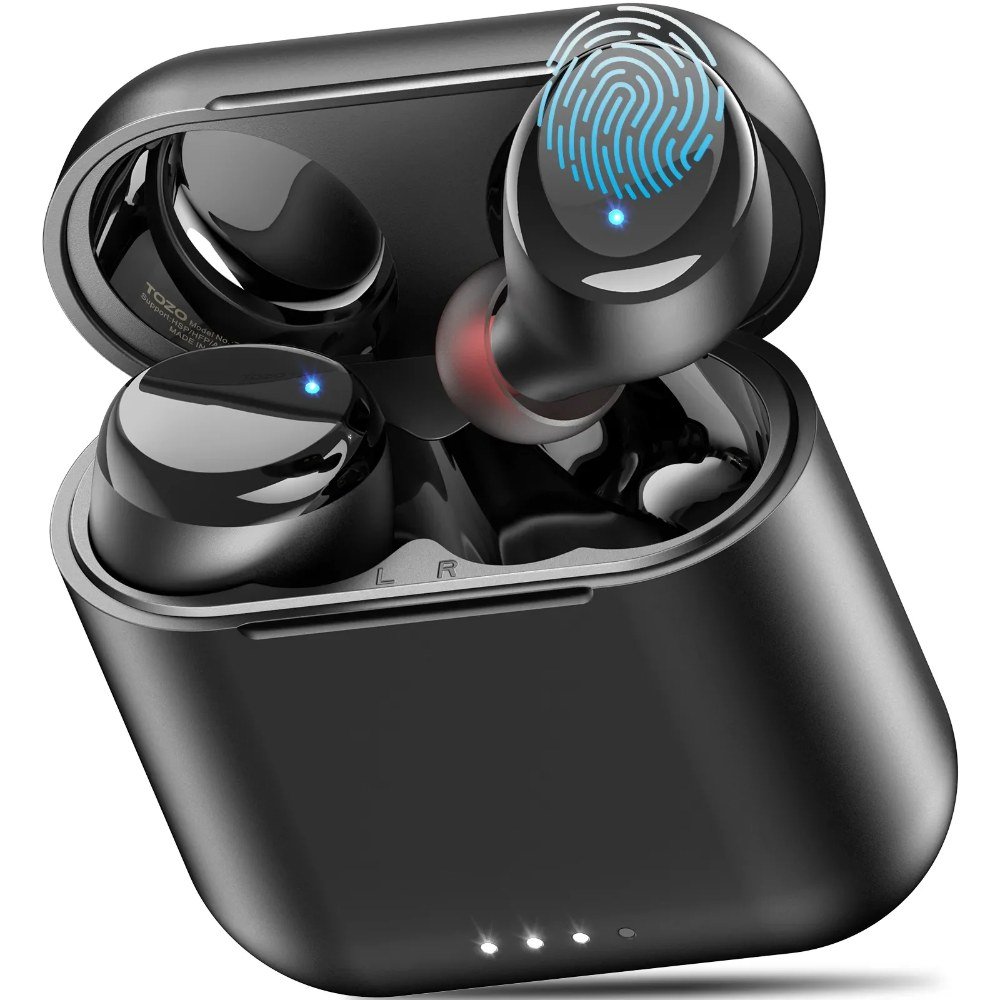
The T6 has quietly become one of Amazon’s best-selling earbuds for a reason: it’s small, light, IPX8 waterproof (survives an actual dunk, not just sweat), and ships with six ear-tip sizes, which makes it the easiest recommendation for smaller ears that ache after a two-hour seminar. Battery is roughly 6 hours per charge and up to 30 with the case, and the case supports wireless charging — genuinely rare under $50. The single mic per bud is the trade-off: fine for a quiet bedroom class, weakest on this list in a noisy space.
Pros: most comfortable for long lectures; wireless charging case; IPX8 rating; huge, active user base and support.
Cons: weakest mic of our five in noise; no companion app on the base model; bass-forward tuning isn’t for everyone.
Which one should you actually buy?
If calls are the whole point, get the Soundcore Life P2 Mini — its mic is the reason this list exists. If you want app control and the longest single-charge battery, the P20i is a coin-flip better. Down near $25, the JLab Go Air Pop is the safest cheap buy on the internet. Pick the QCY T13 if you’ll actually use the EQ, and the TOZO T6 if comfort and small ears have ruined earbuds for you before.
Kitting out a dorm desk on a budget? Once the earbuds are sorted, the next thing most students add is a smart speaker — here’s our honest take on the best Alexa devices for a dorm room, including the one we’d skip.
FAQ
Are cheap wireless earbuds good enough for Zoom classes?
Yes — for voice calls, a good $40 earbud with dual mics is closer to a $200 earbud than you’d expect. Video platforms compress audio heavily anyway, so mic placement and noise reduction matter more than expensive drivers. Where budget earbuds fall behind is music detail and active noise cancelling, not speech.
Can I connect these to my laptop and phone at the same time?
True multipoint is rare under $50. The practical workaround: pair the earbuds to both devices once, then turn Bluetooth off on the one you’re not using. JLab’s dual-connect and QCY’s app make switching a little smoother, but no pick here does seamless two-device audio like $150+ models do.
What matters more for online classes — ANC or a good mic?
The mic, every time. Noise cancelling helps you hear the lecture; the mic decides whether anyone hears you. Budget ANC also tends to hiss and eat battery. If you need quiet for focus, foam ear tips on a well-fitting earbud block nearly as much noise as cheap ANC does.
We’ll keep this list updated as prices move and new budget earbuds earn their place. If a pick here dies on you or surprises you, tell us — real long-term reports are exactly what makes these rankings better.



Leave a Reply